
Sort It Out!
A capable inventory sorting mod that works either client-side or server-side
介绍
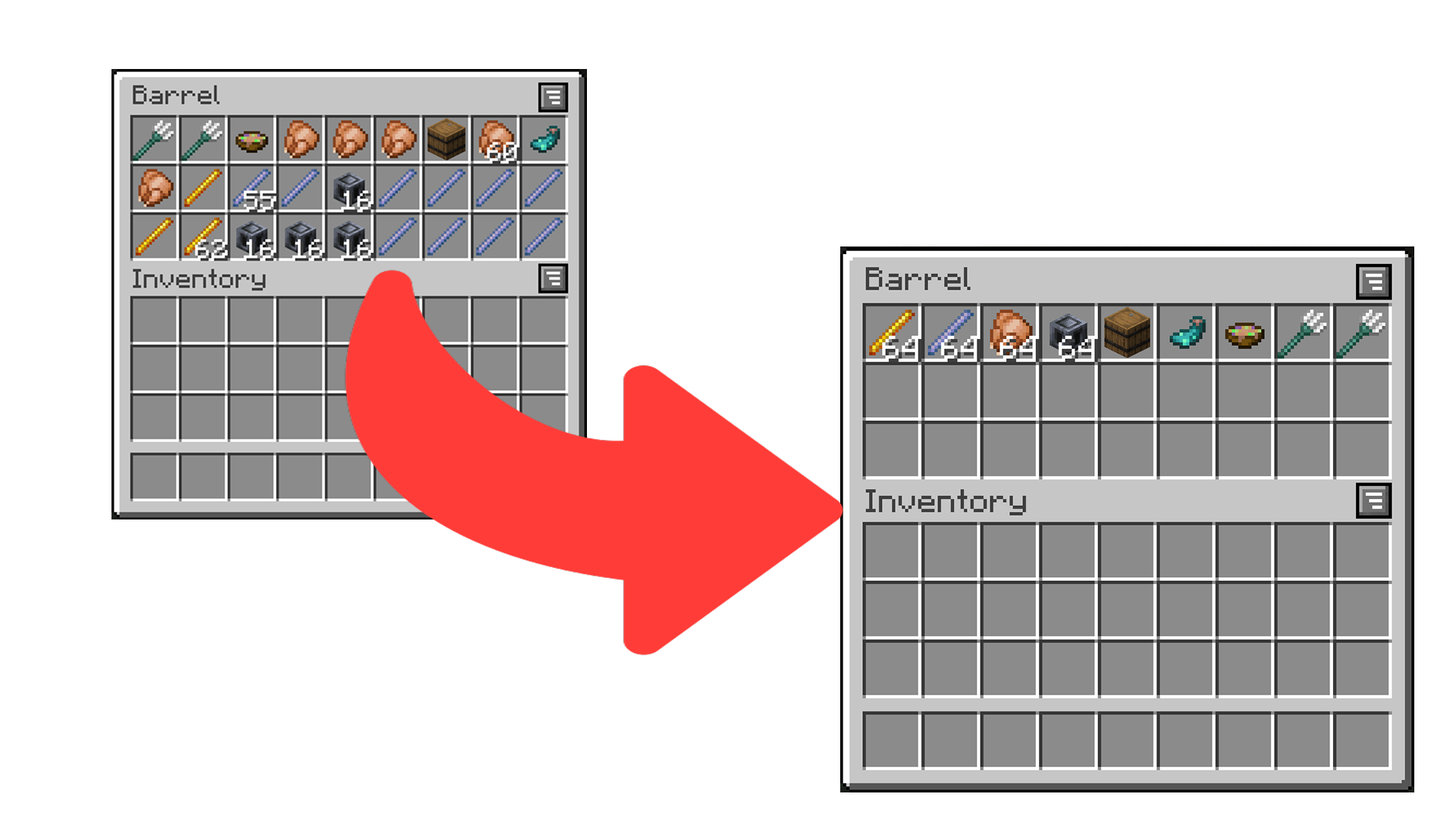
Sort It Out! is an inventory sorting mod that:
- has configurable sorting;
- works when installed only on the server (even with vanilla clients!);
- works when installed only on the client;
- and allows data-driven custom sort button locations.
How to Use
There are multiple ways to trigger sorting:
- Double-click an empty slot (configurable) (_client or server_).
- Click the sort button (_client only_).
- Press the sort keybind (default is
I) (_client only_).
How to Configure
Sort It Out! can be configured via an in-game configuration screen which can be accessed in Mod Menu (Fabric/Quilt) or the mods screen (Forge/NeoForge). In the case that the mod is not installed on the clientside, players can use the /sortitout preferences command to view and update their preferences (which will persist across rejoins and server restarts).
Packet Send Interval: defines the interval, in ticks, at which packets are sent when sorting on the client side (this will not take effect if the mod is installed on the serverside). Too low of an interval may cause a server to kick you.Invert Sorting: whether to invert the sorting order.Comparators: a list of comparators to use when comparing item stacks. If the first comparator states that the stacks are equal, the second will be used to break the tie (and so on).Slot Sorting Trigger: the action to use to trigger a sort by clicking on a slot. Defaults to double clicking an empty slot, but can be set to clicking the offhand key when hovering a slot.
FAQ
Does this need to be installed on the server/client?
Sort It Out! works in any configuration – as long as the mod is installed on one of the server or the client.
- Server only: any player without the mod (even vanilla clients) will be able to double-click to sort (by default) and use
/sortitoutto change their preferences. - Client only: players can join any server regardless of whether the server has the mod and will be able to double-click or use the sort buttons to sort. The config screen can be used to change preferences.
- Server and Client (recommended): players can sort using double-click or the sort buttons. The command or config screen can be used to change preferences.
How do I configure the location of sort buttons in screens?
See the docs page here.
I think I found a bug!
Report any issues you find on the GitHub issue tracker.

常见问题
Sort It Out! 支持哪些 Minecraft 版本?
Sort It Out! 支持 Minecraft Java 版 1.20.1–26.3,共 18 个版本,可用的加载器:Fabric / Forge / NeoForge。下载时注意选择和你游戏版本一致的文件。
Sort It Out! 怎么安装?
先用 PCL2 或 HMCL 启动器安装对应版本的 Fabric / Forge / NeoForge,再把下载的 .jar 文件放进游戏目录的 mods 文件夹,重新启动游戏即可。开启了版本隔离的,mods 文件夹在 versions/版本名 下面。运行环境:客户端 / 服务端。
Jam Core 的其他作品
查看全部 →
JamLib
JamCoreModding 所有模组使用的基于 Architectury 的跨平台前置库

RightClickHarvest
右键即可收获作物

Shut Up GL Error
修复了无效键码会记录烦人且持续不断的日志消息的问题

Utility Belt
Adds a wearable secondary hotbar to help manage your tools and clear inventory clutter
评论
登录后评论和评分