
Clean The Inventory
Quickly clean your inventory by deleting selected items. Keeps your inventory organized and clutter-free.
截图
介绍
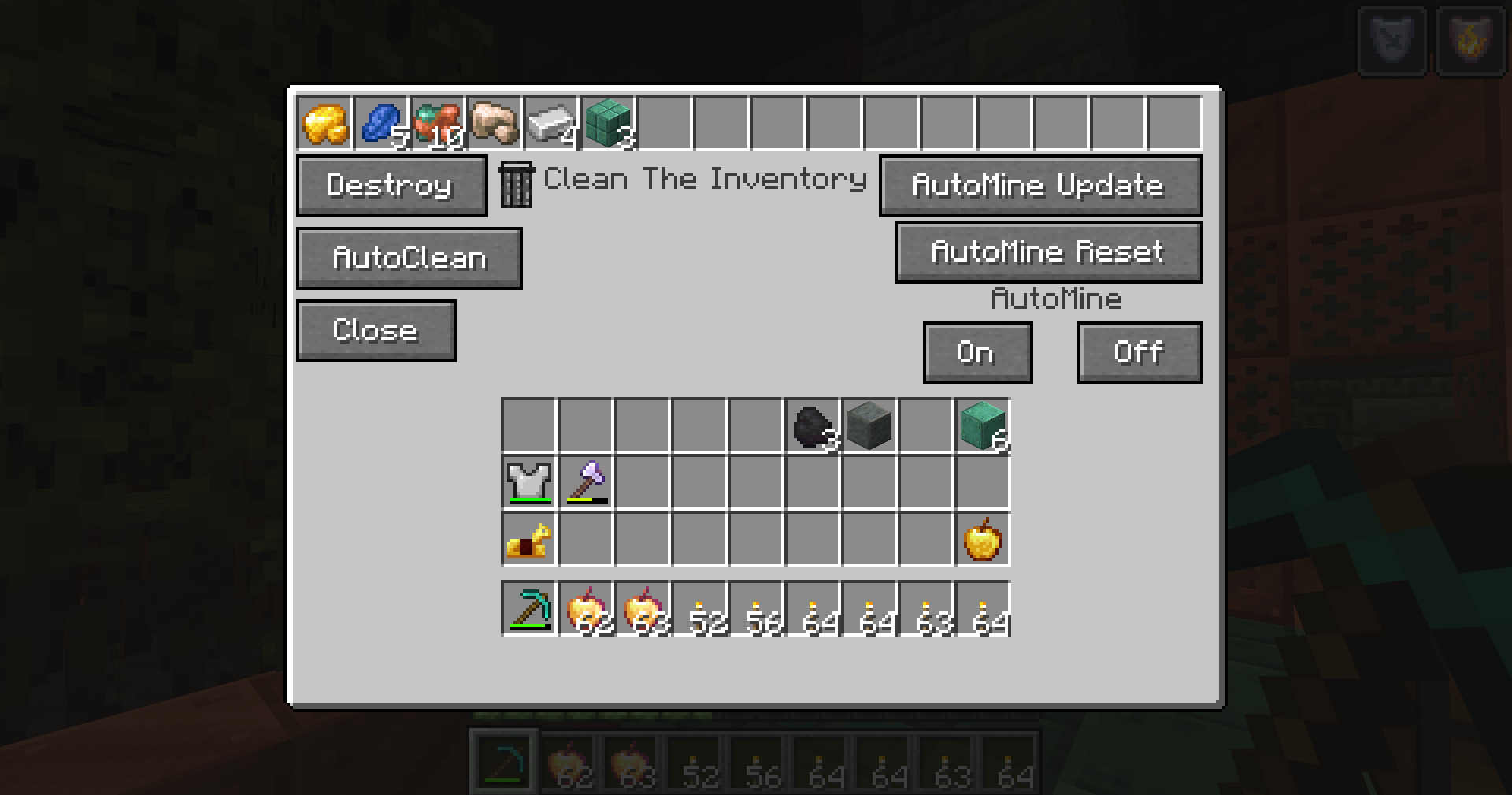
 Open the GUI with Z to manage and clean your inventory easily.
Press Z to open the Clean Inventory GUI and manage or remove unwanted items with ease.
🔹 Destroy Feature
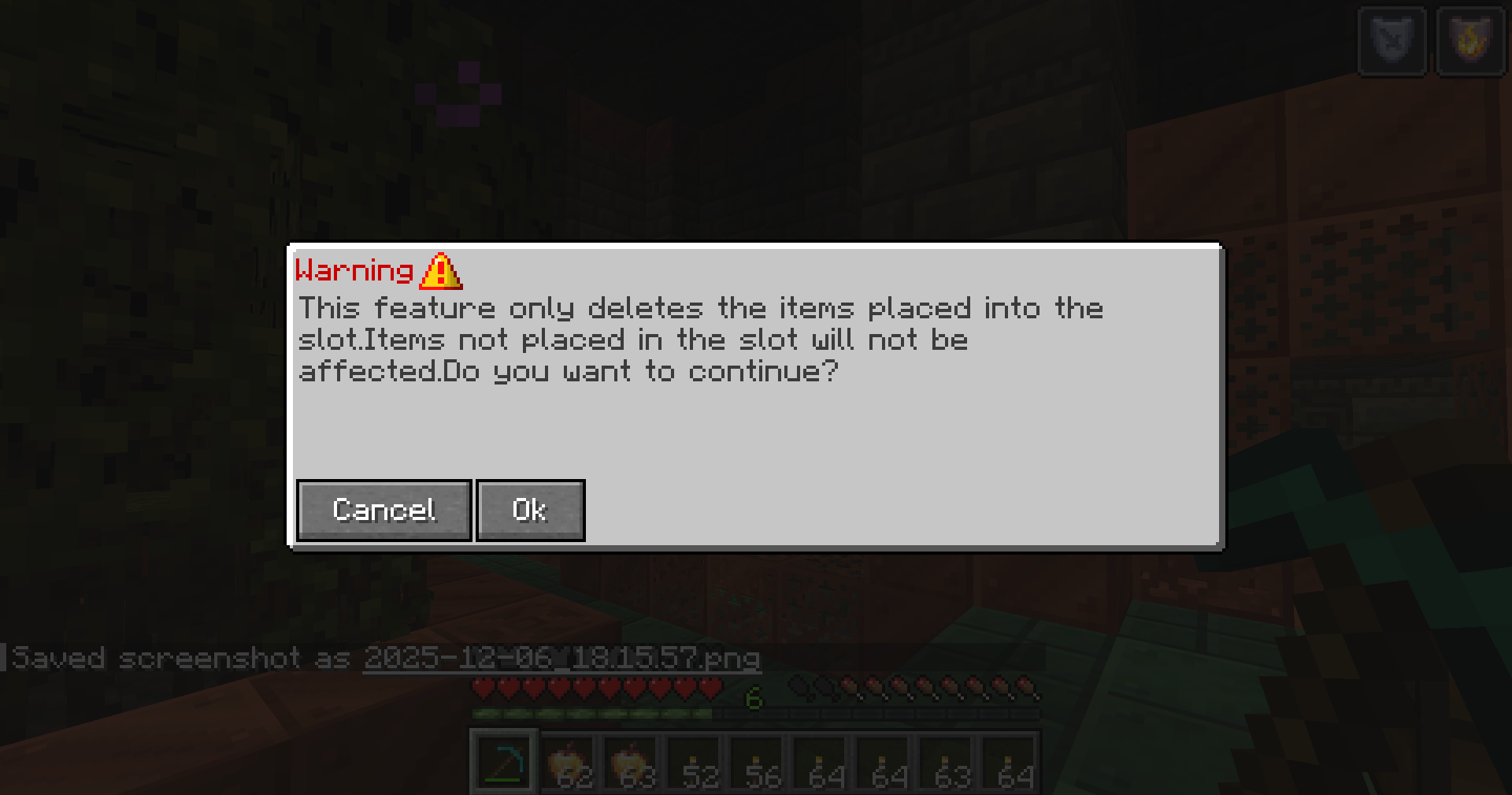
Deletes only the items placed in the selected inventory slots.
Useful for removing specific items quickly without affecting the rest of your inventory.
🔹 AutoClean Feature
Deletes both the item in the selected slot and all identical items found anywhere in your inventory.
Ideal for instantly removing all unwanted stacks of a specific item.
🔹 AutoMine Feature
Automatically deletes selected items while mining.
Use AutoMine Update to mark which items should be deleted.
Use AutoMine Reset to clear all items marked for deletion.
When AutoMine is ON, marked items are deleted automatically as you collect them.
Toggle AutoMine ON/OFF using the corresponding button in the GUI.
⚠️ Important Warning
These features permanently delete items.
Incorrect use may result in accidental loss of valuable items.
Please use AutoClean and AutoMine carefully.
常见问题
Clean The Inventory 支持哪些 Minecraft 版本?
Clean The Inventory 支持 Minecraft Java 版 1.21.4,可用的加载器:NeoForge。下载时注意选择和你游戏版本一致的文件。
Clean The Inventory 怎么安装?
先用 PCL2 或 HMCL 启动器安装对应版本的 NeoForge,再把下载的 .jar 文件放进游戏目录的 mods 文件夹,重新启动游戏即可。开启了版本隔离的,mods 文件夹在 versions/版本名 下面。运行环境:客户端和服务端都要装。
评论
登录后评论和评分