
Server Storage Item Frame
a server side useful custom item frame for your storage management
截图



介绍
Server Storage Item Frame
100% Server-Side • No Client Required
Overview
Server Storage Item Frame enhances storage management without requiring any client-side installation.
Turn your storage system into a clean, visual, and interactive network using invisible item frames and a centralized deposit hub—perfect for multiplayer servers that want functionality without forcing mods on players.
Features
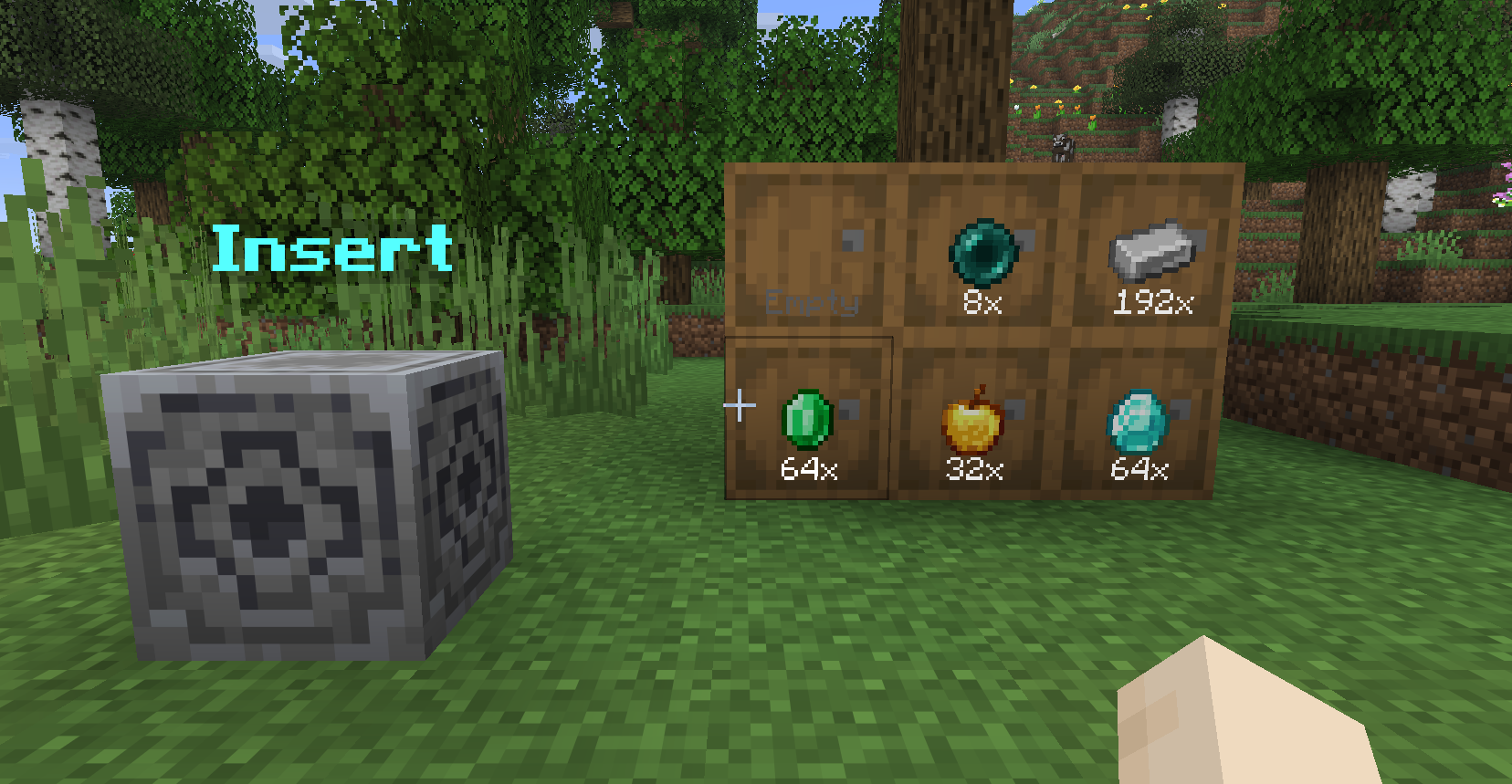
🖼 Storage Item Frames
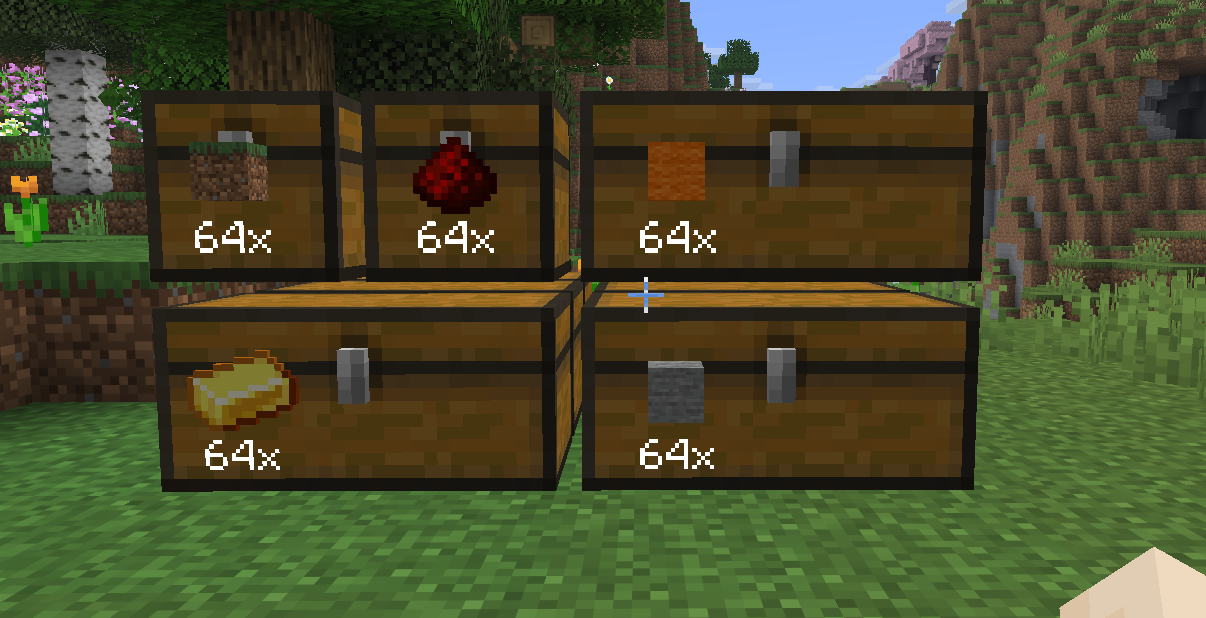
Transform any container into a smart visual storage slot.
- Invisible Frames Only the item and its quantity are visible for a clean look.
- Live Item Count Automatically displays the total amount across all connected containers.
- Smart Chain Detection Scans up to 5 blocks deep behind the frame ✔ Supports double chests ✔ Works with complex storage walls
- Quick Interactions
- Right-Click: Withdraw 1 item
- Sneak + Right-Click: Withdraw a full stack
- Left-Click: Deposit held item
- Sneak + Left-Click: Deposit full stack
Storage Hub
A centralized deposit block (based on the Lodestone).
- Instant Sorting Punch the hub with an item to automatically send it to the correct storage.
- Smart Matching Finds the appropriate Storage Item Frame and container chain.
- Visual Feedback Item transfer is shown with particle trails from the hub to the destination.
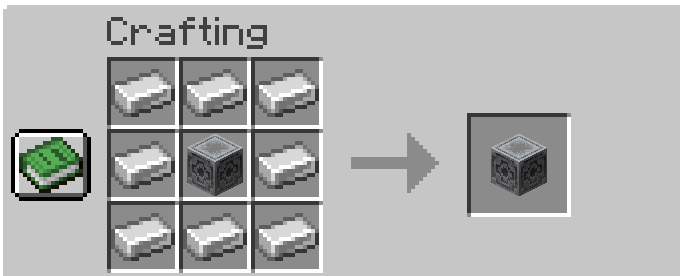
Crafting Recipes
Storage Item Frame
Storage Hub
FAQ
Why Server-Side Only?
Most storage mods require both client and server installation.
This mod is designed to work entirely on the server, so players can join without installing anything.
Why No Custom Textures?
To stay fully server-side, the mod reuses vanilla Minecraft assets—no resource packs needed.
Will There Be Updates?
Possibly! This is currently a side project, but improvements and new features may come over time.
Why Use This Mod?
- ✔ No client installation required
- ✔ Clean and minimal visual storage system
- ✔ Perfect for SMP and public servers
- ✔ Vanilla-friendly design
- ✔ Fast and intuitive item management
常见问题
Server Storage Item Frame 支持哪些 Minecraft 版本?
Server Storage Item Frame 支持 Minecraft Java 版 26.1.1,可用的加载器:Fabric。下载时注意选择和你游戏版本一致的文件。
Server Storage Item Frame 怎么安装?
先用 PCL2 或 HMCL 启动器安装对应版本的 Fabric,再把下载的 .jar 文件放进游戏目录的 mods 文件夹,重新启动游戏即可。开启了版本隔离的,mods 文件夹在 versions/版本名 下面。运行环境:仅服务端。

评论
登录后评论和评分