
Block Target Info
A tiny always-on HUD that reads the block under your crosshair: name, hardness, the right tool, and the light level.
截图
介绍
Block Target Info
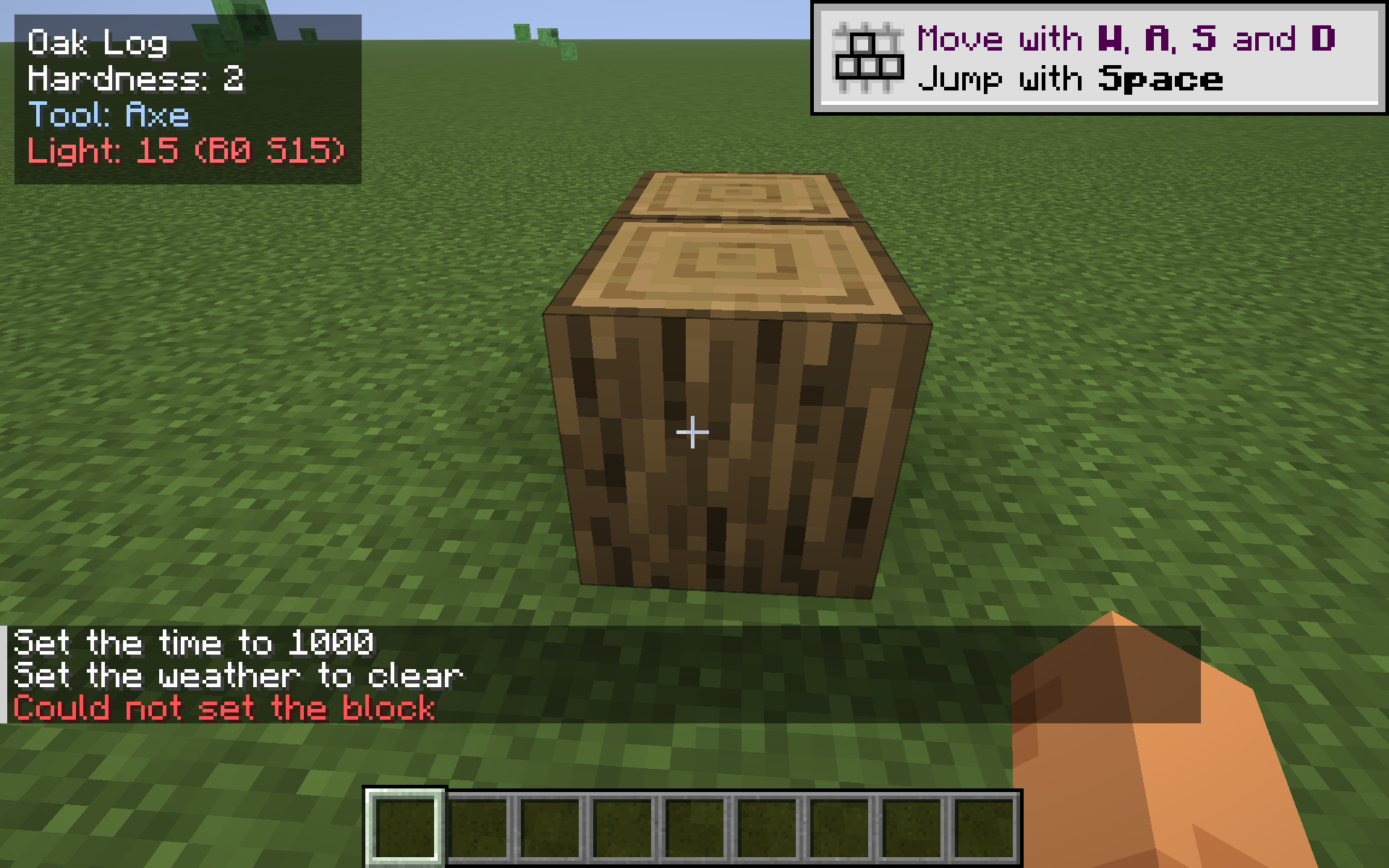
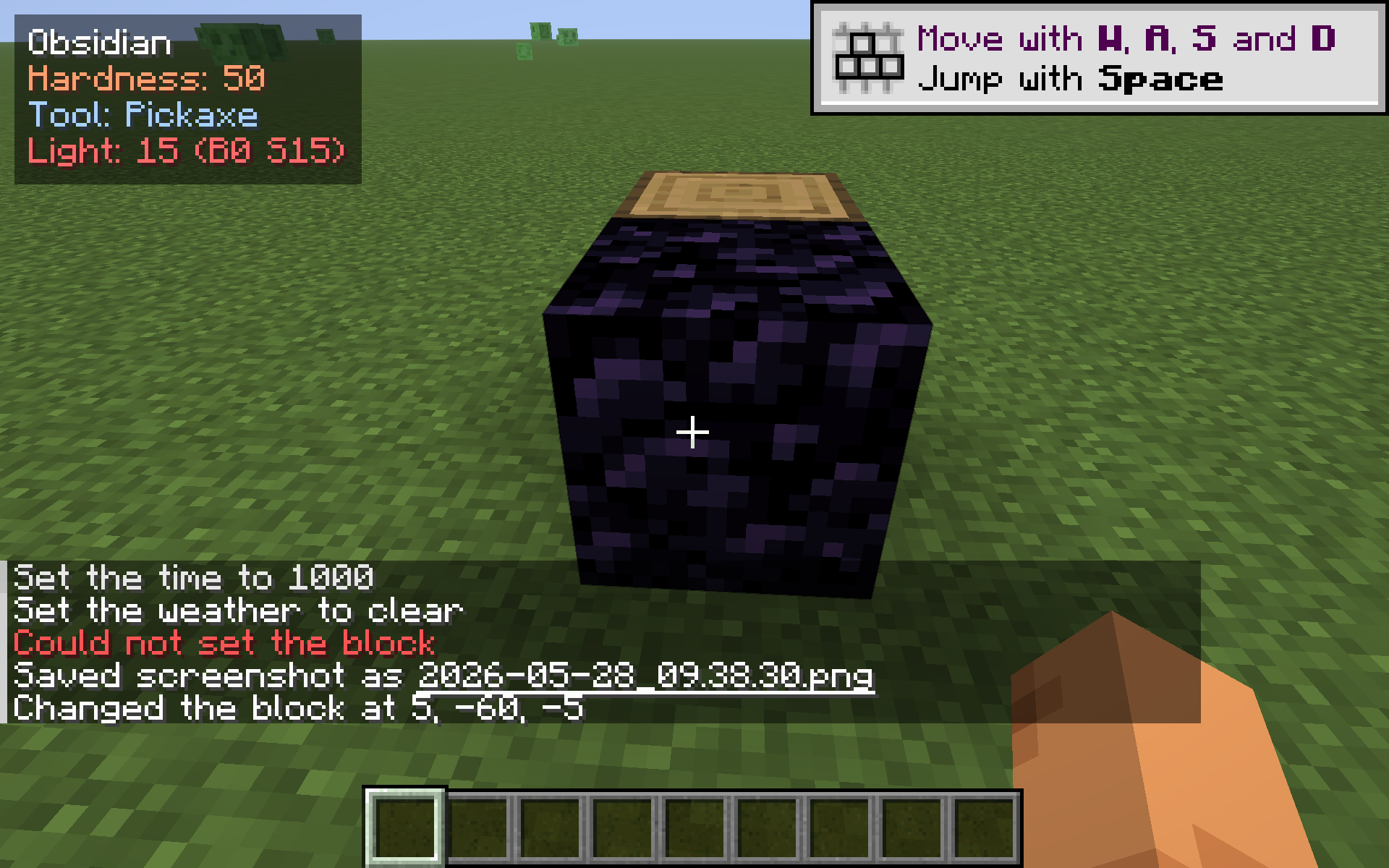
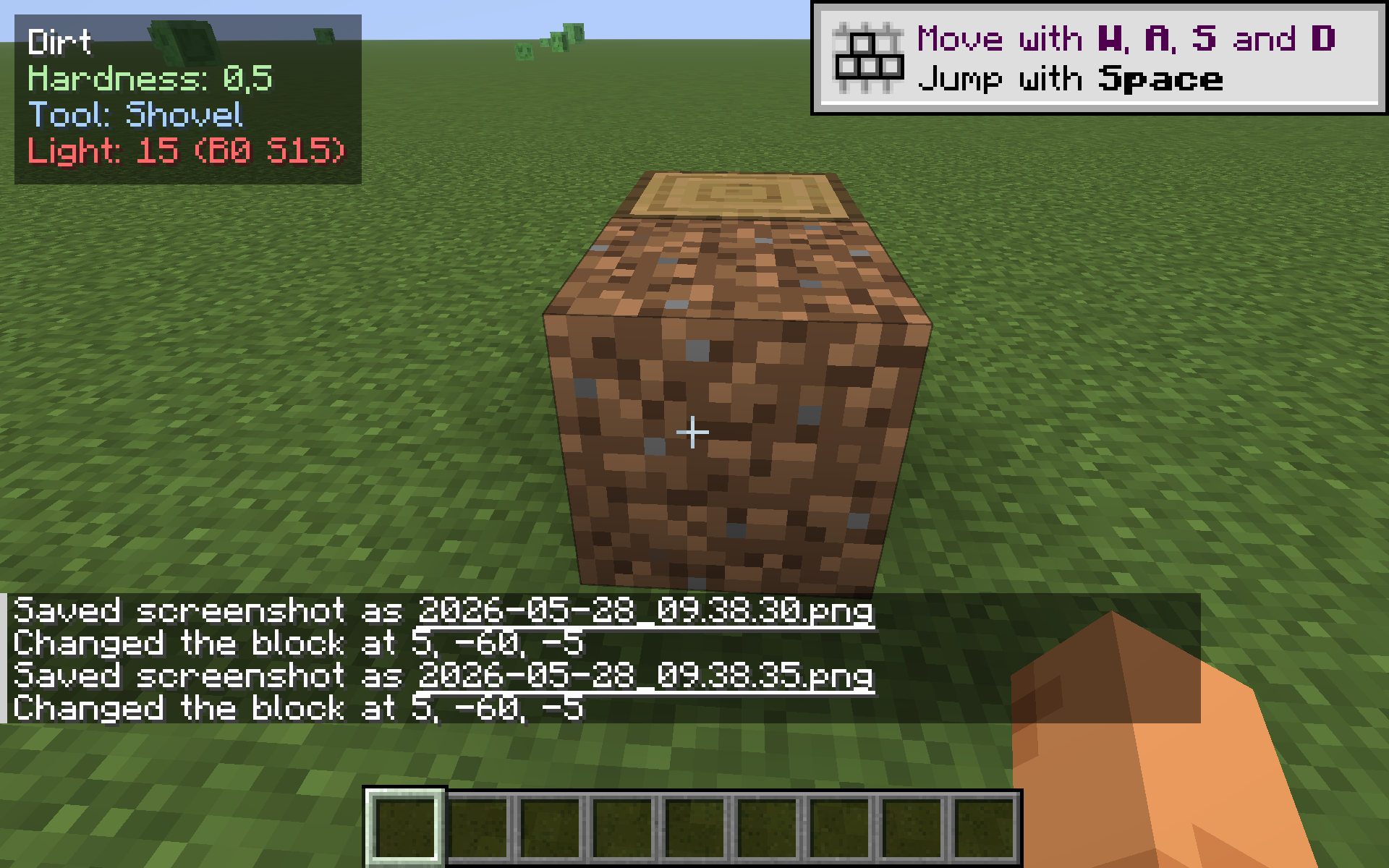
A small, always-on HUD overlay that tells you what you’re looking at. Aim at any solid block and a tidy 4-line readout appears in the corner:
- Block name — the same name F3 would show, in clean English (e.g. “Oak Log”, “Diamond Ore”, “Obsidian”).
- Hardness — how long it takes to mine, colour-coded so you can tell a 0.5-hardness shrub from a 50-hardness obsidian block at a glance.
- Tool — pickaxe / axe / shovel / hoe / hand, so you don’t have to remember which tool drops what.
- Light level — the light on the face you’re aiming at, with separate block-light and sky-light readouts (B / S). Goes amber under 8, red at 0, so you can spot spawnable surfaces while you build.
Pure client-side, drop-in, works on any server. No mixins, no gameplay changes.
Why?
F3 is huge and ugly and floods your screen with debug info. Other HUD mods focus on coordinates or biomes. This one does one thing: tells you about the block you’re pointing at. Useful while building, mining, or just learning the game.
Controls & config
- Default toggle key: B. Press at any time to show/hide the readout.
- Config file:
<minecraft>/config/blocktarget.json. Choose the corner, which lines to show, the toggle key, and the max distance.
Compatibility
- Minecraft: 1.21.8 – 1.21.10 (single JAR).
- Loader: Fabric.
- Side: client-only — no need to install on the server.
Credits
Original mod, MIT licence. Issues / PRs welcome.
常见问题
Block Target Info 支持哪些 Minecraft 版本?
Block Target Info 支持 Minecraft Java 版 1.21.8–1.21.10,共 3 个版本,可用的加载器:Fabric。下载时注意选择和你游戏版本一致的文件。
Block Target Info 怎么安装?
先用 PCL2 或 HMCL 启动器安装对应版本的 Fabric,再把下载的 .jar 文件放进游戏目录的 mods 文件夹,重新启动游戏即可。开启了版本隔离的,mods 文件夹在 versions/版本名 下面。运行环境:仅客户端。
kvapilvaclav0 的其他作品
查看全部 →
Verity dog
This mod turns your dog into Verity.

TargetLock
Press J to instantly aim your camera at the nearest living entity within 10 blocks. If no entity is in range, a message will appear on your screen letting you know.
TargetLock
Press J to instantly aim your camera at the nearest living entity within 10 blocks. If no entity is in range, a message will appear on your screen letting you know.

HorseStats
Ride any horse, donkey, mule or llama and a small top-left HUD shows the mount's health, top speed (m/s) and jump height (blocks) live - no need to open its inventory. Toggle with H.
评论
登录后评论和评分