
Utility Belt
Adds a wearable secondary hotbar to help manage your tools and clear inventory clutter
截图
介绍
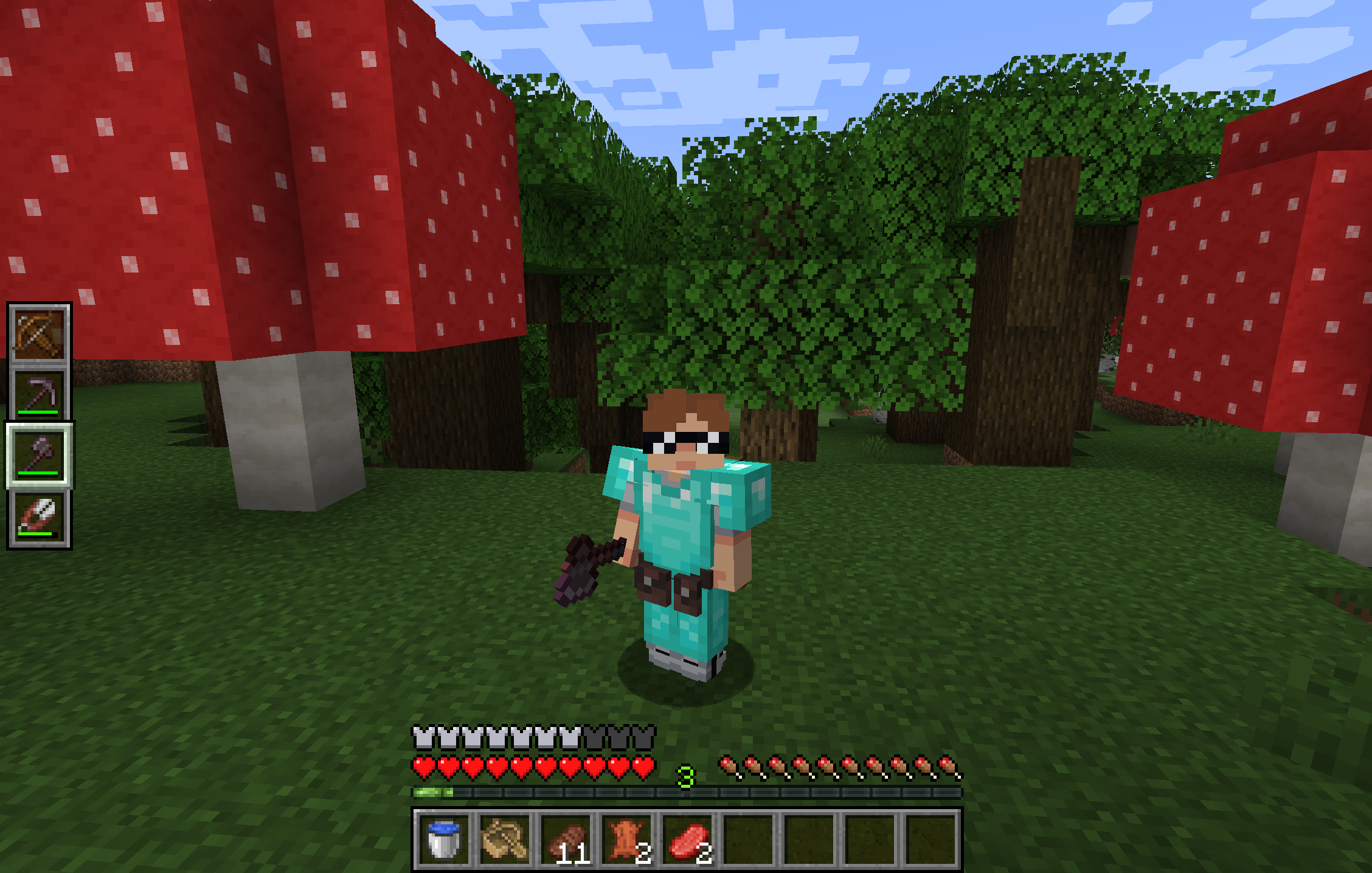
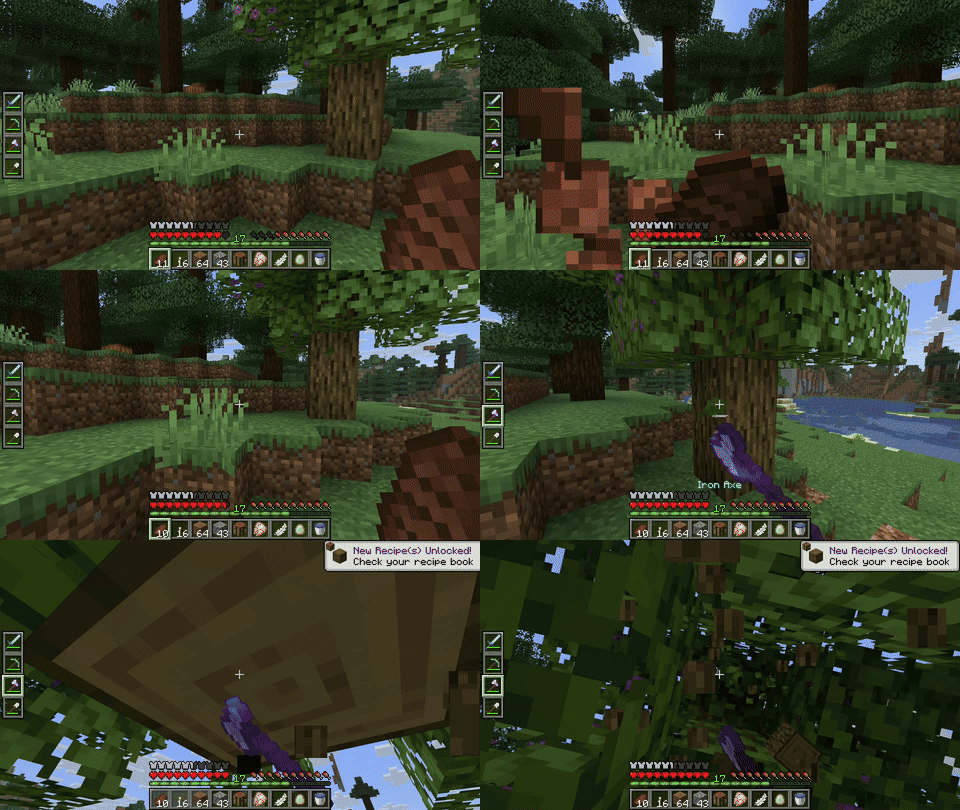
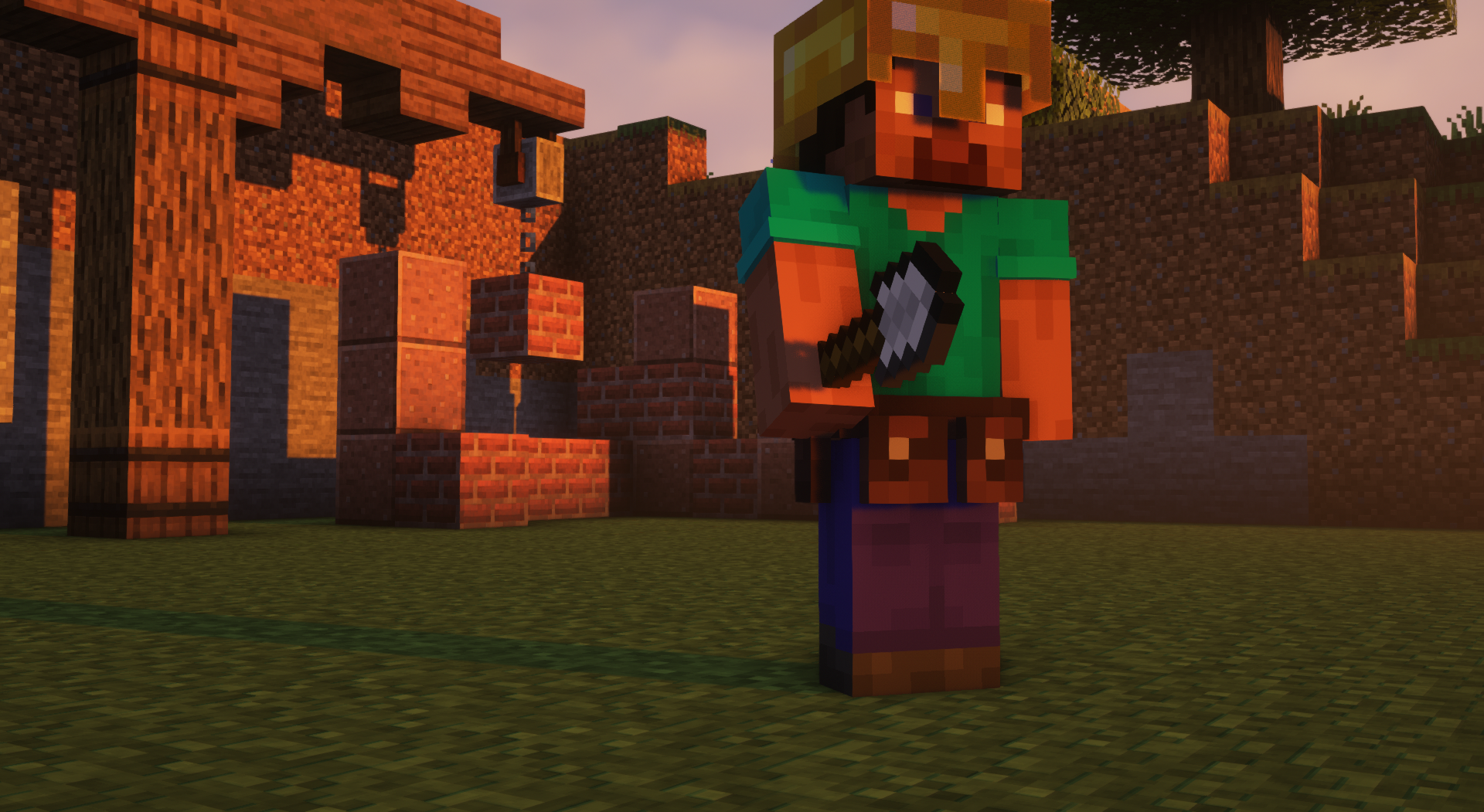
Utility Belt will solve your inventory clutter issues. 9 hotbar slots are not enough, especially when playing with mods. Wearing a Utility Belt gives you a second hotbar where only tools and weapons can be stored.
🛠️ Getting Started
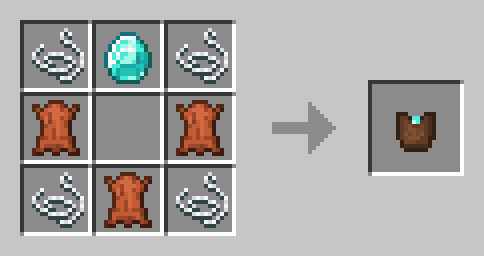
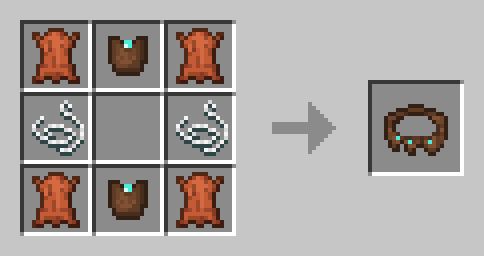
- Craft two belt pouches using the recipe above.
- Craft a Utility Belt using the recipe above.
- Equip it in your belt slot.
- Fill it with your tools and weapons.
⬆️ Upgrading the Belt
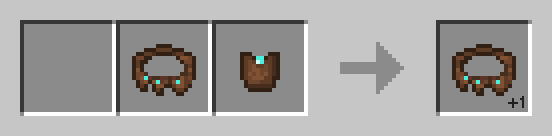
By default, the belt has 4 slots and can be upgraded to have up to 6 slots (_these values can be changed in the mod configuration_). You can add a slot to a belt in a Smithing Table using the recipe below.
🎮 Controls
| Action | Default Keybind | Description |
|———————-|————————–|——————————————————————|
| Open Belt Screen | ' | Opens the belt GUI to store items in the belt |
| Swap Hotbar | B (toggle), N (hold) | Switches between your main hotbar and the belt hotbar |
| Quick Transfer | Sneak + Swap | Swap the item in your hand between your main hotbar and the belt |
⚙️ Configuration
You can customize Utility Belt’s options using the in-game configuration screen:
- Fabric: Accessible using ModMenu.
- Forge/NeoForge: Accessible using the Mods screen.
To change which items are accepted in the belt, you can make a datapack and add items to the allowed_in_utility_belt tag.
🔗 Compatibility
- LambDynamicLights: torches and lanterns in your belt will light up the world around you.
🐛 Bugs and Suggestions
You can report any issues and suggest changes on the GitHub issue tracker. Try out the /utilitybelt fixme command to see if it resolves the issue while you wait for a fix.
Always keep backups of your world, especially when playing versions marked as beta.

常见问题
Utility Belt 支持哪些 Minecraft 版本?
Utility Belt 支持 Minecraft Java 版 1.20.1–1.21.10,共 7 个版本,可用的加载器:Fabric / Forge / NeoForge / Quilt。下载时注意选择和你游戏版本一致的文件。
Utility Belt 怎么安装?
先用 PCL2 或 HMCL 启动器安装对应版本的 Fabric / Forge / NeoForge / Quilt,再把下载的 .jar 文件放进游戏目录的 mods 文件夹,重新启动游戏即可。开启了版本隔离的,mods 文件夹在 versions/版本名 下面。运行环境:客户端和服务端都要装。
Jam Core 的其他作品
查看全部 →
JamLib
JamCoreModding 所有模组使用的基于 Architectury 的跨平台前置库

RightClickHarvest
右键即可收获作物

Shut Up GL Error
修复了无效键码会记录烦人且持续不断的日志消息的问题

RightClickHarvest Supplementaries Compat
Adds compatibility between RightClickHarvest and Supplementaries
评论
登录后评论和评分