
截图


介绍
Custom Tooltip API
Custom Tooltip API is a powerful client-side Minecraft mod and developer library that gives you full control over item tooltips. Add custom lore, dynamic real-time data, animated gradients, and custom backgrounds, all configurable in-game or through code.
No need to code for basic usage, as it features a powerful in-game interface and full JSON support. However, it also provides a robust Developer API for those who want to inject tooltips via code.
Key Features
- Icon Alignment: Align tooltip icons from external resource packs to the start of the line so the position stays consistent!
- Advanced Targeting: Target specific item IDs (
minecraft:diamond_sword), tag groups (#c:swords), entire mod namespaces (minecraft:*), Regex patterns (regex:.*_sword), or every item at once (*).
- Dynamic Placeholders: Embed real-time item data directly into your text using variables like
%durability%,%max_durability%,%weapon_damage%, or%enchantments%. You can also embed keybind hints using the format<key:key.jump>->[Space].
- Multi-line Support (Lore): Add entire paragraphs of lore or skill descriptions.
- Visual Effects & Gradients:
- Rainbow: Animated rainbow effect.
- Slide Gradient: Two-color gradients that flow through the text.
- Breathing Gradient: A smooth pulse between two colors.
- Static Gradient & Solid: Fixed gradients or traditional solid text.
- Colors: Hex codes (e.g.
#RRGGBB), legacy codes (e.g.&d) or Minecraft color names (e.g.blue).
- Custom Backgrounds & Borders: Solid, Gradient, Texture (Stretch), or Texture (Framed / Nine-Slice) modes with full opacity control. Drop any background image into
config/custom-tooltip-api/backgrounds/and enable it per tooltip via the dynamically generated resource pack. Supports full compatibility with Tierify custom rendering.
- Custom Fonts: Drop any font into
config/custom-tooltip-api/fonts/and enable it per tooltip via the dynamically generated resource pack.
- Positioning: Decide exactly where your text appears:
- Top: Right below the item’s name.
- Bottom: At the very end of all descriptions.
- Prepend: At the start of a specific line.
- Append: At the end of a specific line.
- Replace Name: Swap the item’s default name for your custom text.
- Replace Line: Replace a specific line with your custom text.
- Replace All: Completely clear the original tooltip and show only yours.
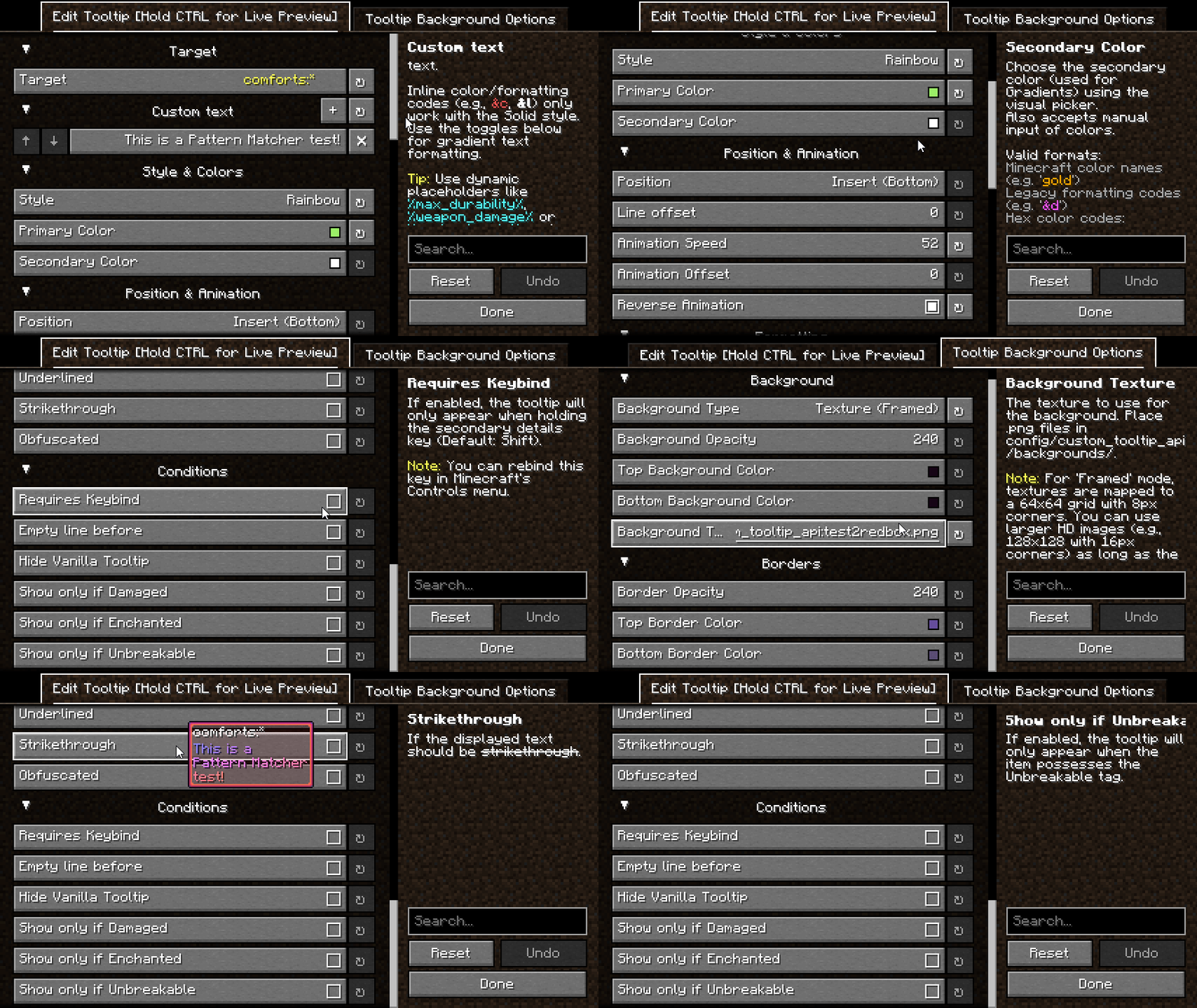
- Visibility Conditions: Show a tooltip only when an item is Damaged, Enchanted, or Unbreakable. Use Require Keybind mode to hide tooltips until the player holds a configurable key.
- Text Modifiers: Full support for Bold, _Italic_, Underlined,
Strikethrough, and O̷͍̞͐͑b̷̻̌f̶̯̈u̸̲͗͐s̶̩̬͝c̵͎̊a̸̹̟̎ẗ̴͖̿e̴̟̪͊̈́ď̴̹̪ (obfuscated) text.
In-Game Interface (GUI)
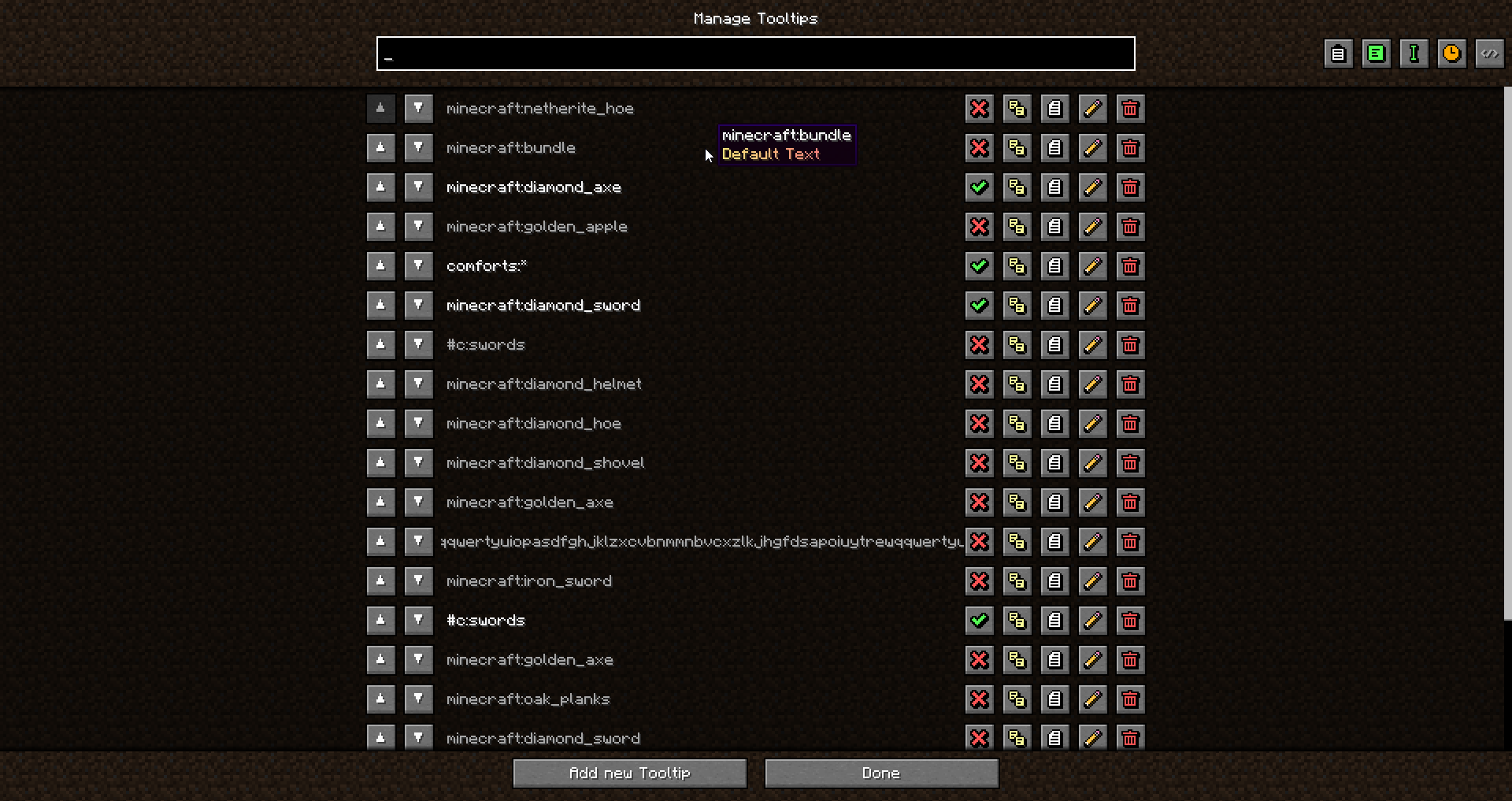
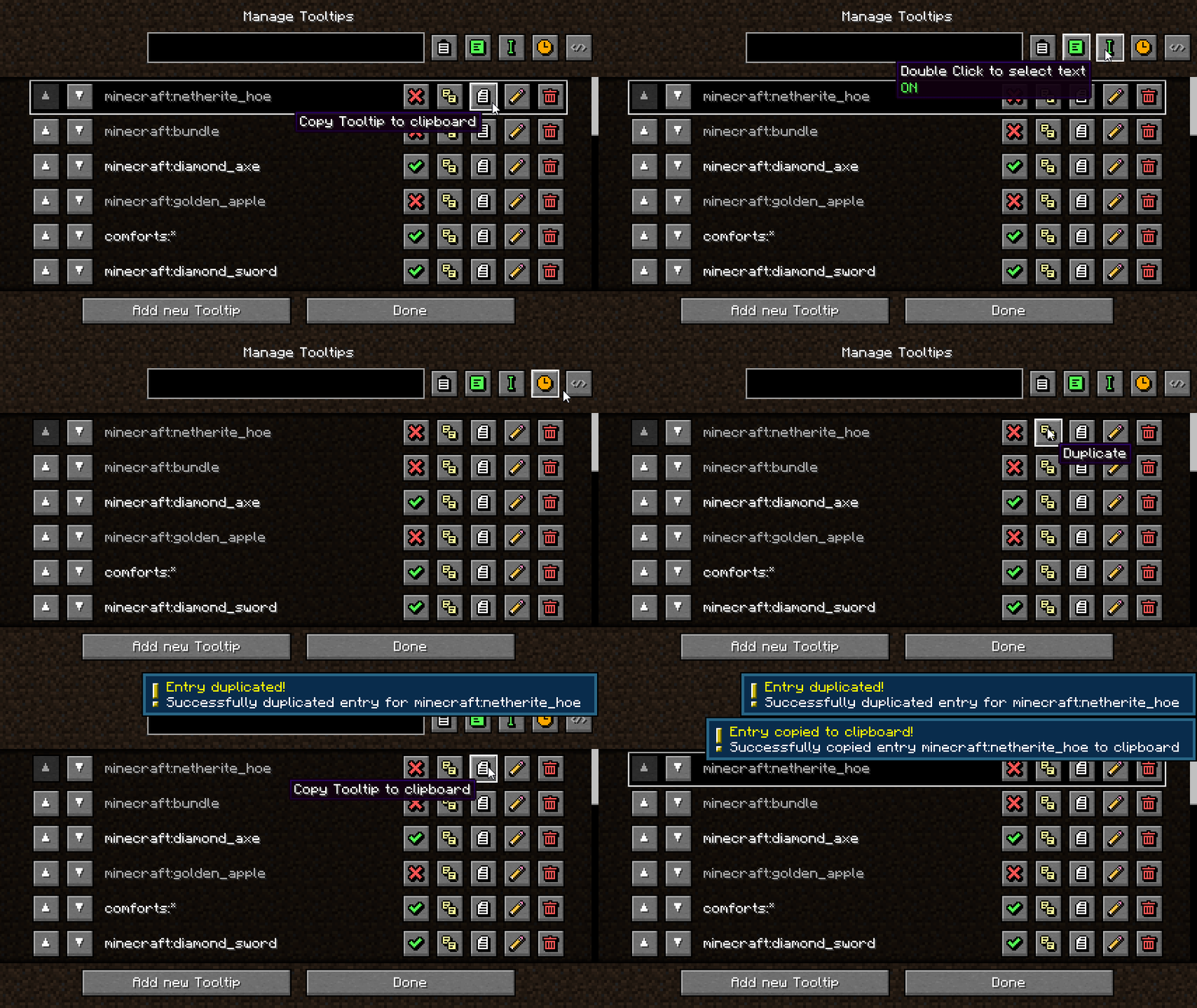
- Manage all your tooltips directly from the Mods Menu. No need to manually edit files unless you want to.
- Hold
CTRLin the edit screen for an instant Live Preview of your tooltip.
- Copy/paste entries to clipboard, reorder, duplicate, enable/disable, and sort by creation date or alphabetically.
For Developers (API)
Developers can use the built-in API to register tooltips and custom placeholders directly through code, with full .dynamicText() support for live per-frame data like energy, mana, or any custom NBT.
For Modpack Creators
The mod generates a custom_tooltip_api/config.json5 file in your config folder. It fully supports code comments, making it incredibly easy to document your modpack’s systems for your development team or community.
Drop custom backgrounds into config/custom-tooltip-api/backgrounds/ and custom fonts into config/custom-tooltip-api/fonts/. Enable the dynamically generated resource pack to activate them.
Dependencies
Required on all platforms:
Fabric only:
常见问题
Custom Tooltip API 支持哪些 Minecraft 版本?
Custom Tooltip API 支持 Minecraft Java 版 1.20.1–1.21.1,共 8 个版本,可用的加载器:Fabric / Forge / NeoForge。下载时注意选择和你游戏版本一致的文件。
Custom Tooltip API 怎么安装?
先用 PCL2 或 HMCL 启动器安装对应版本的 Fabric / Forge / NeoForge,再把下载的 .jar 文件放进游戏目录的 mods 文件夹,重新启动游戏即可。开启了版本隔离的,mods 文件夹在 versions/版本名 下面。运行环境:仅客户端。
Stalemated 的其他作品
查看全部 →
Prominence™ II: Hasturian Era
一款基于自定义内容打造、充满丰富背景故事的 RPG 整合包。通过天赋树升级变强,锻造并强化属于你自己的神器武器,挑战强大的 Boss,阻止虚空入侵。

FakerLib
(某个模组的 Fabric 移植版)前置库模组,本身不提供任何功能

Zenith
Fabric Apotheosis 移植版,改动并扩展了许多系统

Zenith Attributes
添加属性以及属性查看器,用于 Zenith
评论
登录后评论和评分