
截图


介绍

ABOUT
BSL Minipacks is a resource pack for Minecraft: Java Edition which contains small tweaks.
This resource pack was split into multiple packs, hence the name “minipacks”.
However, all of the packs are now combined into one for ease of installation.
The latest version (v2) is compatible with MC 1.21+, while v1 is compatible with MC 1.15-1.20.

UI
Simple and clean UI to improve immersion.
Foliage Tweaks
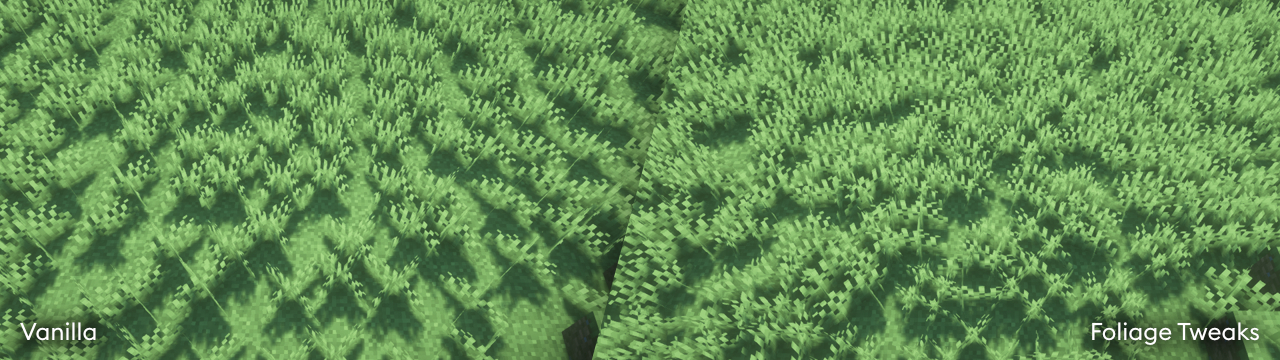
Increased grass and crops density improved cross model to prevent clipping from shader’s waving blocks, and random rotation. May impact performance.

Sky Color
Sky colormap which is used for subtle sky color change when using BSL Shaders with vanilla sky color enabled.
QUICK LINKS
- capttatsu.com is this project’s official site, read the detailed description, FAQs and changelog here.
- Follow me on Bluesky and/or X/Twitter to get news on my works.
- Join my Discord server for discussion, question, and bug report.
- Like my work? Consider supporting on Patreon.
AGREEMENT
You’re allowed to…
- Use this resource pack for taking screenshots and videos.
- Integrate some features to your own resource pack with my permission.*
You’re not allowed to…
- Redistribute the resource pack without my permission.
- Claim (and rename) my resource pack as your own.
- Use monetized URL shorteners to my site or files.
\*My resource pack and myself (the author) should be credited clearly, add link to my site if possible.
INSTALLATION
- Download and install Optifine or Polytone. (for sky color)
- Download the resource pack.
- Put the resource pack inside .minecraft\resourcepacks.
- Launch Minecraft.
- Open Options, Resource Packs.
- Select BSL Minipacks.
- Put the resource pack inside .minecraft\resourcepacks.
常见问题
BSL Minipacks 支持哪些 Minecraft 版本?
BSL Minipacks 支持 Minecraft Java 版 1.15.2–1.21.4,共 29 个版本。下载时注意选择和你游戏版本一致的文件。
BSL Minipacks 怎么安装?
把下载的 .zip 文件(不用解压)放进游戏目录的 resourcepacks 文件夹,进游戏后在「选项 → 资源包」里把它移到右边启用。



评论
登录后评论和评分