
RunChallenge
A mod for streamers and challenges in Minecraft! Create distance running challenges with progress tracking.
截图


介绍
Run Challenge 🏃
A mod for streamers and challenges in Minecraft! Create distance running challenges with progress tracking.
📋 Description
Run Challenge adds a challenge system with running for a set distance. The mod is perfect for streamers who want to create interactive challenges for themselves or their viewers.
✨ Features
- 🎯 Distance Challenges – set any distance for the run
- 📊 BossBar – visual progress bar with distance covered
- ↩️ Reverse Count – counter decreases when moving backwards
- 🎆 Fireworks – 5 volleys of colorful fireworks upon challenge completion
- 👥 Multiplayer – support for multiple players, can manage other players’ challenges
- 🖥️ Convenient GUI – graphical interface for management (R key)
- 📝 Commands – full control via commands
- 🌍 Localization – Russian and English language
🎮 How to Use
GUI (R key):
- Select a player from the dropdown list
- Specify the distance in blocks
- Press “Start” to begin the challenge
- Use buttons for management (teleport to start, push back)
Commands:
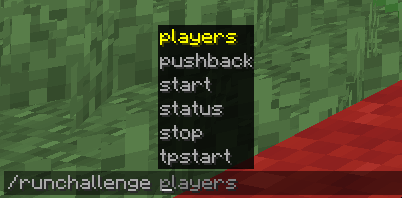
/runchallenge start <distance> [player]– start challenge/runchallenge stop [player]– stop challenge/runchallenge status [player]– show progress/runchallenge tpstart [player]– teleport to start/runchallenge pushback [player]– push back 10 blocks/runchallenge players– online players list
🎥 For Streamers
The mod is great for:
- Interactive streams with viewers
- Speed/endurance challenges
- Viewer punishments/rewards on a server
- Player competitions
📦 Installation
- Install Minecraft Forge 1.20.1
- Download the mod and place it in the
modsfolder - Launch the game
🔧 Requirements
- Minecraft 1.20.1
- Forge 47.3.0 or higher
Author: EdvardCode
License: MIT
常见问题
RunChallenge 支持哪些 Minecraft 版本?
RunChallenge 支持 Minecraft Java 版 1.20.1,可用的加载器:Fabric / Forge。下载时注意选择和你游戏版本一致的文件。
RunChallenge 怎么安装?
先用 PCL2 或 HMCL 启动器安装对应版本的 Fabric / Forge,再把下载的 .jar 文件放进游戏目录的 mods 文件夹,重新启动游戏即可。开启了版本隔离的,mods 文件夹在 versions/版本名 下面。运行环境:客户端和服务端都要装。
EdvardCode 的其他作品
查看全部 →
WordlyMod
The mod adds letter blocks (Russian and English) and color brushes for playing Wordly.

BuddyMod
Client-side friend manager: animated GUI, secret chat, player notes, and nametag customization.

AdvancementUnlockedMod
Adds 30+ fun and humorous advancements to your Minecraft world, organized into 6 categories!

CoopRoles
Share responsibilities with friends: each player can only perform actions of their class, making teamwork the key to survival.
评论
登录后评论和评分