RegiCraft
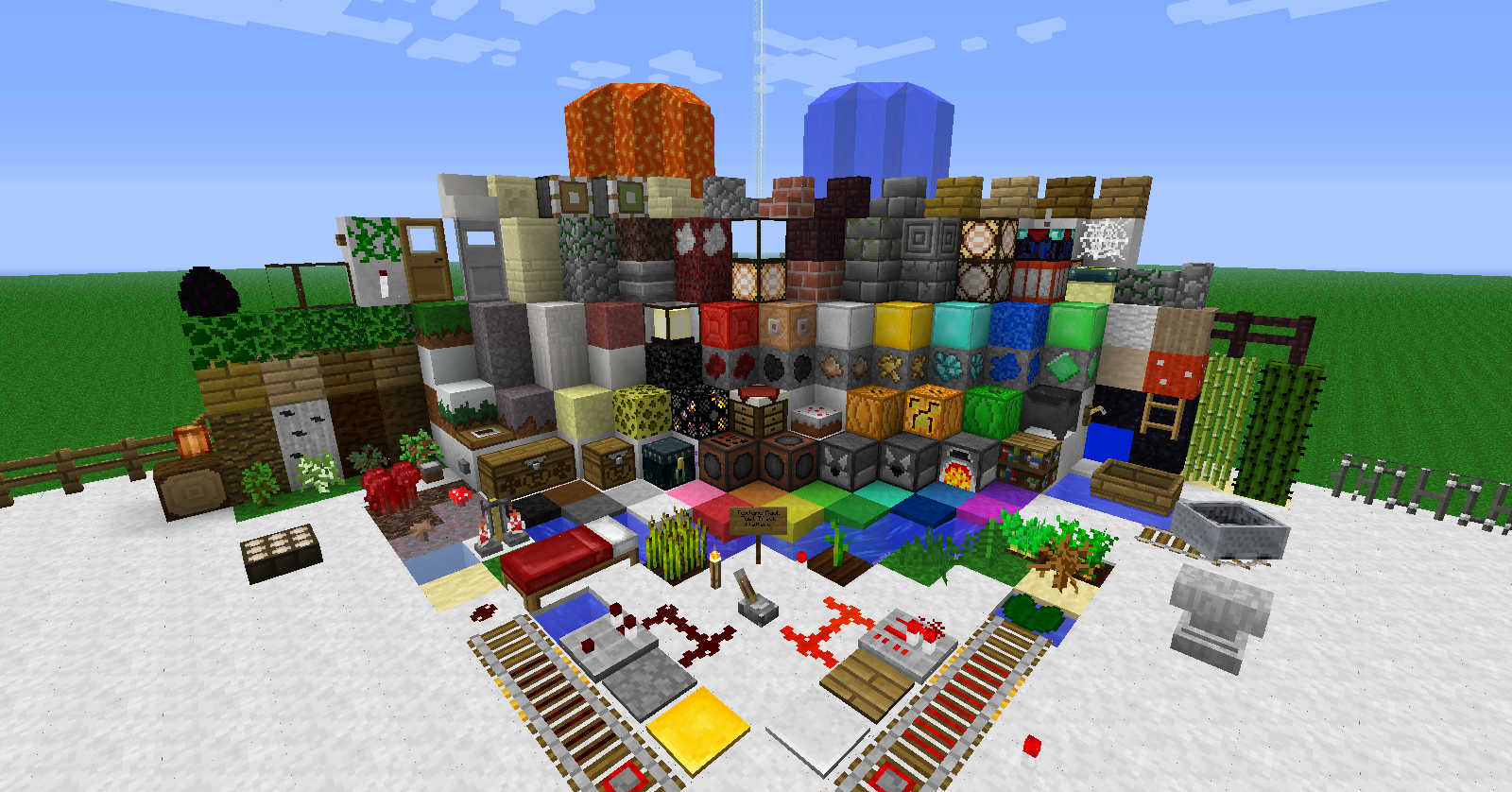
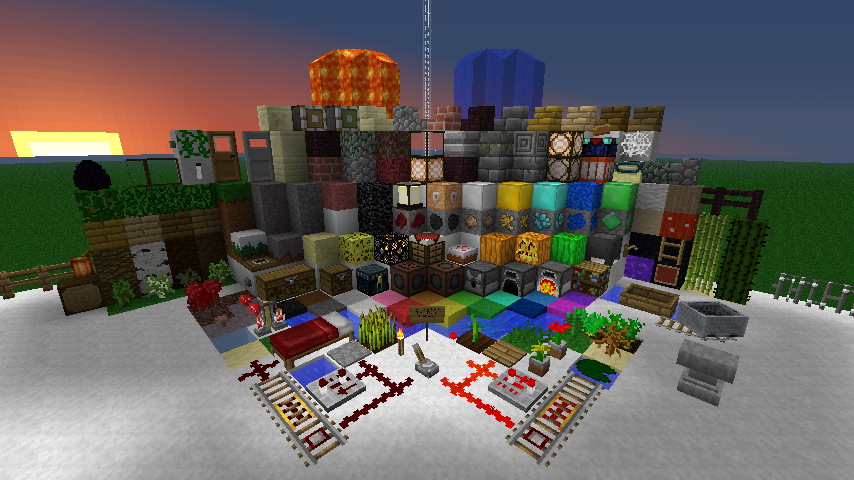
A great texture pack with lots of potential and high quality 16x16 textures
截图
介绍
Overview==
I started on a texture pack a long time ago and didn’t plan on finishing it. I was not originally going to continue the development of this texture pack as it took up too much time and hard work, but I ended up getting very nice feedback from the community which gave me a little boost. After I have realized that this has some potential, I decided to work on it as a full-time artist and I am pretty happy about it. The support is the main reason I am continuing this texture pack, so give feel free to give opinions on what you like or dislike!
This is basically a high quality 16×16 texture pack. I tried to create as much detail as I can in just low quality art and it makes such a notable difference that everything is detailed and has depth. This is not one of those pesky 5 minute texture packs that only have a few colors added to each pixel, I spend time and work to draw out a realistic image in just 16 pixels, and I hope everyone enjoys it, as I do 🙂
Screenshots


NOTES==
I am temporarily using the default textures for the blocks I have not done yet. Please stay tuned until I finish with all the textures, and be sure to give feedback! It always helps!
I am planning to change more item textures after I am done with the blocks.
I’m not really planning to change any mobs, unless if you guys convince me. Although, I made the Endermen’s eyes completely white to make them look a little scarier.
Greener Grass

I basically changed the barf-colored grass into a nice and friendly green colored grass. It’s such a shame that beautiful landscape like this is ruined just by the default texture pack.
常见问题
RegiCraft 支持哪些 Minecraft 版本?
RegiCraft 支持 Minecraft Java 版 1.5.0–1.6.2,共 2 个版本。下载时注意选择和你游戏版本一致的文件。
RegiCraft 怎么安装?
把下载的 .zip 文件(不用解压)放进游戏目录的 resourcepacks 文件夹,进游戏后在「选项 → 资源包」里把它移到右边启用。
评论
登录后评论和评分