
Stop Rendering My Boats!
A way to limit the number of boats rendered on your screen. Helpful if someone placed hundreds of boats at spawn.
截图
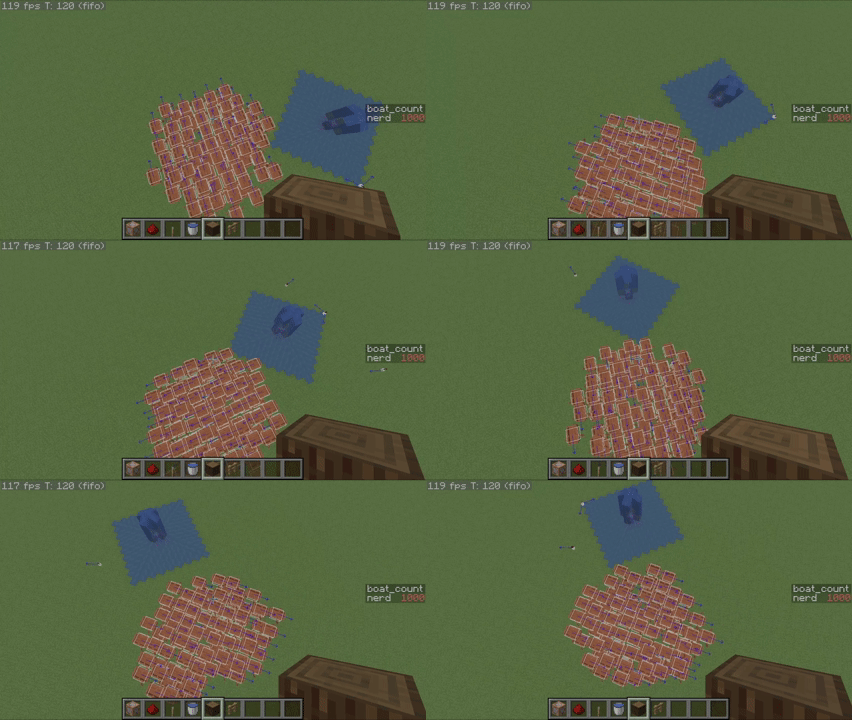
介绍
Eliminate those pesky boat placers once and for all!
|Usage
|—
|To use, install the dependencies and launch the game. It will automagically create a config file which you can edit outside of the game (stop-rendering-my-boats.json)
|Config
|—
|There are 2 settings in the Config file, “maxRenderedBoats`, and `fastMode`. `maxRenderedBoats`is the amount of boats the game renders. `fastMode“ when true the game will render the first boats it finds and will not run a calculation for every boat every tick (use only when you have more than 1000 boats or if your computer is lower end)
| Settings | FPS |
|——————————————|—————|
|Fast Mode: False, Max: 1000, Sample: 1000 | 85 FPS |
|Fast Mode: False, Max: 100, Sample: 1000 | 115 FPS |
|Fast Mode: True, Max: 100, Sample: 1000 | 170 FPS |
|Credits and License
|———————
|Data: YoungFinn
Icon: BlueMamba10
License: MIT please credit me if you use this mod in a video or modpack
常见问题
Stop Rendering My Boats! 支持哪些 Minecraft 版本?
Stop Rendering My Boats! 支持 Minecraft Java 版 26.2,可用的加载器:Fabric。下载时注意选择和你游戏版本一致的文件。
Stop Rendering My Boats! 怎么安装?
先用 PCL2 或 HMCL 启动器安装对应版本的 Fabric,再把下载的 .jar 文件放进游戏目录的 mods 文件夹,重新启动游戏即可。开启了版本隔离的,mods 文件夹在 versions/版本名 下面。运行环境:仅客户端。


评论
登录后评论和评分