
截图


介绍
Mino++
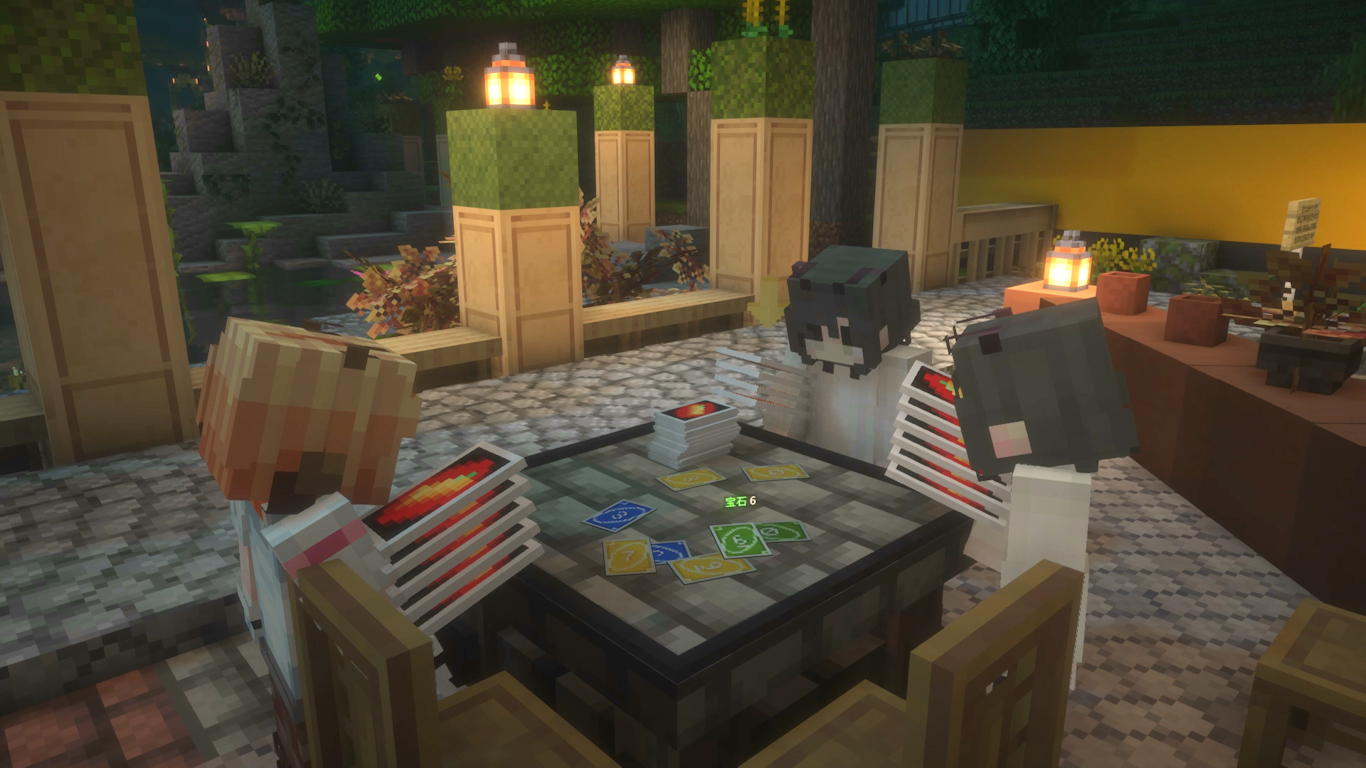
Recreating a certain popular card game in Minecraft
Wouldn’t it be a shame when you met up with your best friends online, but stranded with no card games to play? Mino++ aims to resolve this issue in a Minecraft-y way.
We also provide you with virtual friends whenever organic counterparts of yours happened to be unavailable!
Gameplay
Place down a Mino++ table, and right click it to join.
We’ll skip the rules – See online resources like THIS) for that!
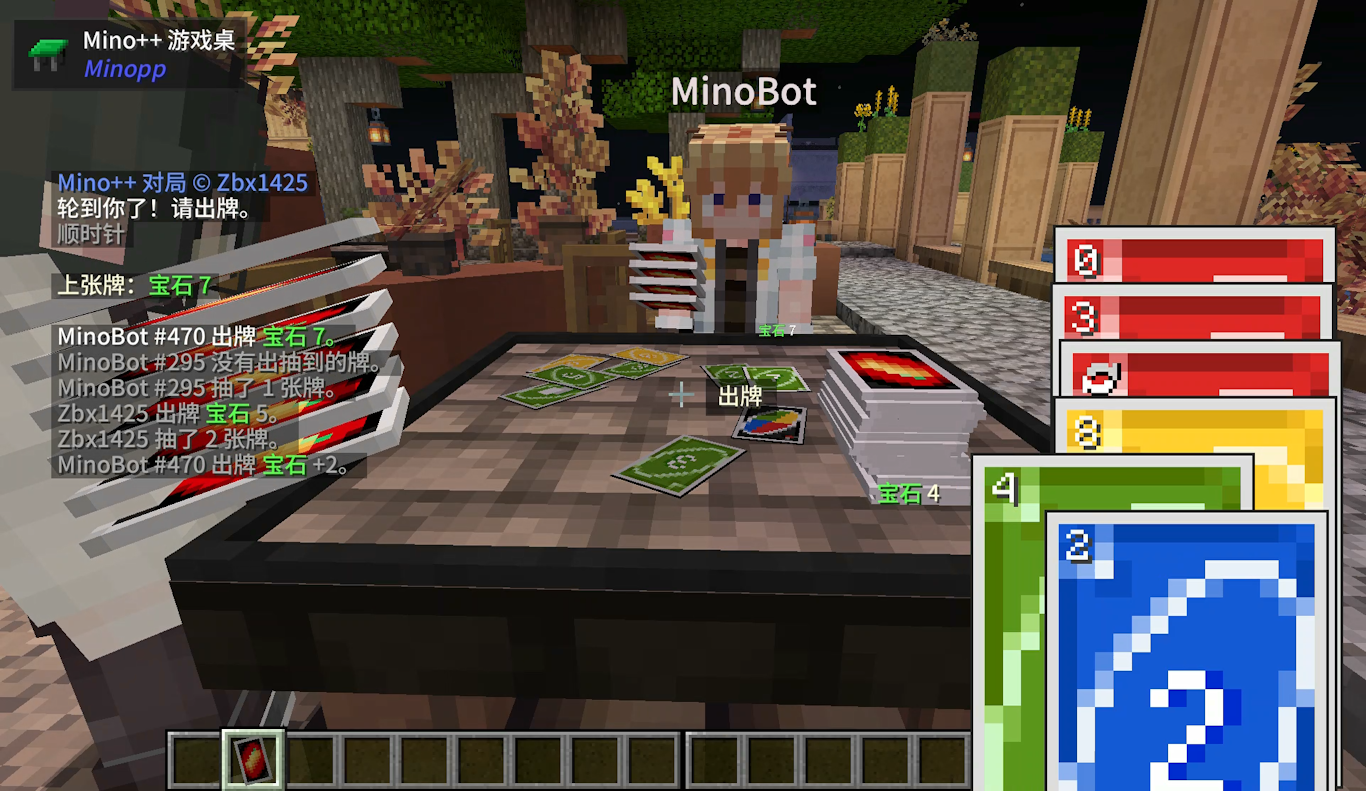
- Use scroll wheel to select a card
- Right-click on the table to play a card
- Or, right-click on the pile to draw a card
- To shout “Mino!”, either hold down LCTRL while playing a card when you have two cards remaining (i.e. shouting simultaneously while playing)
- Should you forget that, you can also type “mino” in the chat after playing a card
- If you find your opponent forgot to shout “Mino!” and want to point it out, just simply beat them.
Auto Player Bots
Bots can be summoned to join a table. Currently this can only be done with commands.
/summon minopp:mino_auto_playerAfter summoning the bot, right click it and it’ll search for and join a table near it.
Shift + Right click it will open a menu that allows configuring its behavior. (Requires YetAnotherConfigLib)
Rule variation
Mino++ implemented the game slightly different than the official rule.
- “Stacking Uno”: A same draw card can be played over a draw card.
- “Jump-In”: If a player has exactly the same card as the top card of the discard pile, they may play it immediately, even if it is not their turn.
- A Wild Draw Four card may only be played if the player holding it has no cards matching the current color. Otherwise, playing it is disallowed in a software fashion, and hence there’s no challenge interaction on this.
常见问题
Mino++ 支持哪些 Minecraft 版本?
Mino++ 支持 Minecraft Java 版 1.20–1.21.1,共 4 个版本,可用的加载器:Fabric / Forge / NeoForge。下载时注意选择和你游戏版本一致的文件。
Mino++ 怎么安装?
先用 PCL2 或 HMCL 启动器安装对应版本的 Fabric / Forge / NeoForge,再把下载的 .jar 文件放进游戏目录的 mods 文件夹,重新启动游戏即可。开启了版本隔离的,mods 文件夹在 versions/版本名 下面。运行环境:客户端和服务端都要装。
Zbx1425 的其他作品
查看全部 →
Slideshow(Fabric)
a Minecraft mod that adds a "Slide Show Projector" block. This block can projects any online image into the world. original author: teaconmc. This Mod is ported to the Fabric platform by Jonathan, zbx1425 and AIDA64S

WorldEdit CUI (Unofficial Forge Port)
A graphical user interface for WorldEdit, designed to assist in using WorldEdit, as well as preventing accidental errors.

Nemo’s Transit Expansion
Various experimental addon functionalities made by Zbx1425 for the Minecraft Transit Railway mod.

NeoMTR
Fully-automatic and realistic railway system. This is a fork of Minecraft Transit Railway v3.
评论
登录后评论和评分