
ArmorFade
Customize your own armor visibility with per-slot opacity, hiding, glint control, and multiplayer sync.
介绍
ArmorFade is a NeoForge mod that lets players customize how their own armor is rendered.
You can configure each armor slot separately, including helmet, chestplate, leggings, and boots. Each part can have its own opacity, visibility toggle, and enchantment glint setting. This makes it easier to show your skin or character style without fully removing the look of equipped armor.
In multiplayer, each player’s settings only affect their own armor. When the mod is installed on the server and on participating clients, players can see each other’s customized armor appearance without overriding anyone else’s personal settings.
常见问题
ArmorFade 支持哪些 Minecraft 版本?
ArmorFade 支持 Minecraft Java 版 26.1.2,可用的加载器:NeoForge。下载时注意选择和你游戏版本一致的文件。
ArmorFade 怎么安装?
先用 PCL2 或 HMCL 启动器安装对应版本的 NeoForge,再把下载的 .jar 文件放进游戏目录的 mods 文件夹,重新启动游戏即可。开启了版本隔离的,mods 文件夹在 versions/版本名 下面。运行环境:客户端 / 服务端。
pumpkin1zz 的其他作品
查看全部 →
EternalAppetite
Allows players to keep eating, storing the excess saturation

ShowMySkin
Empower players with the ability to have personalized and precise control over armor display, transparency, and enchantment glow effects.
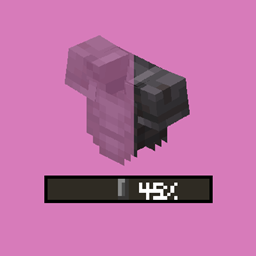
ShowMySkin
Empower players with the ability to have personalized and precise control over armor display, transparency, and enchantment glow effects.

Stable Farm
Transform your Minecraft farming with Stable Farm Mod: protect farmland from trampling, harvest crops efficiently with a hoe and gain experience orbs for a more rewarding and hassle - free agricultural adventure!
评论
登录后评论和评分