
截图

介绍
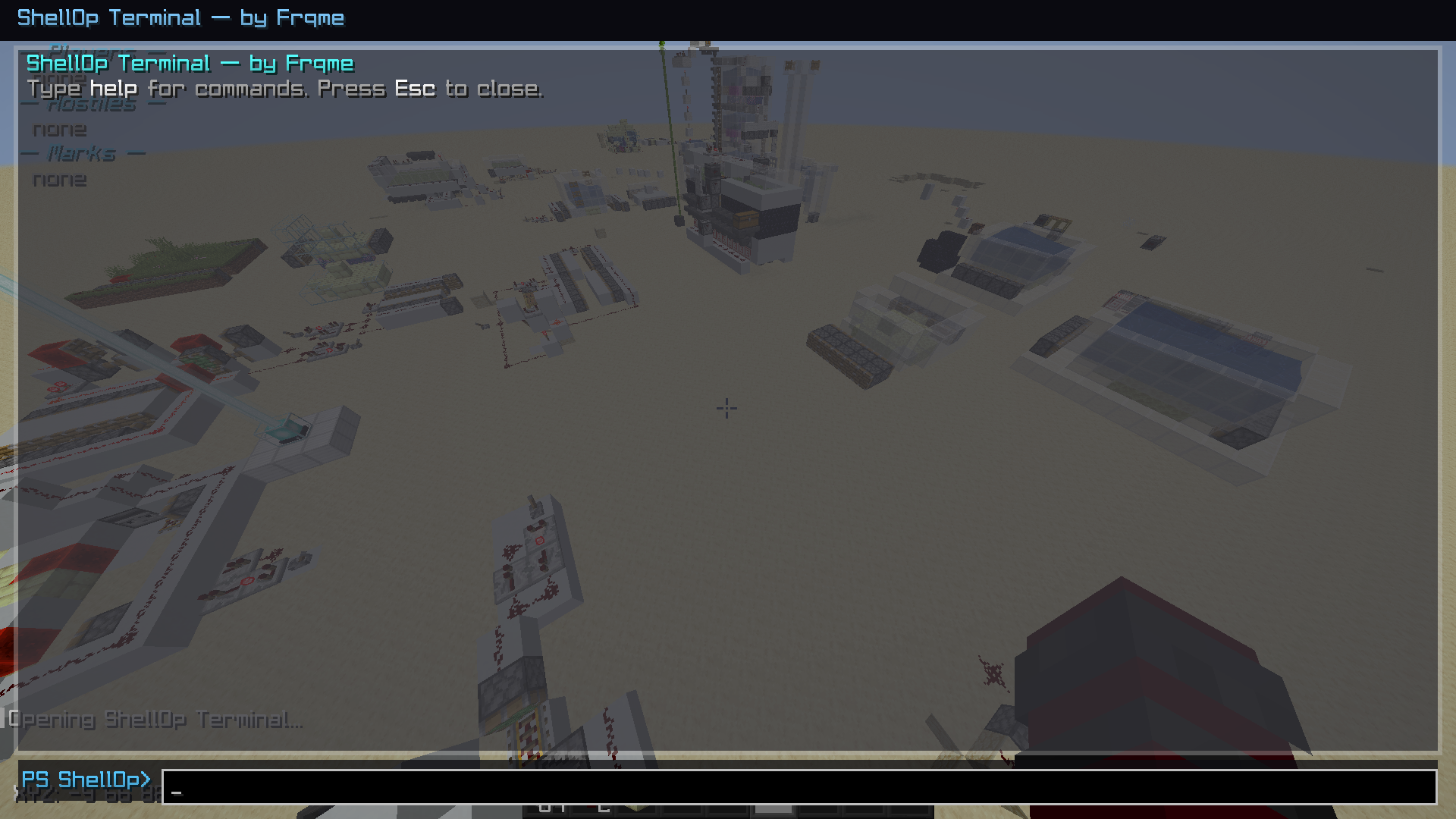
ShellOp
ShellOp is a sleek, customizable client-side and server side toolkit that gives you a power-user terminal, quick-run forms, overlays, and smart scanners — all designed to feel like a natural part of Minecraft.
Carefully crafted for explorers, PvP players, builders, and server regulars alike, ShellOp lets you pull intel fast: see nearby entities, find containers and spawners, scan for ores, jump to saved marks, and run one‑click “Quick Run” forms. It’s lightweight, fully client-side, and plays nice anywhere.
Features
Terminal + Manual:
In-game terminal: /shellop-ui with history, tab-completion, and clickable outputs
Book-style manual: /shellop-help with categories, pages, tooltips, and right-click “Quick Run”
Quick Run forms: right-click in the manual to open friendly forms (entities, blocks, find, ores, containers, spawners, portals, redstone, beehives, vein, marks, convert, ping, overlay, watch)
Smart Scans (client-only data, non-blocking):
blocks [radius] [be|blocks] [max] — summary with sample coords
find [radius] [be|blocks|both] [max]
ores [radius] [max]
spawners, containers, portals, redstone, beehives
Progress shown while scanning; results echo to chat with clickable /tp suggestions
Watchers + Alerts:
watch players [radius] [names…] — notify when players enter range
watch clusters [radius] [min] — detects chunk hotspots (block-entity density)
Optional ding sound; clickable coords in chat
Overlay HUD:
overlay on/off [players hostiles marks] — minimal, readable overlay (players, mobs, marks)
Navigation & Utilities:
mark add/goto/del/list/clear — fast local waypoints (session-based)
look — info on what your crosshair hits (block/entity) with coords
ping — send a clickable coord to chat
convert [x y z] — coordinate conversion
chunk — chunk/region/dimension/time readout
vein [limit] — follow a connected vein from your crosshair block
Lightweight:
Non-blocking background tasks
Only inspects what your client receives (no extra server load)
Fully client-side — works on any server
What makes ShellOp different
Instant intel without clutter: CLI when you want it, clean HUD/overlays when you don’t
Manual + Quick Run forms: don’t memorize syntax — just click and run
Clickable outputs: coords show in chat with “click to insert /tp”
Safe by design: scans are limited to loaded chunks/entities (no server hooks or unfair extras)
Install
Requirements:
Fabric Loader (latest for your Minecraft version)
Fabric API
Steps:
Drop the JAR into .minecraft/mods
Launch the game
Open the terminal with /shellop-ui or the manual with /shellop-help
How to use
Open terminal: /shellop-ui
Type help to open the manual UI, or /shellop-help to open it directly
Tab-completion for commands/args, history with Up/Down
Manual UI:
Hover for detailed tooltips
Left-click: copy example
Shift+Left-click: send clickable suggestion to chat
Right-click (or Ctrl+Left-click): open a Quick Run form
Quick command reference
Info/navigation
look
chunk
ping [x y z]
convert [x y z]
mark add [x y z], mark goto , mark del , mark list, mark clear
Overlays/watchers
overlay on|off [players hostiles marks]
watch players [radius] [names…]
watch clusters [radius] [min]
watch stop
Scans/finders
entities [radius] [type] [max] (players|hostiles|passives|items|boats|minecarts|all)
blocks [radius] [be|blocks] [maxPerType]
find [radius] [be|blocks|both] [max]
ores [radius] [max]
spawners [radius] [max]
redstone [radius] [max]
beehives [radius] [max]
containers [radius] [max]
portals [radius] [max]
vein [limit]
Notes & limitations
Client-only: you will only see entities and blocks the server actually sends to your client (same dimension, within tracking range)
No server dependency
Background scans avoid freezing; progress shows in action bar/terminal
Marks are session-based (persistence planned)
Configuration
Everything essential is available in the terminal, manual, and Quick Run forms.
If you want a Mod Menu/Cloth Config screen as well, it can be added (this version ships with built-in UIs).
Credits
Frqme — Mod author and developer
XtreaMC — Owner of the QoLabs Organization
FabricMC and Cloth Config teams for their APIs
Minecraft community for ideas and support
License
All rights reserved
常见问题
ShellOpUtility 支持哪些 Minecraft 版本?
ShellOpUtility 支持 Minecraft Java 版 1.21.4–1.21.5,共 2 个版本,可用的加载器:Fabric。下载时注意选择和你游戏版本一致的文件。
ShellOpUtility 怎么安装?
先用 PCL2 或 HMCL 启动器安装对应版本的 Fabric,再把下载的 .jar 文件放进游戏目录的 mods 文件夹,重新启动游戏即可。开启了版本隔离的,mods 文件夹在 versions/版本名 下面。运行环境:客户端和服务端都要装。
Frqme 的其他作品
查看全部 →
stunnable
a mod that shows a box/outline around your enemy so you know when to start trying to stun slam
stunnable
a mod that shows a box/outline around your enemy so you know when to start trying to stun slam

Shaders
A client-side Fabric mod that adds customizable animated rainbow and gradient outline effects to Minecraft entities, players, and held items for visual customization.

speartweaks
this project adds a bunch off spear pvp QoL stuff
评论
登录后评论和评分