
MX Haptics
Haptic feedback on the Logitech MX Master 4 mouse for in-game events (damage, shield, air bubbles, blocks, hotbar). Requires HapticWeb for Logi Options+ and a compatible mouse. Client-side, works on any server.
截图
介绍
MX Haptics brings real haptic feedback to Minecraft on your Logitech MX Master 4 mouse. Every time you take damage, block an attack with your shield, run out of air, or interact with the world, the mouse vibrates with a configurable pattern and intensity. No mods, no reflexes, the mouse tells your hand what’s happening.
Features
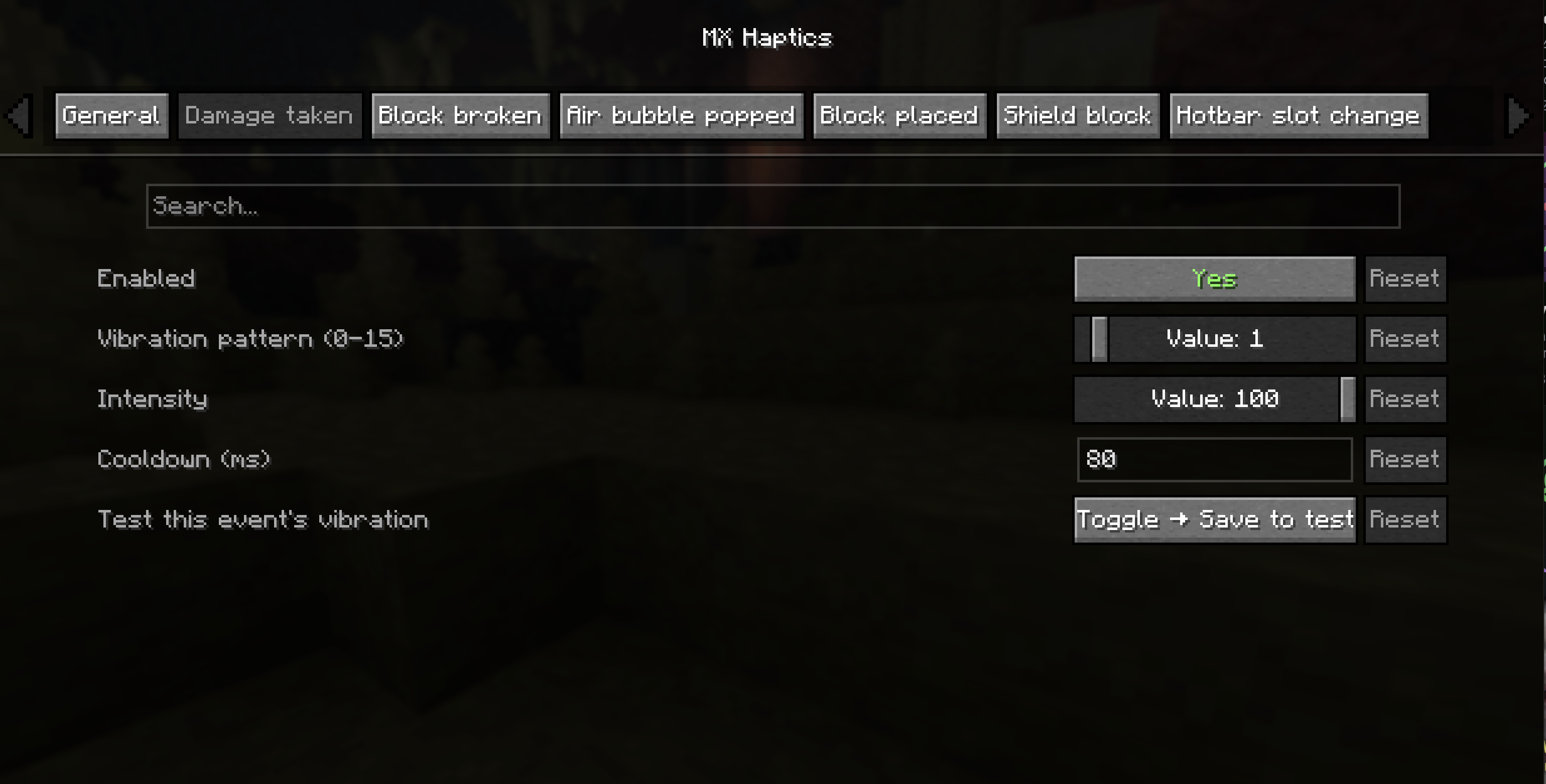
6 in-game events, each with independent on/off, pattern (0–15), intensity (0–100) and cooldown:
- Damage taken, enabled by default, strong feedback
- Shield block (melee and projectiles, including arrows), enabled
- Air bubble popped, enabled, subtle warning as you drown
- Block broken, disabled by default
- Block placed, disabled by default
- Hotbar slot change, disabled by default, very light tick
Configurable in-game (with Cloth Config + Mod Menu) or via mxhaptics.json.
Keybind “Test haptic vibration” for a one-press test any time.
/mxhaptics_test [pattern] [intensity] client command for manual testing.
Auto-reconnect with exponential backoff, if Logi Options+ isn’t running the game plays normally and the mod tries again in the background.
Fully asynchronous, the bridge WebSocket never touches the game thread.
Cross-platform: same jar works on Windows and macOS.
Works on any server, including vanilla. Everything is client-side.
Delayed vibrations when the mouse is idle
If you keep the mouse completely still (for example while waiting underwater for air bubbles), some vibrations may arrive late, sometimes by a second or two. This is not caused by the mod: when the MX Master 4 isn’t being moved it enters a low power state, and the wireless connection receives the haptic command with a delay. Events that happen while you’re using the mouse, like scrolling through the hotbar, feel instant for the same reason. Logi Options+ doesn’t currently offer a setting to change this, but moving the mouse slightly or using the Logi Bolt receiver instead of Bluetooth can help.
Requirements:
A Logitech MX Master 4 mouse
Logi Options+ installed and running
The HapticWeb plugin for Logi Options+, installable from the Logi Marketplace (default endpoint: wss://local.jmw.nz:41443/ws)
How to test the vibration
Keybind (one-click): Options → Controls → Key Binds → MX Haptics → “Test haptic vibration”, assign a key, press it any time to feel a test vibration.
From chat: /mxhaptics_test 1 75 (or /mxhaptics_test ).
From the config screen: open Mod Menu → MX Haptics → toggle a “Test vibration” widget ON and click “Save Changes”.
If you want to report a bug you can do it from:
GitHub
And if you want to support my work and the project feel free to drop a donation on:
Paypal
License
MIT – free to use, modify and redistribute.
常见问题
MX Haptics 支持哪些 Minecraft 版本?
MX Haptics 支持 Minecraft Java 版 26.2–26.3,共 2 个版本,可用的加载器:Fabric。下载时注意选择和你游戏版本一致的文件。
MX Haptics 怎么安装?
先用 PCL2 或 HMCL 启动器安装对应版本的 Fabric,再把下载的 .jar 文件放进游戏目录的 mods 文件夹,重新启动游戏即可。开启了版本隔离的,mods 文件夹在 versions/版本名 下面。运行环境:仅客户端。
评论
登录后评论和评分