BL Home Manager
A client side GUI for managing server homes without typing commands. Configure your server's home commands once, then create, delete, and teleport to homes with a few clicks. Works with virtually any command based home system!
截图

介绍
BL Home Manager
A clean, no-typing GUI for managing server homes — fully client-side, no server plugin required.
🏠 What Is This?
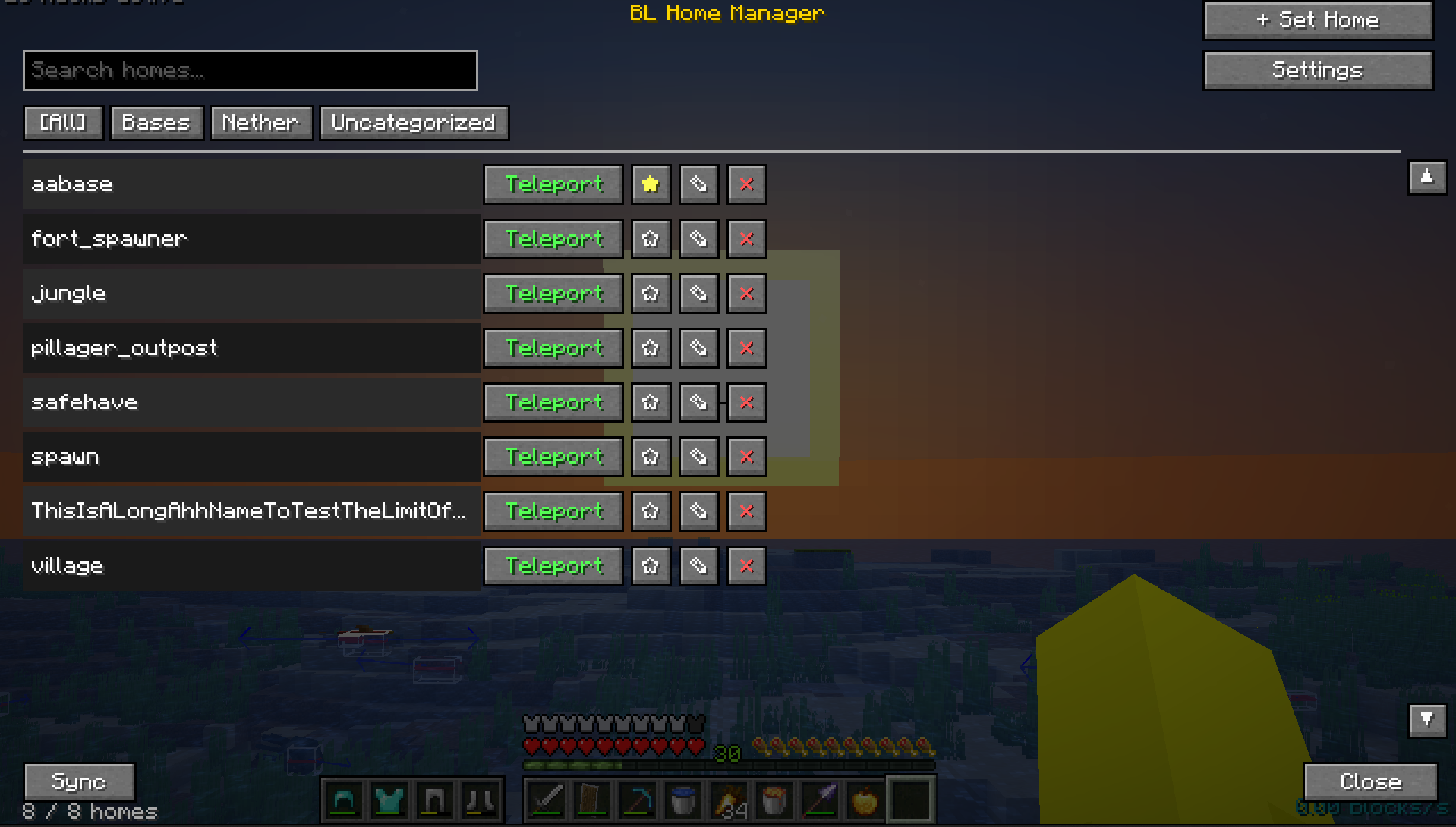
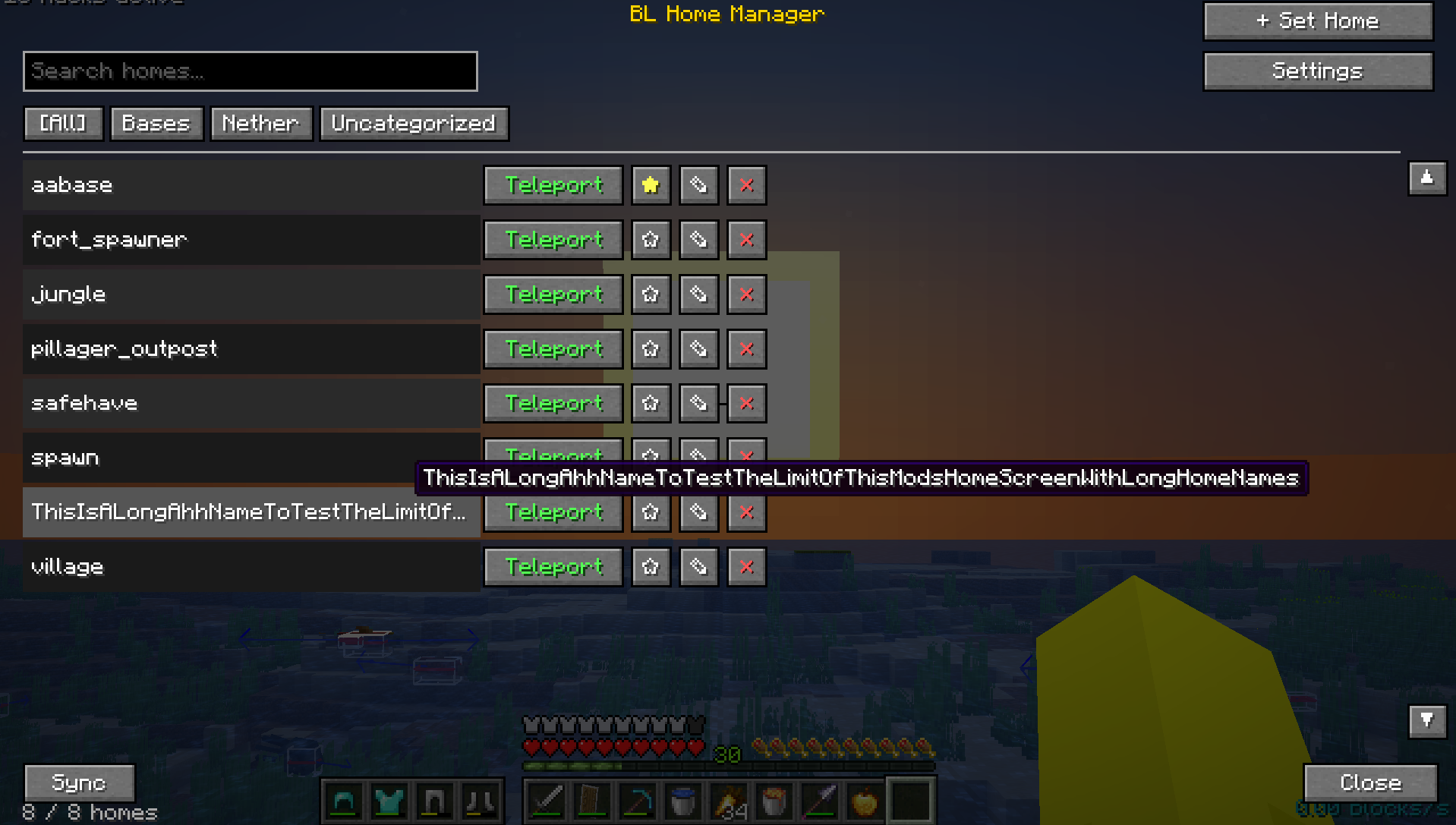
Tired of typing /sethome basement_storage_room_3 and praying you spelled it right? BL Home Manager wraps your server’s existing home commands in a proper graphical interface. Set, teleport to, rename, and organize homes from a searchable, scrollable list — no command memorization, no typos, no scrolling through chat history to remember what you named that one home. The mod never touches your homes’ actual locations; it’s a smart client-side wrapper around whatever home plugin your server already runs.
✨ Features
- One-Click Teleport — Browse your homes and teleport with a single button press instead of typing commands
- Searchable Home List — Instantly filter homes by name as you type
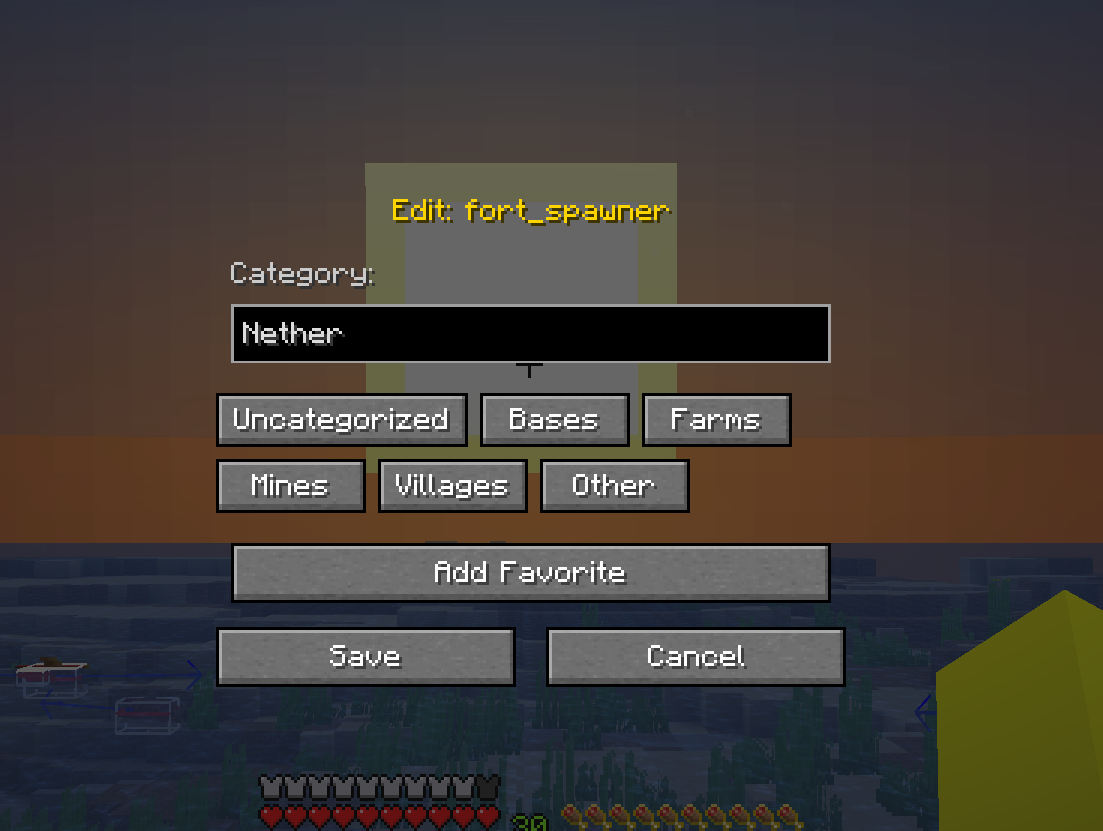
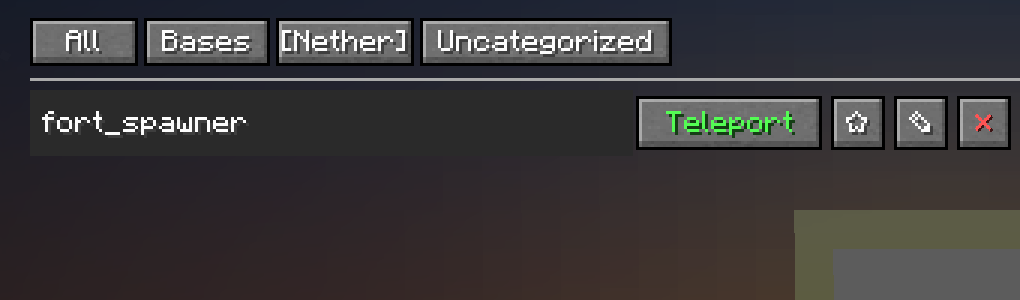
- Categories — Sort homes into Bases, Farms, Mines, Villages, or your own custom categories
- Favorites — Star your most-used homes to keep them easy to find
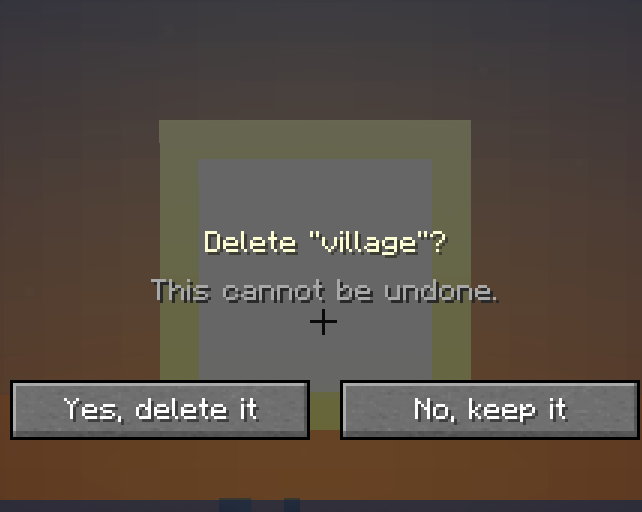
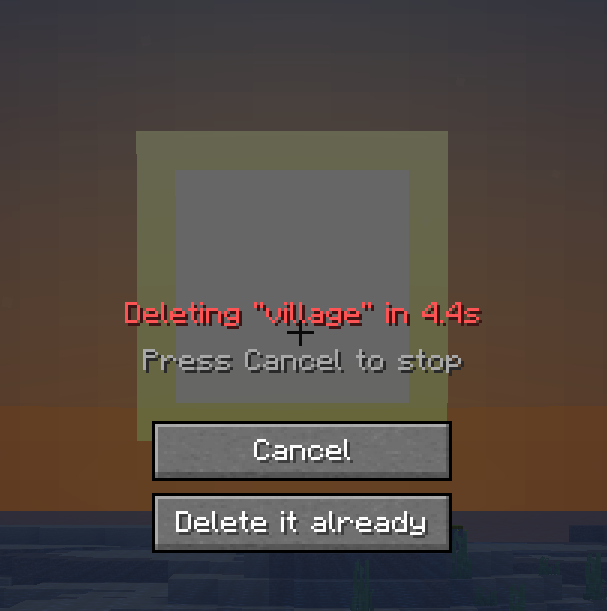
- Safe Delete Confirmation — A two-stage “are you sure?” prompt with a 5-second countdown and cancel option, so a misclick never costs you a home
- Server Sync — Automatically pulls your existing home list from the server’s
/homes-style command and keeps your local list up to date - Configurable Commands — Works with any server’s command syntax (
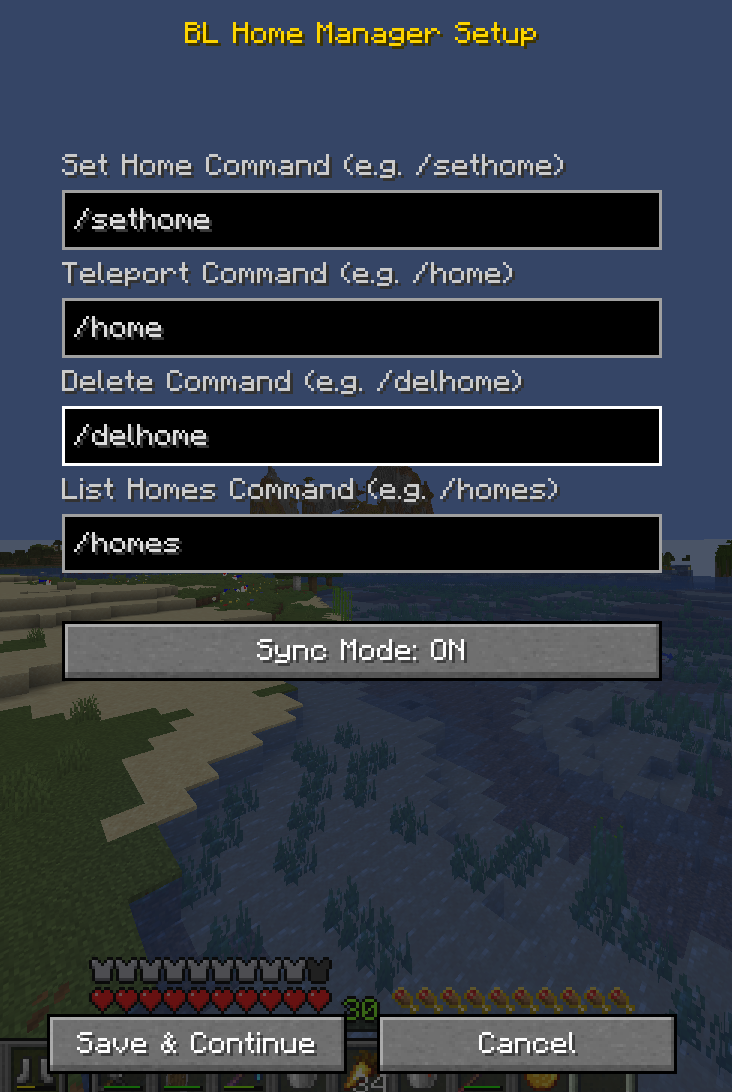
/sethome,/home,/delhome, etc.) — just set them once in setup - Keybind Access — Press a single key to open the Home Manager from anywhere (rebindable in Controls)
- Persistent Local Database — Home metadata (favorites, categories) is saved locally so it survives restarts and isn’t wiped by server-side resyncs
🕹️ How To Use
- Join any multiplayer server with a home plugin (Essentials, CMI, or similar)
- Press your configured key (default unbound — set it in Controls) to open BL Home Manager
- On first launch, enter your server’s home commands (e.g.
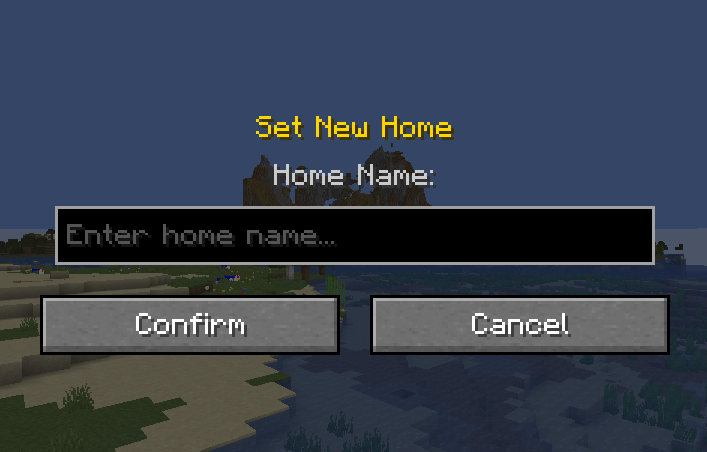
/sethome,/home,/delhome,/homes) - Click + Set Home, type a name, and confirm — the mod sends the command for you
- Click Teleport next to any home to warp there instantly
- Use the search bar or category tabs to find what you need in a long list
Note: The mod relies on parsing your server’s chat output to detect home names during Sync. If your server uses an unusual home-list format, you may need to add homes manually instead.
⚙️ Technical Details
- 100% client-side — No server plugin, mod, or configuration needed on the server
- Works with any command-based home system — Essentials, CMI, or custom plugins, as long as commands are configurable
- Uses Fabric’s
ClientReceiveMessageEventsAPI to read chat output during sync — no mixins into server internals - Home data stored as JSON under
.minecraft/config/bl-home-manager-homes.json - Sync parses multi-line chat responses and filters out non-home tokens automatically
常见问题
BL Home Manager 支持哪些 Minecraft 版本?
BL Home Manager 支持 Minecraft Java 版 1.21.11,可用的加载器:Fabric。下载时注意选择和你游戏版本一致的文件。
BL Home Manager 怎么安装?
先用 PCL2 或 HMCL 启动器安装对应版本的 Fabric,再把下载的 .jar 文件放进游戏目录的 mods 文件夹,重新启动游戏即可。开启了版本隔离的,mods 文件夹在 versions/版本名 下面。运行环境:仅客户端。
BattryLeaf 的其他作品
查看全部 →
Unstable SMP Death Sounds
每次死亡时都会播放凋灵生成的音效【unstable SMP 的死亡音效】

Unstable SMP Death Sounds by BL
Makes every death have the wither spawn sound [unstable SMP's death sound]

BL Improved Private Messages
A modern Discord-style private messaging GUI for Minecraft multiplayer. Intercepts whispers and organizes them into conversations with player avatars, tabs, friend lists, unread badges, and persistent per-server history — fully client-side, no plugins need

Floating Cushions
Makes it so that coushions do not require a supporting block and can float mid air!
评论
登录后评论和评分