
截图
介绍
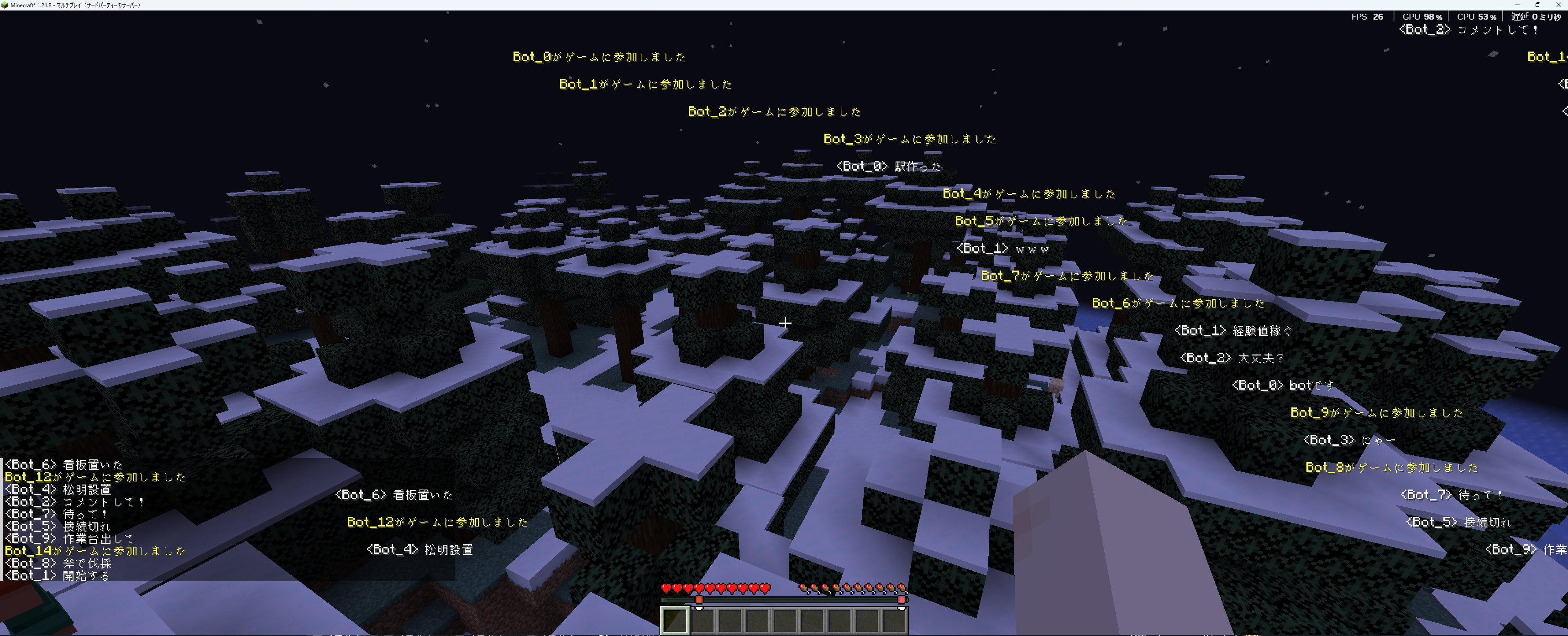
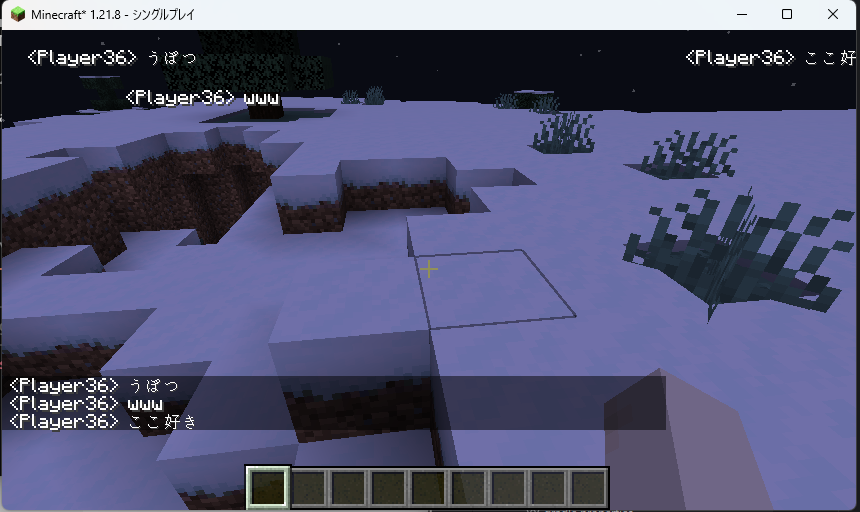
DanmakuChat is a client-side mod for Minecraft that implements “danmaku comments” similar to those on Nico Nico Douga.
Main Features
Chat messages flow from right to left on the screen, with multiple messages displayed simultaneously. A unique collision avoidance algorithm prevents overlapping and ensures easy readability.
1. Nico Nico Douga-style Danmaku Display
Chat messages flow from right to left across the top of the screen.
Features:
- Appears from the right edge of the screen
- Scrolls left at a constant speed
- Disappears when it reaches the left edge of the screen
2. Collision Avoidance Algorithm
Position-based collision avoidance system.
How it works:
- Lane Management: Places 10 lanes (horizontal lines) on the game screen.
- Spacing Check: Checks the spacing between each lane and the previous message before placing a new message.
- Optimal Lane Selection: Automatically selects the least crowded lane.
- Overlap Prevention: Places messages with at least 50px of spacing between them.
- Results:
- Messages do not overlap.
- Easy-to-read display.
- No breakdowns even with high density.
3. Message Filtering
User chat and system chat can be controlled separately.
User Chat
Chat messages sent by players.
Format: <Player Name> Message
Example:
<Player685> Hello<Steve> Thank you
Default: Display ON
System Chat
Messages from the server or game system.
Example:
Player joined the gamePlayer left the gameTime set to day- Command execution result
Default: Display OFF
常见问题
Danmaku Chat 支持哪些 Minecraft 版本?
Danmaku Chat 支持 Minecraft Java 版 1.21–1.21.11,共 12 个版本,可用的加载器:Fabric。下载时注意选择和你游戏版本一致的文件。
Danmaku Chat 怎么安装?
先用 PCL2 或 HMCL 启动器安装对应版本的 Fabric,再把下载的 .jar 文件放进游戏目录的 mods 文件夹,重新启动游戏即可。开启了版本隔离的,mods 文件夹在 versions/版本名 下面。运行环境:仅客户端。


评论
登录后评论和评分