
Block Information
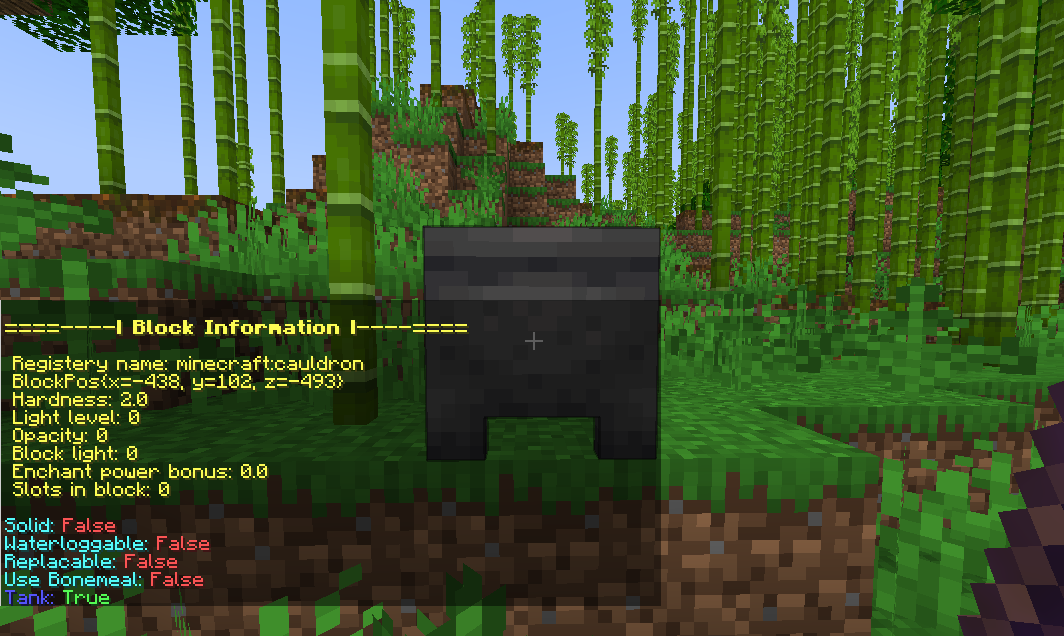
Displays block information on right click with the Block Information Stick. Great for debugging and devs.
截图

介绍
Block Information is a simple mod that lets you see detailed information about any block just by right-clicking it with a Block Information Stick.
It shows useful details like block name, hardness, light level, opacity, and more — making it easy to learn about blocks without needing external tools or commands.
Perfect for builders, modpack makers, or anyone curious about the world of Minecraft!
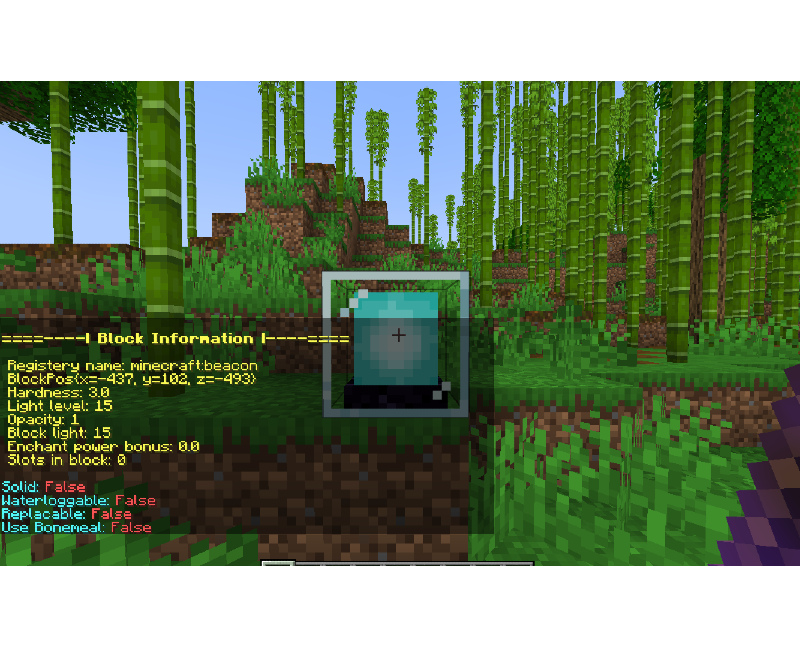
Explanation of variables:
Registry name: The registered Minecraft ID of the block.
BlockPos: The block’s position in the world (X, Y, Z).
Hardness: How long the block takes to break.
Light level: The amount of light the block emits (0–15).
Opacity: How much light the block blocks (higher = less transparent).
Block light: Light level at the block’s location.
Enchant power bonus: Extra enchanting power provided by the block (like bookshelves).
Slots in block: How many inventory slots the block has.
True/False:
Solid: Whether the block is solid.
Waterloggable: Can the block be waterlogged?
Replaceable: Can this block be replaced by other blocks when placed?
Use Bonemeal: If the block reacts to bonemeal use.
Extra flags:
Energy: The amount of energy in block.
Energy Capacity: How much energy can be stored.
Extract Energy: If the block extracts energy. (True/False)
Receive Energy: If the block receives energy. (True/False)
Tank: If the block can store fluid. (True/False)
常见问题
Block Information 支持哪些 Minecraft 版本?
Block Information 支持 Minecraft Java 版 1.21.1,可用的加载器:NeoForge。下载时注意选择和你游戏版本一致的文件。
Block Information 怎么安装?
先用 PCL2 或 HMCL 启动器安装对应版本的 NeoForge,再把下载的 .jar 文件放进游戏目录的 mods 文件夹,重新启动游戏即可。开启了版本隔离的,mods 文件夹在 versions/版本名 下面。运行环境:仅服务端。
Zkev1 的其他作品
查看全部 →
Cobblemon Go Catch
Pokémon Go style catching system for a more fun way to catch Pokémon's

Avaritia1.2x
Infinity, OP Armor, Tools.

Cobblemon Go Catch
Pokémon Go style catching system for a more fun way to catch Pokémon's

Cobblemon Highlight
Fancy UI for Cobblemons Battle improving visually with UI animations and more
评论
登录后评论和评分