
截图
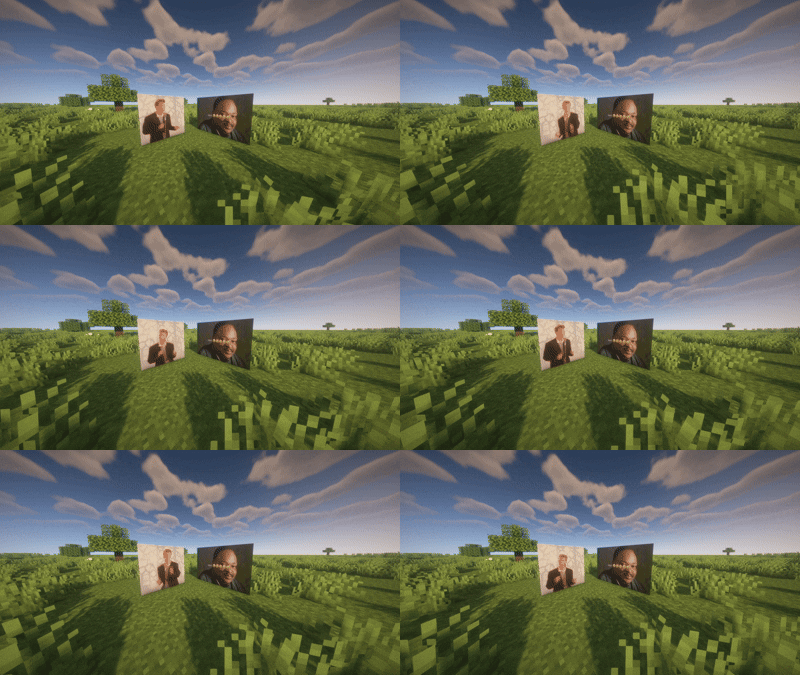
介绍
🖼️ Pixture
Turn any image or GIF into life-sized wall art, straight from a URL.
Pixture lets you download an image (static or animated GIF) from any link, then automatically converts it into a grid of Minecraft maps ready to display — no need to place a single frame by hand.
✨ Features
Direct URL download — give it a name and a link, Pixture handles the rest.
Resize on demand — generate the same downloaded image at 1×1, 3×2, 5×5, or any size you want, every time, without re-downloading.
Animated GIF support — animations play in real time on the maps, with accurate per-frame timing.
One item, whole structure — no more bundles or placing dozens of frames one by one: a single click against a wall (or floor/ceiling) instantly spawns the entire grid, already filled in and aligned.
Indestructible, invisible frames — only the image is visible; frames are invulnerable to environmental damage (explosions, fire, projectiles…) and float without needing support blocks.
Group destruction — a player attack on one frame cleanly destroys the whole structure at once, no leftover empty frames.
Persistent — your downloaded images and animations survive server restarts.
🎮 Commands
/pixture download <name> <url>          Download and store an image or GIF
/pixture give <name> <width> <height>   Generate and give the image at the desired size
/pixture list                           List saved images
/pixture delete <name>                  Delete an image and stop its animations
📌 Notes
Fully server-side — no client-side installation needed in multiplayer.
Great for display boards, decorative screens, server logos, or simple ambient animations.
常见问题
Pixture 支持哪些 Minecraft 版本?
Pixture 支持 Minecraft Java 版 1.21.11,可用的加载器:Fabric。下载时注意选择和你游戏版本一致的文件。
Pixture 怎么安装?
先用 PCL2 或 HMCL 启动器安装对应版本的 Fabric,再把下载的 .jar 文件放进游戏目录的 mods 文件夹,重新启动游戏即可。开启了版本隔离的,mods 文件夹在 versions/版本名 下面。运行环境:仅服务端。

评论
登录后评论和评分