
ecos shader for Canvas
作者:spiralhalo
Lightweight graphics enhancements for your laptop. Requires Canvas/can-pipe mod.
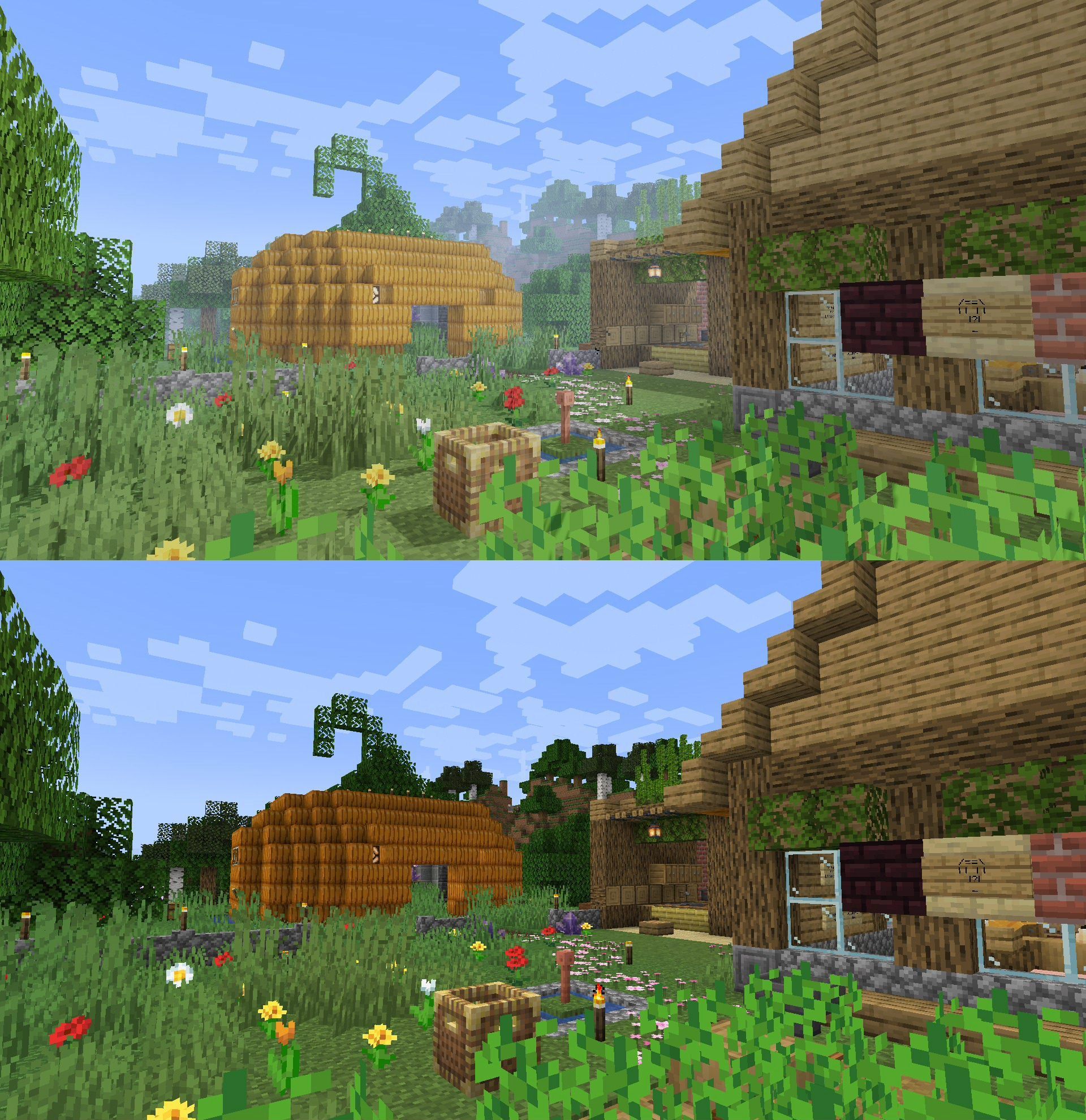
截图



介绍
中文介绍正在准备中,下面暂时显示原文。
ecos shader for Canvas and can-pipe
Lightweight graphics enhancements for your laptop.
Features
See the gallery for some comparisons.
- Shadows (optional, laptop friendliness varies)
- Fog, bloom & tone mapping
- Fancy water, metals & glass
- Optional toon outline & misc effects
- Vanilla-like (for the most part, might change later)
- Anti-aliasing
Planned Features
- Water shading
- Colored lights
Anti-vanilla feature
- Ignore vanilla lightmap (ecos uses its own lighting system)
How to use this?
- Put ecos-vx.x.zip inside your Resource Packs folder and activate it like a regular resource pack.
- Open Video Settings and configure the pipeline to ecos shaders. If you’re on Canvas, you might need to open the Canvas submenu.
Background
Recently I got a laptop, and when I run Lumi Lights on it it started to overheat. So I made this shader as a replacement. It’s not the exact same but it got the basic ideas that I wanted from a shader while keeping performance impact at minimum.
Credits
- ecos by spiralhalo (me)
- Project icon & mascot by Lazcht
- ecos’ bloom feature is based on Grondag‘s work
常见问题
ecos shader for Canvas 支持哪些 Minecraft 版本?
ecos shader for Canvas 支持 Minecraft Java 版 1.18.2–26.1.2,共 12 个版本。下载时注意选择和你游戏版本一致的文件。
ecos shader for Canvas 怎么安装?
把下载的 .zip 文件(不用解压)放进游戏目录的 resourcepacks 文件夹,进游戏后在「选项 → 资源包」里把它移到右边启用。
spiralhalo 的其他作品
查看全部 →
Canvas Renderer
by spiralhalo, grondag
Open source shaders for players and content creators
6.7万
2 年前
Modrinth

JMX
by spiralhalo, grondag
JSON Model Extensions
7,844
3 年前
Modrinth

FREX
by spiralhalo, grondag
FREX Rendering Extensions Library
5,780
2 年前
Modrinth

Bucket Warning
by spiralhalo
Warns bucket usage on full inventory
3,725
4 年前
Modrinth
评论
登录后评论和评分