
Scyap’s Fog Begone Mod
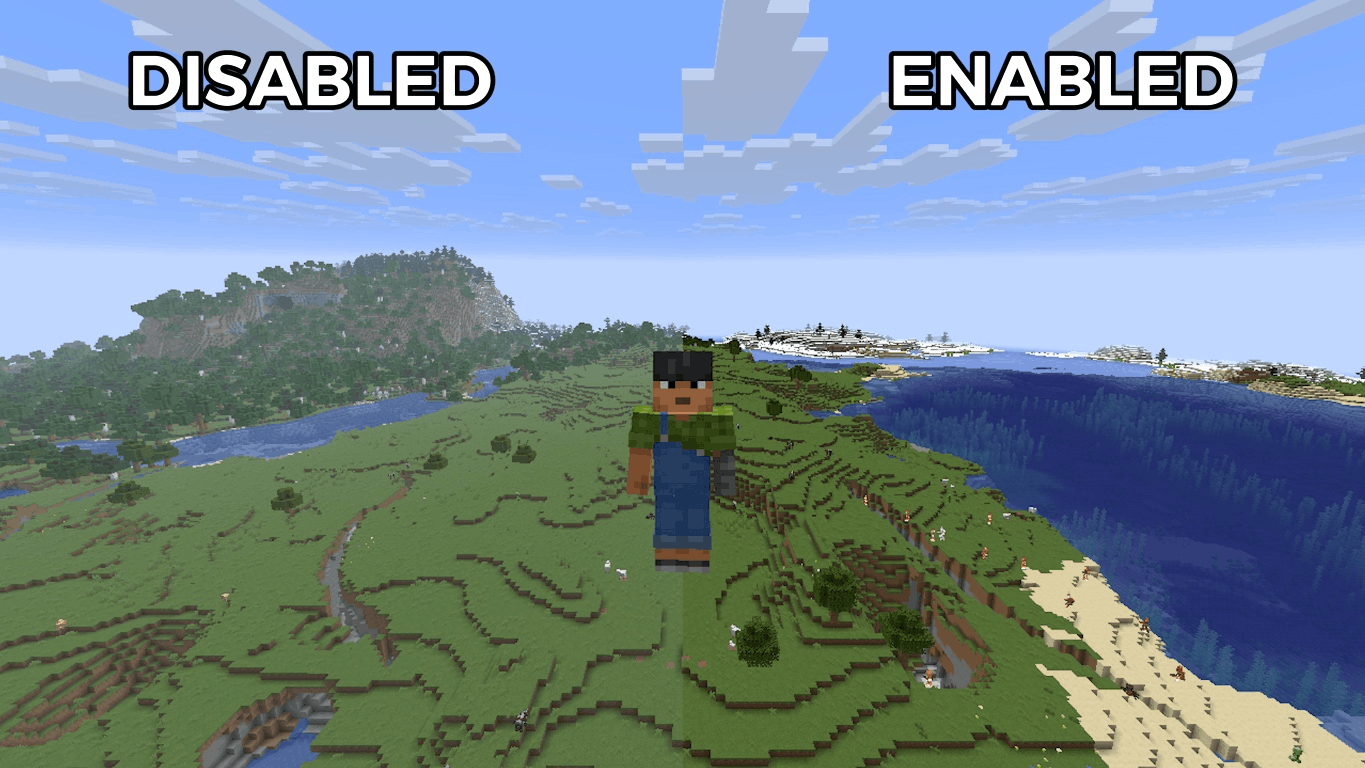
This mod adds a toggle button option to disable Minecraft's new fog render in the "Video Settings" settings.
截图


介绍
Mod Information:
This mod adds a toggle button option in the “Video Settings” settings to disable Minecraft’s new fog render (The one that makes everywhere look desaturated)
I don’t like fog. It’s hazy and desaturating and it gets everywhere.
How to Use:
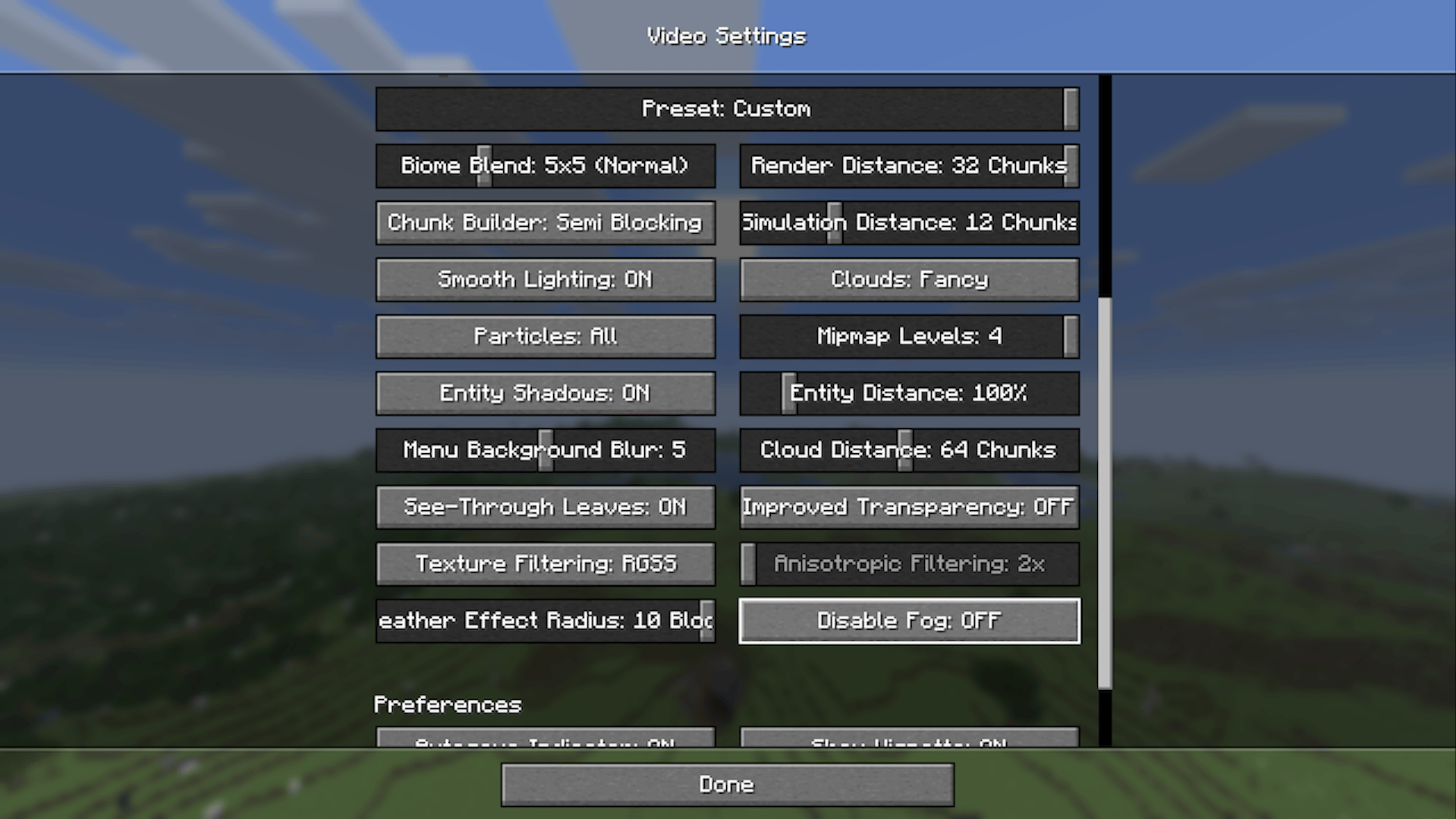
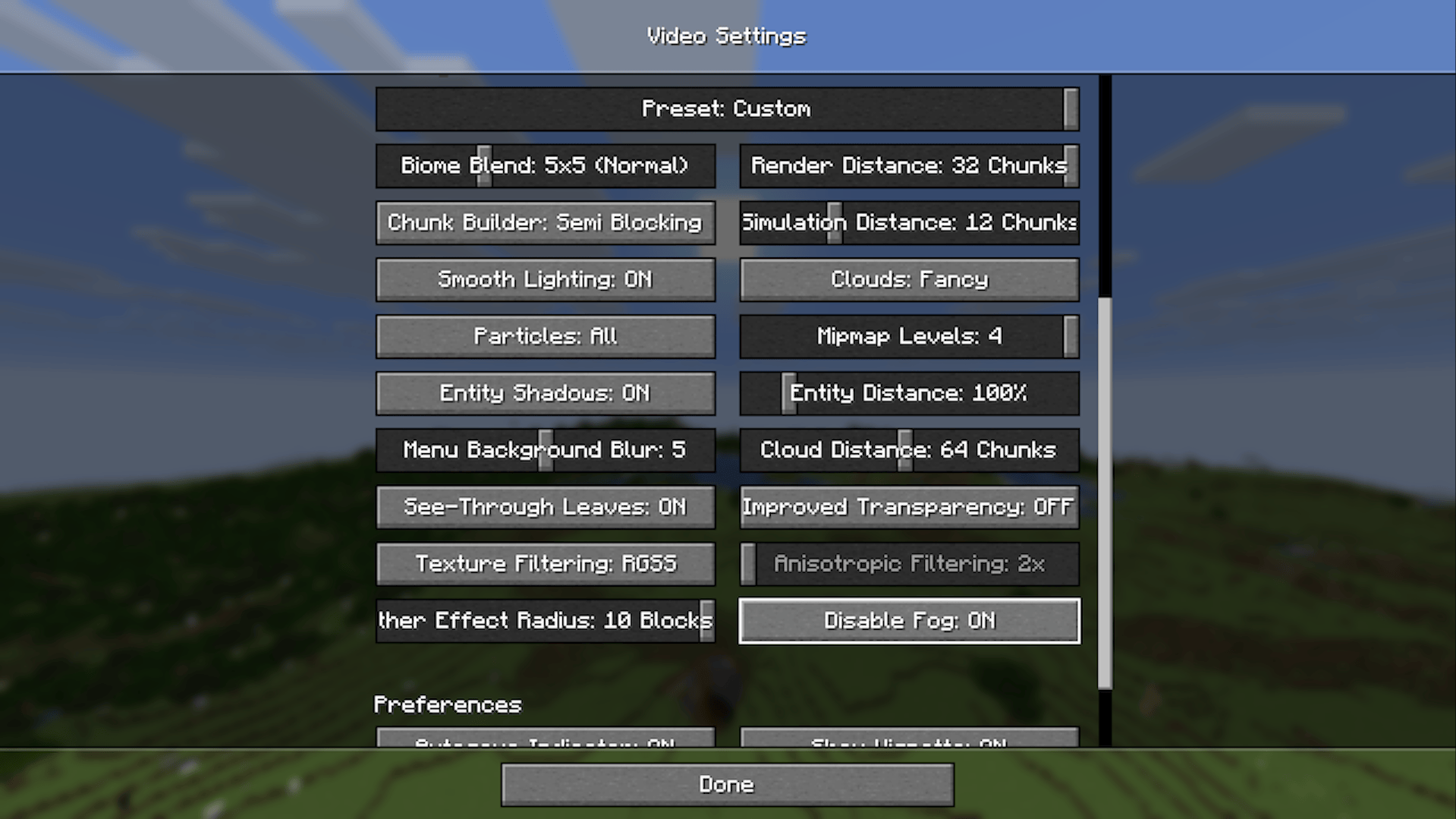
Go to “Options” > “Video Settings” > Scroll until you find the “Disable Fog” > Click it to enable or disable it
“Disable Fog” is ON by default (I mean that’s why you downloaded this mod right…)
常见问题
Scyap’s Fog Begone Mod 支持哪些 Minecraft 版本?
Scyap’s Fog Begone Mod 支持 Minecraft Java 版 26.1–26.1.2,共 3 个版本,可用的加载器:Fabric。下载时注意选择和你游戏版本一致的文件。
Scyap’s Fog Begone Mod 怎么安装?
先用 PCL2 或 HMCL 启动器安装对应版本的 Fabric,再把下载的 .jar 文件放进游戏目录的 mods 文件夹,重新启动游戏即可。开启了版本隔离的,mods 文件夹在 versions/版本名 下面。运行环境:客户端和服务端都要装。
Matthewscyap 的其他作品
查看全部 →
Scyap’s Seagull Mod
This mod adds seagulls (Particularly the red-billed gull) into Minecraft

Scyap’s Barista Mod
This mod adds coffee berries, coffee drinks, and a kettle into Minecraft

Scyap’s Tropical Slimes Mod
This mod adds Tropical Slimes from the discontinued mobile spin-off game, Minecraft Earth

Scyap’s Wooly Cow Mod
This mod adds Wooly Cow from Minecraft Earth with additional content
评论
登录后评论和评分