
Vanilla Toggle
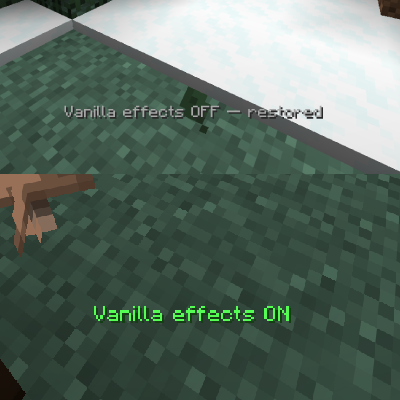
This Mod Adds a vanilla toggle addition the default key bind is [V] you can change it in the settings you can toggle on and off
截图

介绍
This mod allows you to toggle vanilla effects on and off using the [V] keybind. This keybind is changeable in your settings. If toggled on, it will set: [FOV Effects 100%], [Damage Tilt 100%], [View Bobbing ON], and [Particles ON]. If you toggle the mod off, your previous settings will be restored to what they were before.
常见问题
Vanilla Toggle 支持哪些 Minecraft 版本?
Vanilla Toggle 支持 Minecraft Java 版 1.21.10–1.21.11,共 2 个版本,可用的加载器:Fabric。下载时注意选择和你游戏版本一致的文件。
Vanilla Toggle 怎么安装?
先用 PCL2 或 HMCL 启动器安装对应版本的 Fabric,再把下载的 .jar 文件放进游戏目录的 mods 文件夹,重新启动游戏即可。开启了版本隔离的,mods 文件夹在 versions/版本名 下面。运行环境:仅客户端。
Modernize 的其他作品
查看全部 →
Smooth [FullBright]
You Can Toggle Smooth Full Bright With The Key bind [T] Its changeable in your settings.
Smooth [FullBright]
You Can Toggle Smooth Full Bright With The Key bind [T] Its changeable in your settings.

Zoom+
This mod allows you to be able to zoom without a spyglass if you hold c on your keyboard it will zoom in you can use scroll wheel to adjust the zoom the keybind is changable in your settings.

OneTap
Stop wasting your mouse durability by spam clicking skeletons and zombies, just install this mod to instantly eliminate anything
评论
登录后评论和评分