
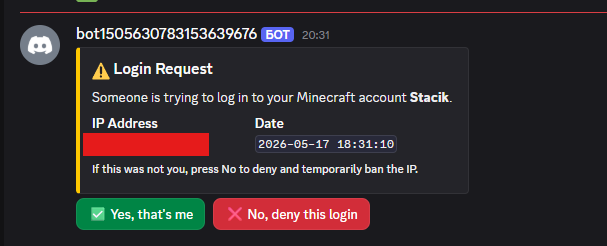
截图


介绍
Discord Login
Allows your members to log in with discord
Configuration:
Config file
# DiscordLogin Configuration

# Your Discord bot token
bot-token: "discord_token"

# Your Discord server (guild) ID
guild-id: 43902483920

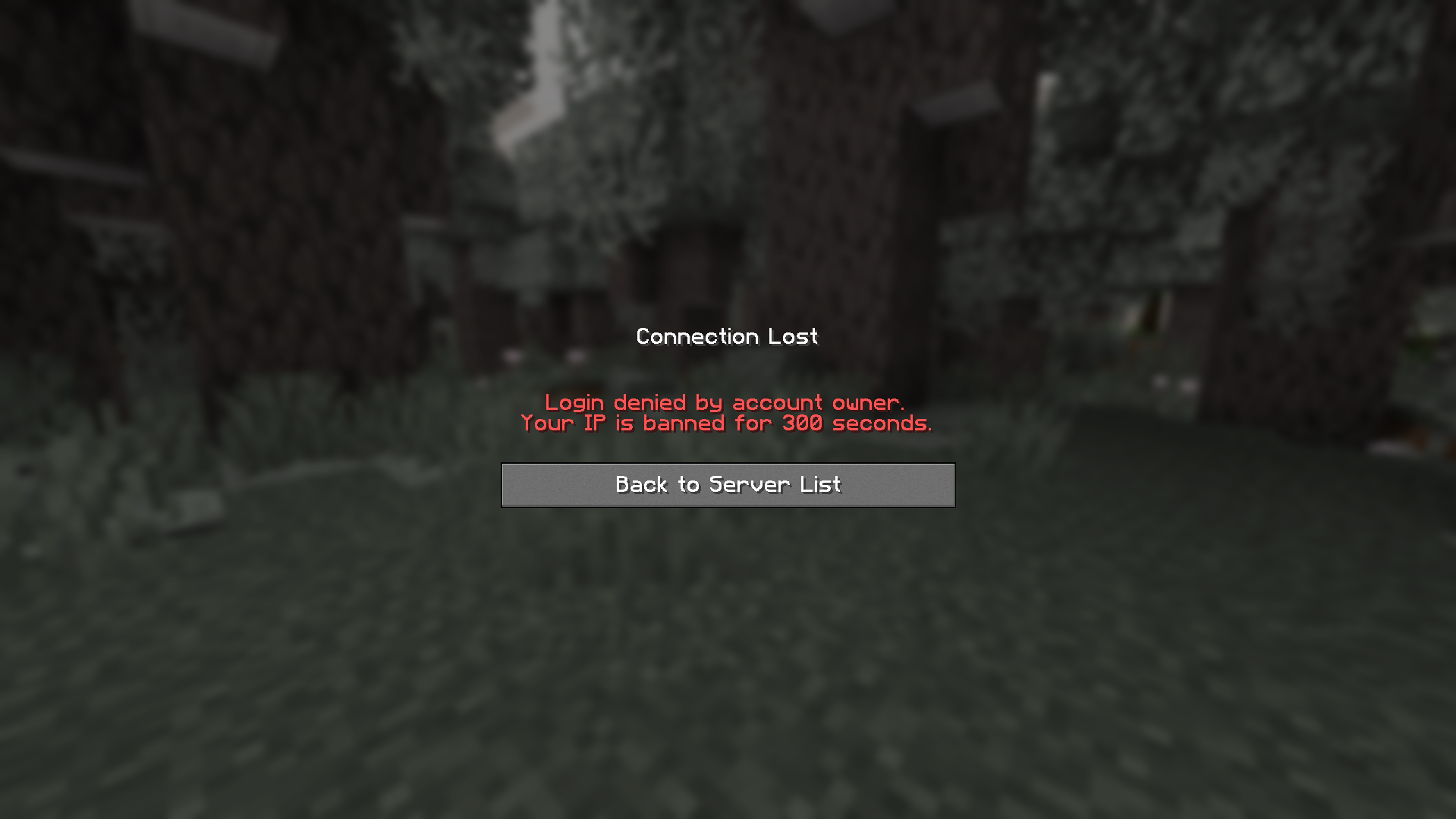
# How long (in seconds) to IP-ban a user when they press No (default: 300 = 5 minutes)
ip-ban-duration-seconds: 900

# How long (in seconds) a player has to approve the login before being kicked
login-timeout-seconds: 60

# Chat message prefix (supports & color codes)
message-prefix: "&8[&bDiscordLogin&8]&r "
Replace the bot_token with yours
and put in your server id in guild-id
How to get guild-id?
https://support.discord.com/hc/en-us/articles/206346498-Where-can-I-find-my-User-Server-Message-ID
Faq
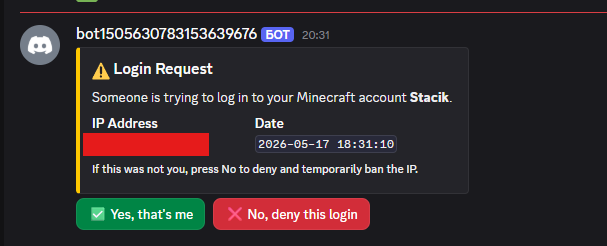
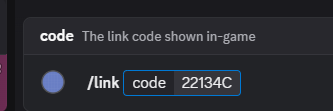
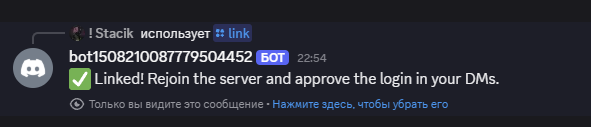
Where do I see how the plugin works?
Check the gallery tab
How do I unlink mine/a member account
Go into the data file (plugins/DiscordLogin/data.yml for Paper or config/DiscordLogin_data.json), and find the UUID of the person (formatted UUID: DiscordID) and remove the whole line, then restart the server
If you are a member, ask a staff member to do these steps
I wanna suggest an idea/report a problem
Add me on discord: stacik_
How to exclude members?
That’s coming soon
Can players chat during the verification?
No
What can players do during verification?
Absolutely nothing
Why did you create this plugin?
To prevent the problem with of forgetting passwords (if using a normal login system) and also to prevent people from accessing your account without your permission
How do I know this plugin won’t compromise my Minecraft or Discord account?
It can’t. Here’s why:
-The plugin never asks for your password, email, or any credentials
-It only sends a one-time code in-game that you paste into a Discord bot command
-The bot only knows your Discord user ID (a public number) and your Minecraft UUID, the same info any server already has
What if I don’t put my server guild id?
You will have to wait an hour for discord to register the commands globally
Is there any discord bot commands, like in DMs?
No not yet, but I am absolutely thinking of adding that
Current ideas:
- !account kick – Kicks your account if its online
- !account unlink – Unlinks your account with 2 confirmations
- !account info – Returns some basic account info and possibly the player skin
Credits
dangkhoi6162 – Reporting big issue & ideas
常见问题
DiscordLogin 支持哪些 Minecraft 版本?
DiscordLogin 支持 Minecraft Java 版 1.21–1.21.11,共 12 个版本,可用的加载器:Fabric / Paper。下载时注意选择和你游戏版本一致的文件。
DiscordLogin 怎么安装?
先用 PCL2 或 HMCL 启动器安装对应版本的 Fabric / Paper,再把下载的 .jar 文件放进游戏目录的 mods 文件夹,重新启动游戏即可。开启了版本隔离的,mods 文件夹在 versions/版本名 下面。运行环境:仅服务端。
CTK 的其他作品
查看全部 →
Toxic Mod
A mod that is extremely toxic for no reason
Toxic Mod
A mod that is extremely toxic for no reason

Hide & Seek
A mod that allows you to play Hide & Seek with your friends in Minecraft.

Sophisticated Gamemodes
This plugin remakes the way gamemodes work in Minecraft! Sophisticated Gamemodes makes it easier to control who can be in different gamemodes, and can also alert other admins when a player switches into another gamemode
评论
登录后评论和评分