介绍
Voice messages
Mod and plugin that adds voice messages to the Minecraft.
Requires Simple Voice Chat installed.
Good to know
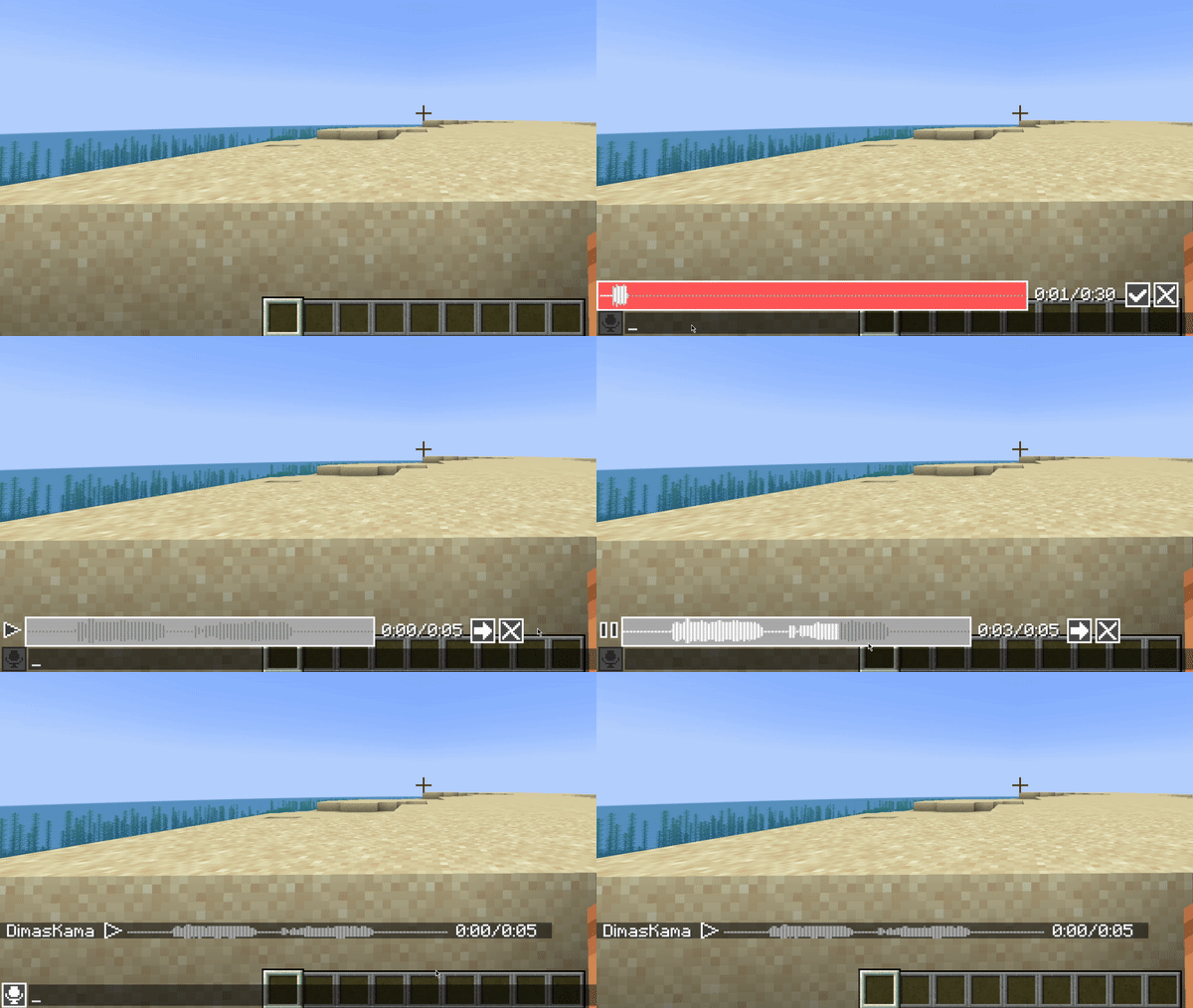
This mod must be installed both on server and client to work. If a player does not have this mod installed, he will not see voice messages.
This mod uses the microphone configured in Simple Voice Chat with all its settings. So make sure that Voice Amplification in Simple Voice Chat settings is not set to -100%.
Also, if voicechat sounds are disabled, you will not hear voice messages.
Private voice messages
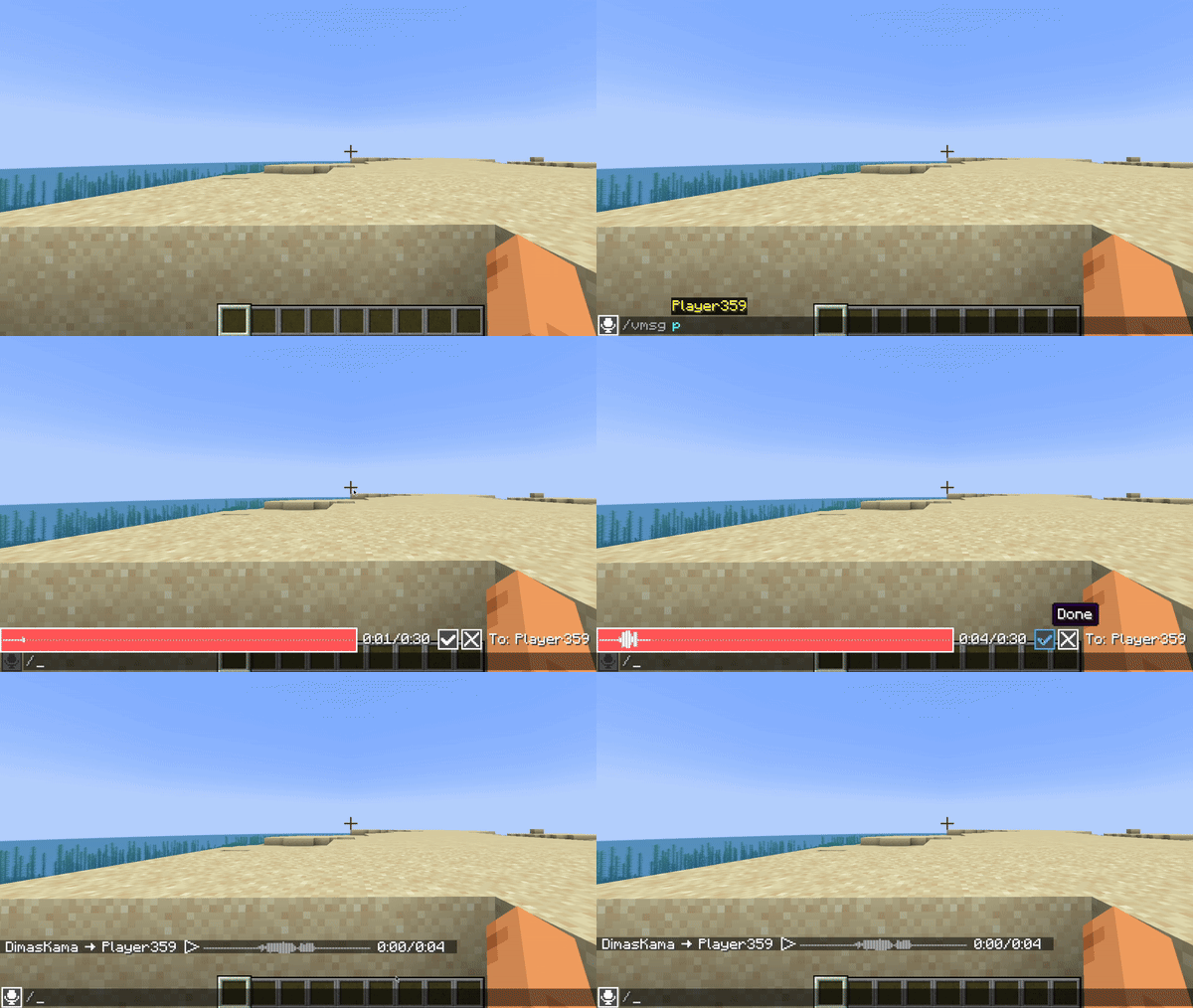
You can send private voice messages to players or to your team with /voicemsg <target> or /vmsg <target> commands.
Note that server can restrict you from sending them by permissions
Setup on server
Config
Server config is located in config/voicemessages_server.json
Here are the default values with their descriptions:
{
  "max_voice_message_duration_ms": 90000,  // The maximum voice message length in milliseconds in range [3_000;300_000]
  "voice_message_spam_punishment": "none", // The punishment for sending a voice message longer than the time elapsed since the sending previous one. Possible values: "none", "prevent", "kick"
  "voice_message_invalid_punishment": "prevent", // The punishment for sending an invalid voice message (longer than maximum configured) or sending a voice message without permission for it. Possible values: "none", "prevent", "kick"
  "mod_required": false,                         // If true, joining players will be kicked if they don't have this mod installed
  "mod_not_installed_text": "VoiceMessages is not installed or is of an old version" // The kick message for players that don't have this mod installed
}
Permissions
voicemessages.send– permission to send voice messages. Default:truevoicemessages.send.all– permission to send voice messages to global chat. Default:truevoicemessages.send.team– permission to send private voice messages to player’s team. Default:truevoicemessages.send.players– permission to send private voice messages to players. Default:true
API
This mod has its own API.
Setup in build.gradle:
repositories {
    // Other repositories

    maven {
        name "dimaskama"
        url "https://maven.dimaskama.net/releases"
    }
}

dependencies {
    // Other dependencies

    // Voice Messages API
    compileOnly "ru.dimaskama.voicemessages:voicemessages-api:${voicemessages_api_version}"
}
常见问题
Voice Messages 支持哪些 Minecraft 版本?
Voice Messages 支持 Minecraft Java 版 1.21.1–26.3,共 15 个版本,可用的加载器:Bukkit / Fabric / Folia / NeoForge / Paper / Purpur / Quilt / Spigot。下载时注意选择和你游戏版本一致的文件。
Voice Messages 怎么安装?
先用 PCL2 或 HMCL 启动器安装对应版本的 Bukkit / Fabric / Folia / NeoForge / Paper / Purpur / Quilt / Spigot,再把下载的 .jar 文件放进游戏目录的 mods 文件夹,重新启动游戏即可。开启了版本隔离的,mods 文件夹在 versions/版本名 下面。运行环境:客户端和服务端都要装。
DimasKama 的其他作品
查看全部 →
OrthoCamera
Configurable orthographic view mode

SchematicPreview
3D schematic previews & other utilities for litematica

VisualKeys
Utility mod that adds screen keyboard with all keybindings

VisualKeys
Utility mod that adds screen keyboard with all keybindings
评论
登录后评论和评分