
Colorful Geysers
A client-side Minecraft Fabric mod that gives you full control over the colors of Potent Sulfur geysers.
介绍
By default, geysers have one color (like in nature). With this mod you can change the color of geyser by placing a supported block underneath the magma block/lava.
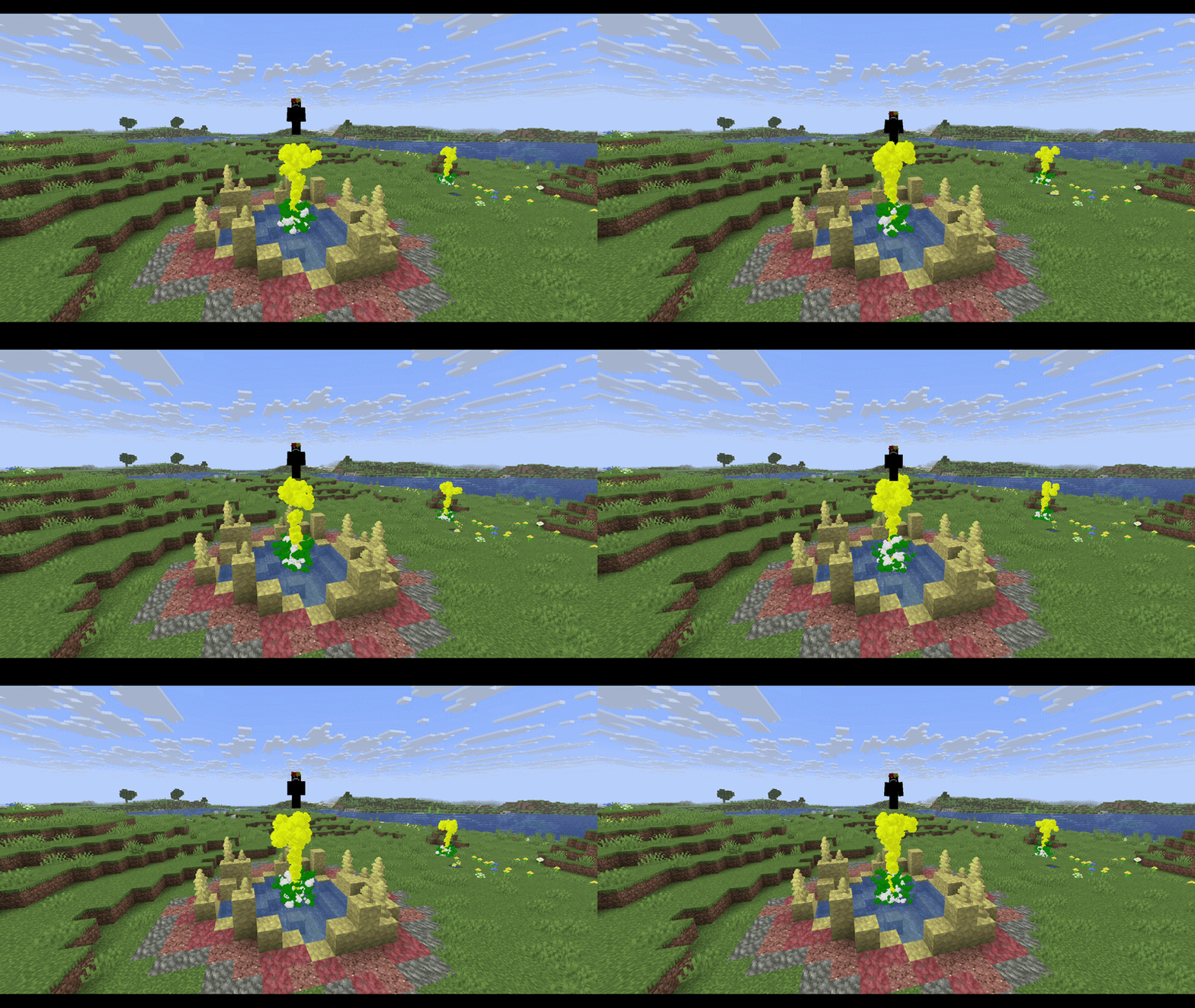
There is couple of blocks set as default and you can change them later:
- Netherrack ➔ Red
- Soul Sand ➔ Cyan/Teal
- Soul Soil ➔ Dark Blue
- Moss Block ➔ Green
- Glowstone ➔ Yellow
- End Stone ➔ Pale Yellow
- Blackstone ➔ Dark Gray
- Prismarine ➔ Cyan/Teal
- Amethyst Block ➔ Purple
- Packed Mud ➔ Brown
- Cherry Leaves ➔ Pink
- Basalt ➔ Dim Gray
- Obsidian ➔ Black
- Blue Ice ➔ Light Blue
Features
- Block-Based Colors: Geysers automatically adopt the map color of the block underneath them.
- Custom Block Colors: Link any specific block to any color of your choice.
- Global Color Override: Set a single global color that overrides everything, turning all geysers in your world into that color.
- Hex Code Support: Choose from a predefined list of colors (e.g. blue, red, purple) or use an exact HEX code (e.g. #FF0000, #00FFFF).
Commands
- /geysercolor set
- /geysercolor reset
- /geyserblock add
- /geyserblock remove
Note: All your command changes are automatically saved to config/colored\_geysers.json in your .minecraft folder.
常见问题
Colorful Geysers 支持哪些 Minecraft 版本?
Colorful Geysers 支持 Minecraft Java 版 26.1.2–26.2,共 2 个版本,可用的加载器:Fabric。下载时注意选择和你游戏版本一致的文件。
Colorful Geysers 怎么安装?
先用 PCL2 或 HMCL 启动器安装对应版本的 Fabric,再把下载的 .jar 文件放进游戏目录的 mods 文件夹,重新启动游戏即可。开启了版本隔离的,mods 文件夹在 versions/版本名 下面。运行环境:客户端 / 服务端。
Smagonard 的其他作品
查看全部 →
Colorful Geysers
A client-side Minecraft Fabric mod that gives you full control over the colors of Potent Sulfur geysers.

InvisiWands
Use magical wands to transform supported blocks into invisible, walk-through blocks while preserving their appearance and functionality.

InvisiWands
Use magical wands to transform supported blocks into invisible, walk-through blocks while preserving their appearance and functionality.
评论
登录后评论和评分