
截图
介绍
First: The Relaunch Name Is Because I Made A Mod Like This In 2025, But Deleted It Due To Many Issues. (If You’re Wondering, The Mod Name Was Info HUD++)
Second: The Idea For This Mod Came From A Friend Of Mine.
Third: Current Mod Features Are (As Of Beta 0.0.5):
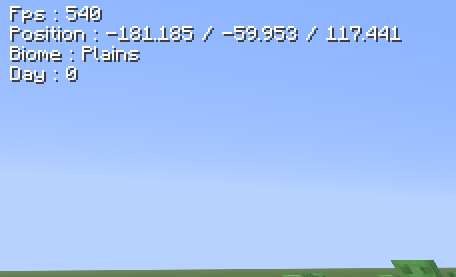
(1) To toggle the HUD on/off, use the keybind (H).
(2) To Edit The HUD, Open The Edit Screen Using (G).
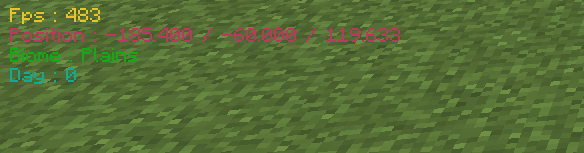
(3) You can adjust the colors of every part of the HUD.
(4) You can adjust the Y Position of every part of the HUD.
(5) You can adjust the drop shadow of the text of every part of the HUD.
Fourth:
As Of Beta Version (Beta 0.0.1), The Next Update (Beta 0.0.2) Will Feature Custom Color Presets.
As Of Beta Version (Beta 0.0.2), The Next Update (Beta 0.0.3) Will Feature Custom Y Positions.
As Of Beta Version (Beta 0.0.3), The Next Update (Beta 0.0.4) Will Feature Some Bug Fixes.
As Of Beta Version (Beta 0.0.4), The Next Update (Beta 0.0.5) Will Feature Some More Features.
As Of Beta Version (Beta 0.0.5), The Next Update (Beta 0.0.6) Will Feature Some Bug Fixes.
As Of Beta Version (Beta 0.0.6), The Next Update (Beta 0.0.7) Will Feature Some More Features.
常见问题
Info Hud Relaunch 支持哪些 Minecraft 版本?
Info Hud Relaunch 支持 Minecraft Java 版 26.1–26.3,共 5 个版本,可用的加载器:Fabric。下载时注意选择和你游戏版本一致的文件。
Info Hud Relaunch 怎么安装?
先用 PCL2 或 HMCL 启动器安装对应版本的 Fabric,再把下载的 .jar 文件放进游戏目录的 mods 文件夹,重新启动游戏即可。开启了版本隔离的,mods 文件夹在 versions/版本名 下面。运行环境:仅客户端。
评论
登录后评论和评分