
截图
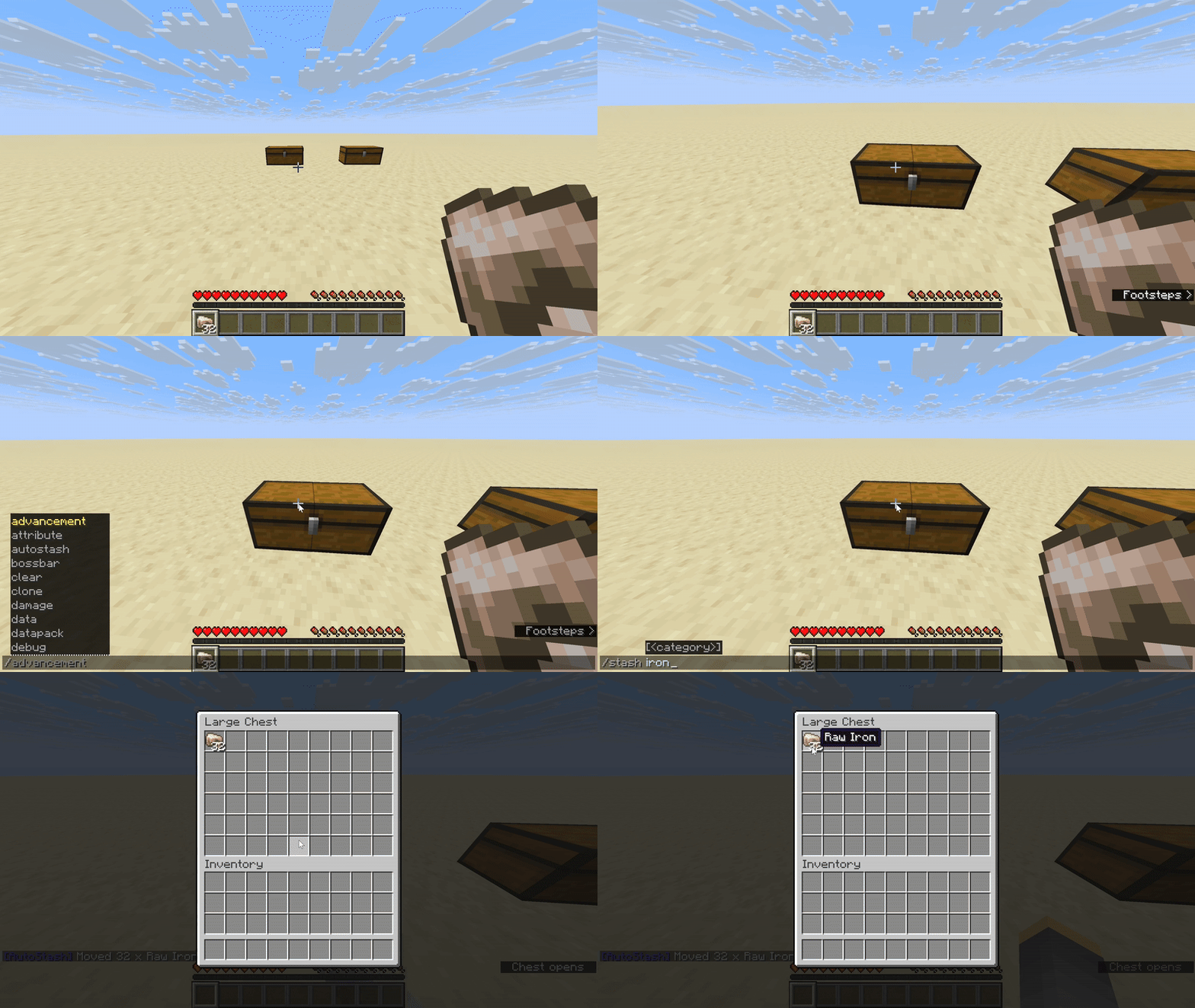
介绍
中文介绍正在准备中,下面暂时显示原文。
AutoStash
A simple quality-of-life mod that lets you stash your items into designated chests with a command.
Keep your inventory tidy and let your storage handle the rest.
Features
- Stash items into pre-defined chests with one command
- Categorize chests to control what items go where
- Easy setup with intuitive commands
- Great for survival servers and co-op play
Important
Categories must be created before you can assign chests to them, altough I do have some premade ones.
Commands
/autostash category <name>– Create or manage a category/autostash setchest <name> <category>– Register a chest with a category/autostash removechest <name>– Remove a chest from AutoStash/autostash cheststatus– View all registered chests/stash– Move items from your inventory into matching chests
Setup
- Create one or more categories with
/autostash category <name> - Place a chest in the world
- Use
/autostash setchest <name> <category>to assign it - Add items to the category list
- Use
/stashanytime to send items from your inventory into their chests
Categories
Items are grouped by categories you define.
For example:
- Food → goes into your kitchen chest
- Ores → into your mining chest
- Blocks → into your building supplies chest
Compatibility
- Fabric Loader required
- Works in singleplayer and multiplayer
- Compatible with most Fabric mods
常见问题
AutoStash 支持哪些 Minecraft 版本?
AutoStash 支持 Minecraft Java 版 1.21.8,可用的加载器:Fabric。下载时注意选择和你游戏版本一致的文件。
AutoStash 怎么安装?
先用 PCL2 或 HMCL 启动器安装对应版本的 Fabric,再把下载的 .jar 文件放进游戏目录的 mods 文件夹,重新启动游戏即可。开启了版本隔离的,mods 文件夹在 versions/版本名 下面。运行环境:仅服务端。
评论
登录后评论和评分