
Baston’s Tweaks
A configurable quality-of-life tweak pack for Fabric — HUD panels, death coordinates, fullbright, tooltip tweaks, and more. Every feature is optional.
截图
介绍
Baston’s Tweaks
A modern, all-in-one quality-of-life tweak pack for Fabric — the little fixes and HUD upgrades you’d normally install five separate mods for, rebuilt as one clean, fully configurable package.
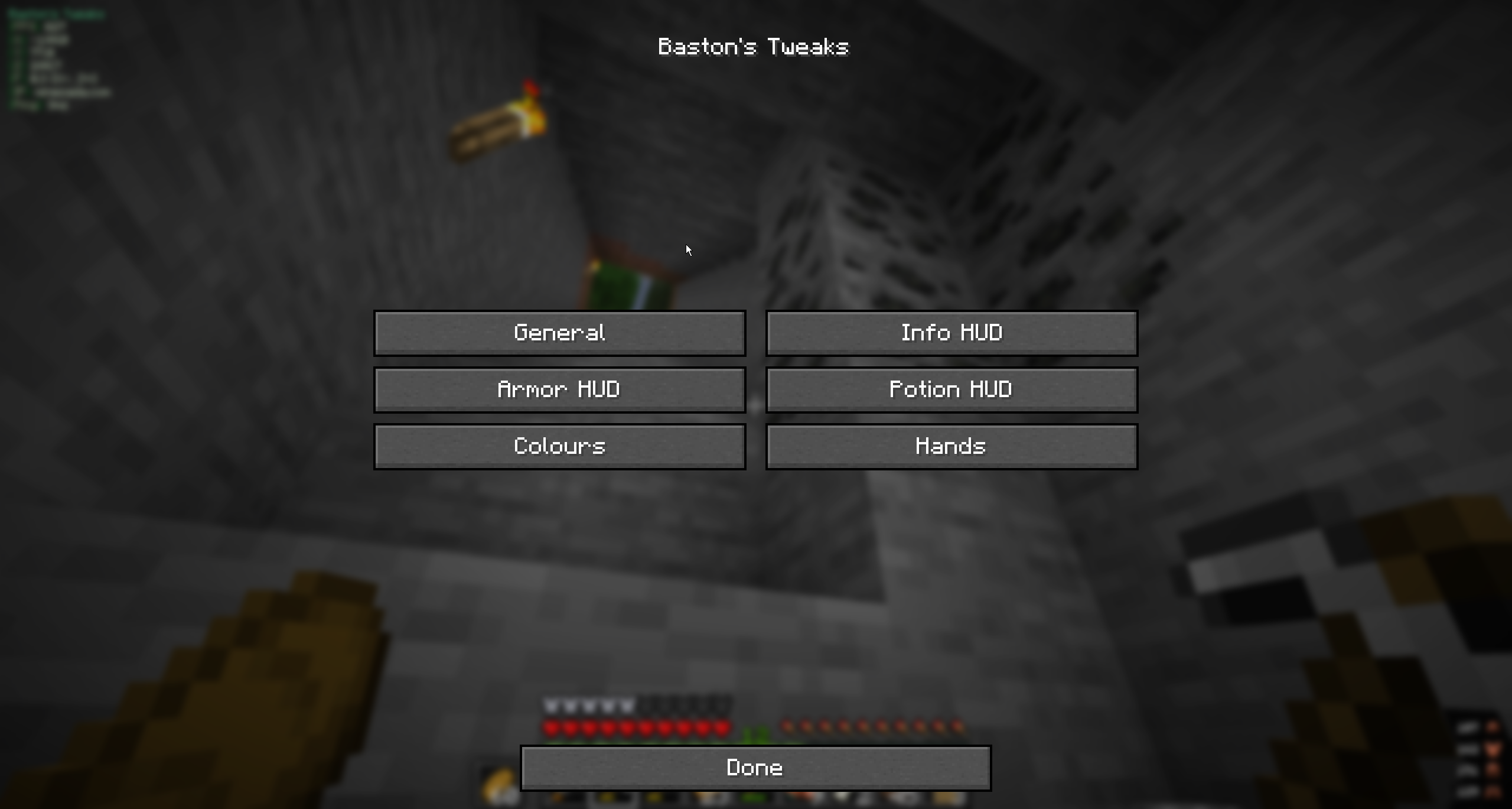
Built fresh for Minecraft 26.1.2. No dependencies on Mod Menu or Cloth Config — everything lives behind the mod’s own in-game settings screen, opened with a single keybind (Right Shift by default). Live color pickers, sliders, and toggles; changes apply instantly and save when you close.
✨ Features
A grab-bag of small, useful tweaks. Every single one can be turned off.
HUD panels (5zig-style)
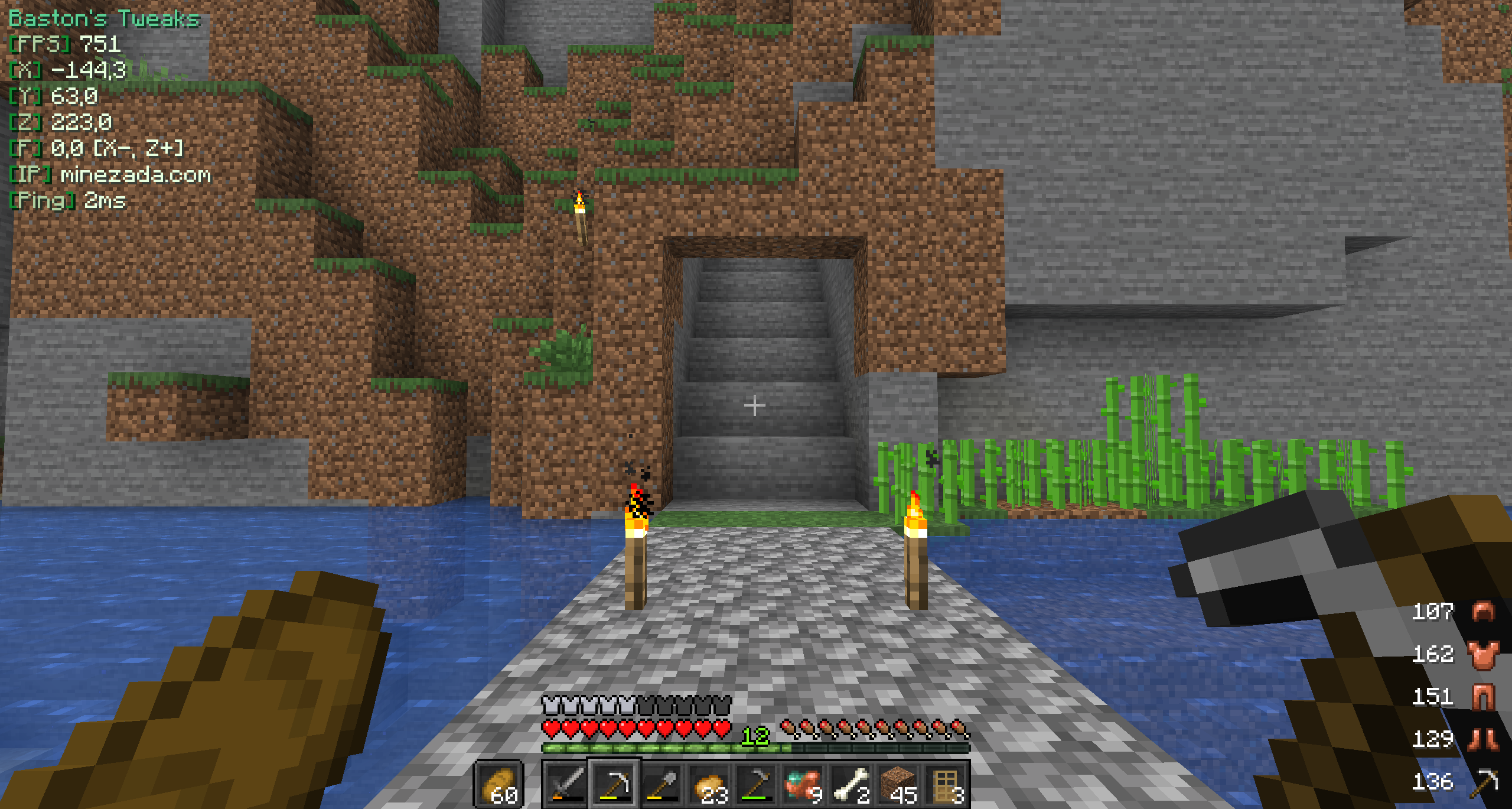
- Info panel — a titled panel showing FPS, X/Y/Z, facing direction (with axis arrows), server IP, ping, and online player count. Every line toggles independently.
- Armor panel — your armor (helmet → boots) plus held item, each with its remaining durability.
- Potion status — a clean list of active effects with icon, name, level, and remaining time (∞ for infinite).
Render
- Gamma Bright — a smooth brightness slider from your own setting all the way up to fullbright. Never darkens below what you’ve already set.
- Low Fire — push the first-person fire overlay down so the flames stop covering your view while you burn.
- Disable pumpkin overlay — wear a carved pumpkin without the blurred vignette.
- Hide equipment — hide worn armor and head items (pumpkins, mob heads) on your own model and/or other players, to show off the skin underneath. Mobs and elytra are left untouched.
Tooltips
- Sharpness damage — folds the enchantment’s flat melee bonus into the Attack Damage line, e.g.
4 Attack Damage [+1]. - Protection value — folds generic Protection into the Armor line.
- Values come straight from synced enchantment data, so they stay correct on servers, with datapacks, and in every language.
Death info
- Death coordinates in chat —
You died at 123, 64, -45 in overworld at 14:35 on 2026-06-13. Works even with the immediate-respawn gamerule. Purely client-side — nothing is sent to the server. - Death screen line — your death location shown right on the death screen, below the score.
First-person hands
- Reposition and resize your main-hand and off-hand items independently — full X/Y/Z nudge plus size (10–300%).
Misc
- Rescale or fully hide the vanilla sidebar scoreboard.
- Optionally hide the vanilla potion-effect icons (the mod’s own potion panel replaces them).
🎨 Customization
Press Right Shift in-game to open the settings screen (the keybind is rebindable in Controls). It’s organized into clean categories: General · Info HUD · Armor HUD · Potion HUD · Colours · Hands.
- Per-panel placement — 9 anchor positions, pixel X/Y offset, and scale (50–200%) for each HUD panel.
- Per-line control — toggle exactly which values appear on the info panel; set its title text.
- Colours — RGB sliders with live swatches (or a full color picker) for the title, brackets, labels, values, armor numbers, and potion text.
- Backdrop — optional translucent background behind every panel.
Settings are saved to config/bastons_tweaks.properties and persist across worlds.
📦 Requirements
| Requirement | Version |
|—————|————|
| Minecraft | 26.1.2 |
| Fabric Loader | ≥ 0.19.3 |
| Fabric API | latest |
| Java | ≥ 25 |
No other mods required.
📝 Notes
This is a client-side mod — install it on your client and play on any server. It’s MIT-licensed and open to contributions.
常见问题
Baston’s Tweaks 支持哪些 Minecraft 版本?
Baston’s Tweaks 支持 Minecraft Java 版 26.1.2,可用的加载器:Fabric。下载时注意选择和你游戏版本一致的文件。
Baston’s Tweaks 怎么安装?
先用 PCL2 或 HMCL 启动器安装对应版本的 Fabric,再把下载的 .jar 文件放进游戏目录的 mods 文件夹,重新启动游戏即可。开启了版本隔离的,mods 文件夹在 versions/版本名 下面。运行环境:仅客户端。

评论
登录后评论和评分