
Runal
Runal, a lightweight utility mod adding custom waypoints with visible beams and name labels, a player health bar overlay, and team tracking, and way more, all managed through a simple in-game settings menu.
截图

介绍

What is Runal?
Runal is a lightweight, all-in-one Fabric client mod built for ScepterRPG and MageRPG. It focuses on combat awareness, visual customization, and detailed progress tracking, with everything organized into a single ClickGUI. Players with Runal installed also show a small star badge next to their name to other Runal users on either server.
✨ Features
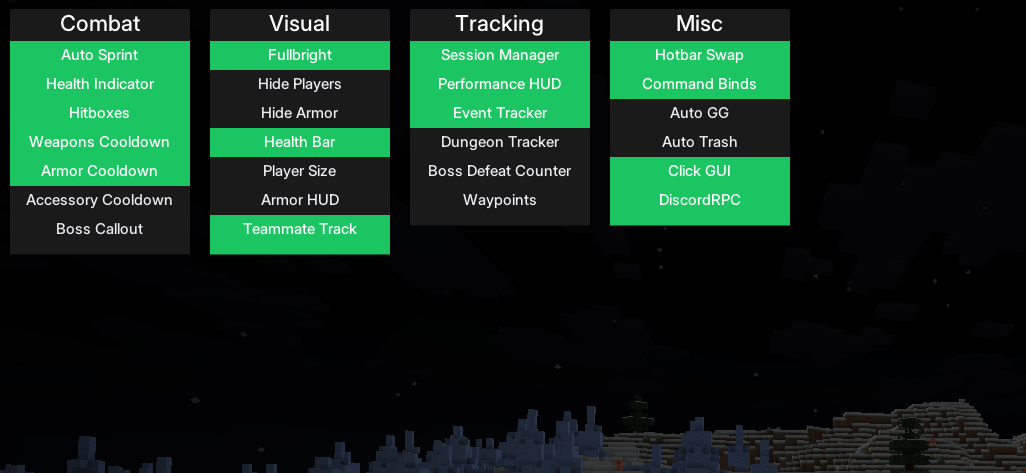
Runal is split into four categories accessible via the ClickGUI:
Combat
Stay aware and stay alive.
- Auto Sprint: Automatically sprint at all times.
- Health Indicator: Configurable sound and title warnings when your HP drops below Low/Mid thresholds.
- Hitboxes: Render hitboxes for players and entities, with custom colors and line width.
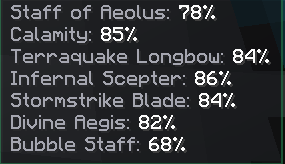
- Weapon / Armor / Accessory Cooldown: A unified cooldown panel for weapon abilities, armor abilities, and accessories – switch between Percent and Seconds display.
- Boss Callout: On-screen title when a tracked raid or dungeon boss uses an attack.
Visual
Customize your HUD and view for maximum clarity.
- Health Bar: Overhead health bar with Bar, Compact, or Text render styles, damage flash, and smooth interpolation.
- Armor HUD: Displays your currently equipped armor pieces.
- Fullbright: See clearly in the dark.
- Hide Players / Hide Armor: Hide other players, or hide armor on yourself and others.
- Hide Scoreboard: Hide the sidebar scoreboard.
- Player Size: Fully adjust the scale of your player model.
- View Model: Customize the position, scale, rotation, and swing animation of your held item.
- Inventory HUD: Shows your three main inventory rows on-screen without opening your inventory.
- Boss Bar Scale: Resize boss bars without hiding any of their information.
- Teammate Track: Glow your teammates – auto-synced with your party (adds/removes members automatically as people join, leave, get kicked, or the party disbands).
Tracking
Stay informed with detailed tracking systems.
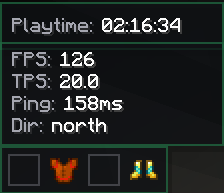
- Session Manager: Track playtime for the current session.
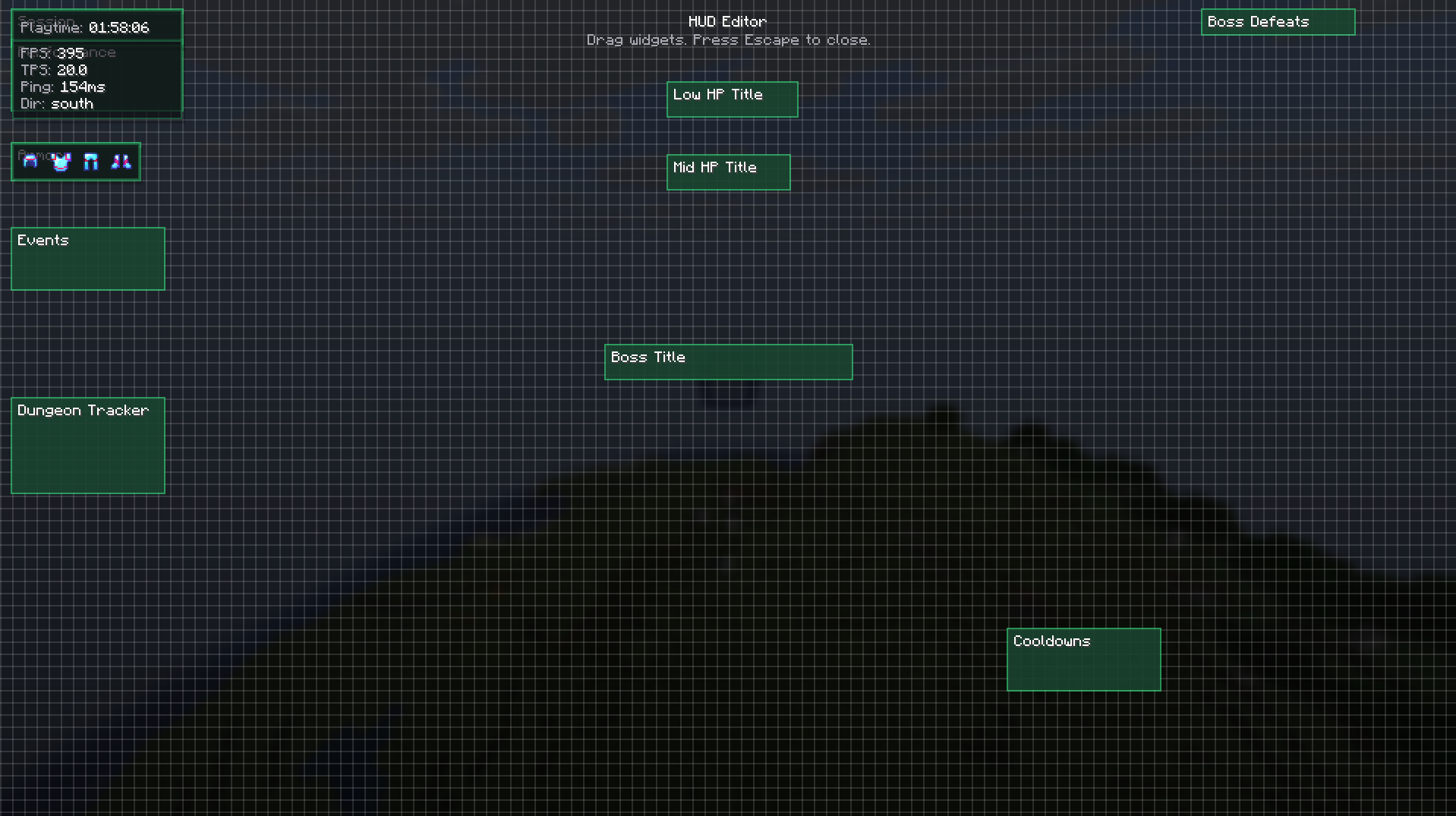
- Performance HUD: FPS, TPS, Ping, and facing direction.
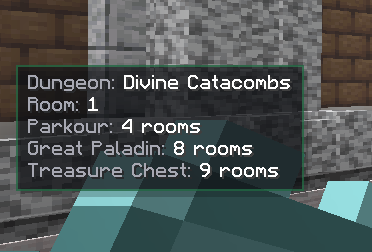
- Dungeon Tracker: Current dungeon, room number, and rooms remaining until Parkour/Boss/Treasure.
- Kill Counter: Running counter for boss defeats.
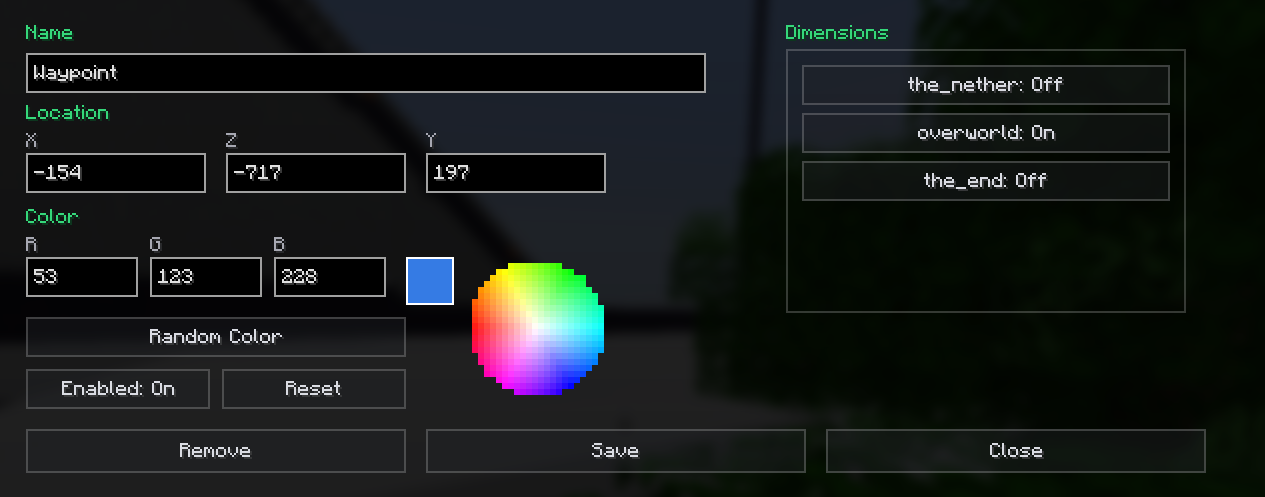
- Waypoints: Create and manage waypoints with optional beams, per-dimension.
- Event Tracker: Track live server events.
Misc
Quality-of-life tools.
- Auto GG: Automatically responds in chat to item finds (filterable by rarity: Legendary/Epic/Mythical) and achievement completions.
- Auto Trash: Automatically trash shards by rarity.
- Hotbar Swap: Instantly swap hotbar rows with a keybind.
- Command Binds: Bind chat commands to keys.
- DiscordRPC: Show your current activity on Discord – automatically switches between the ScepterRPG and MageRPG Discord apps (with matching icon and invite button) depending on which server you’re on.
- Click GUI: The menu itself – includes a drag-and-drop HUD editor, accent color, chat notifications, and the cooldown display mode.
Runal also adds custom chat emojis usable in any chat box on either server.
⚙️ Installation & Setup
Requirements:
- Download the latest version of Runal for your Minecraft version (1.21.4, 1.21.11, 26.1.2, or 26.2).
- Place the
.jarfile in your.minecraft/modsfolder. - Make sure Fabric API is installed.
Navigating the Menu:
- Open the ClickGUI: Press Right Shift or Left Alt.
- Configure Modules: Left-Click a module to toggle it on/off. Right-Click (or click the arrow) to expand its detailed settings.
- Edit your HUD: Open the HUD Editor from the Click GUI module’s settings, then drag any enabled HUD element to reposition it.
💬 Support, Bugs & Suggestions
Runal is actively maintained. Bug reports and suggestions are handled through our Discord and GitHub.


Page layout inspired by Melinoe.
常见问题
Runal 支持哪些 Minecraft 版本?
Runal 支持 Minecraft Java 版 1.21.4–26.2,共 4 个版本,可用的加载器:Fabric。下载时注意选择和你游戏版本一致的文件。
Runal 怎么安装?
先用 PCL2 或 HMCL 启动器安装对应版本的 Fabric,再把下载的 .jar 文件放进游戏目录的 mods 文件夹,重新启动游戏即可。开启了版本隔离的,mods 文件夹在 versions/版本名 下面。运行环境:仅客户端。
评论
登录后评论和评分