
Incognito Chat
Incognito Chat is a client-side Minecraft mod that adds private encrypted chat, custom groups, and secure communication between players.
截图
介绍
Incognito Chat
Private encrypted communication for Minecraft.
Incognito Chat is a client-side Minecraft mod that adds private encrypted communication between players.
Create your own groups, use unique encryption codes, and securely chat with your friends directly in-game.
Features
- Private encrypted chat
- 3 separate group slots
- Unique encryption code for each group
- Fast group switching
- Player invitation system
- Custom text colors
- Customizable menu keybind
- Client-side mod
How It Works
Each group uses its own encryption code that you choose.
Players with the same code and selected group can read encrypted messages.
Usage
After installing the mod:
- Join any world or server
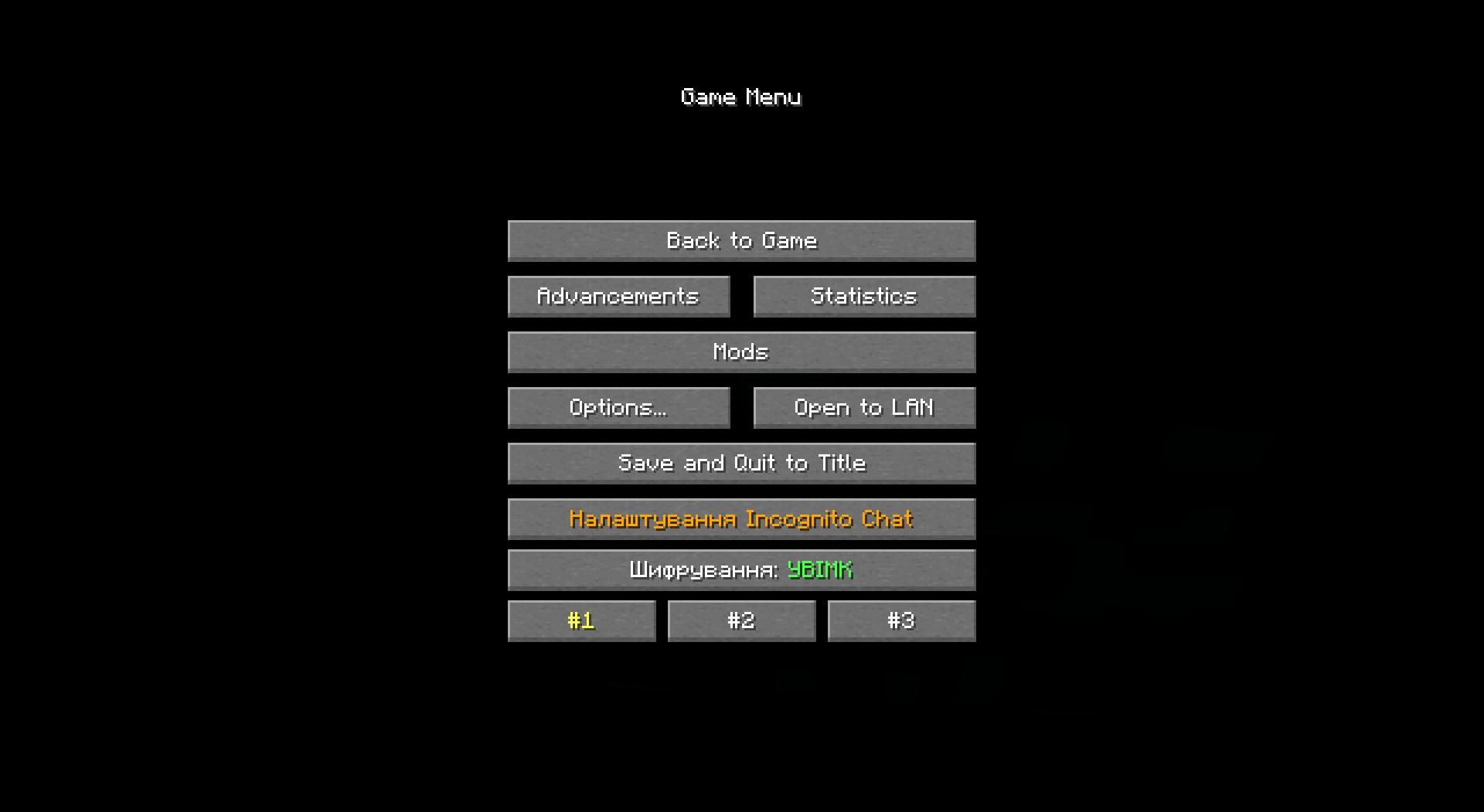
- Open the ESC menu
You will see new buttons:
#1, #2, #3
Quickly switch between groups.
Enable/Disable Encrypting
Enable or disable encryption.
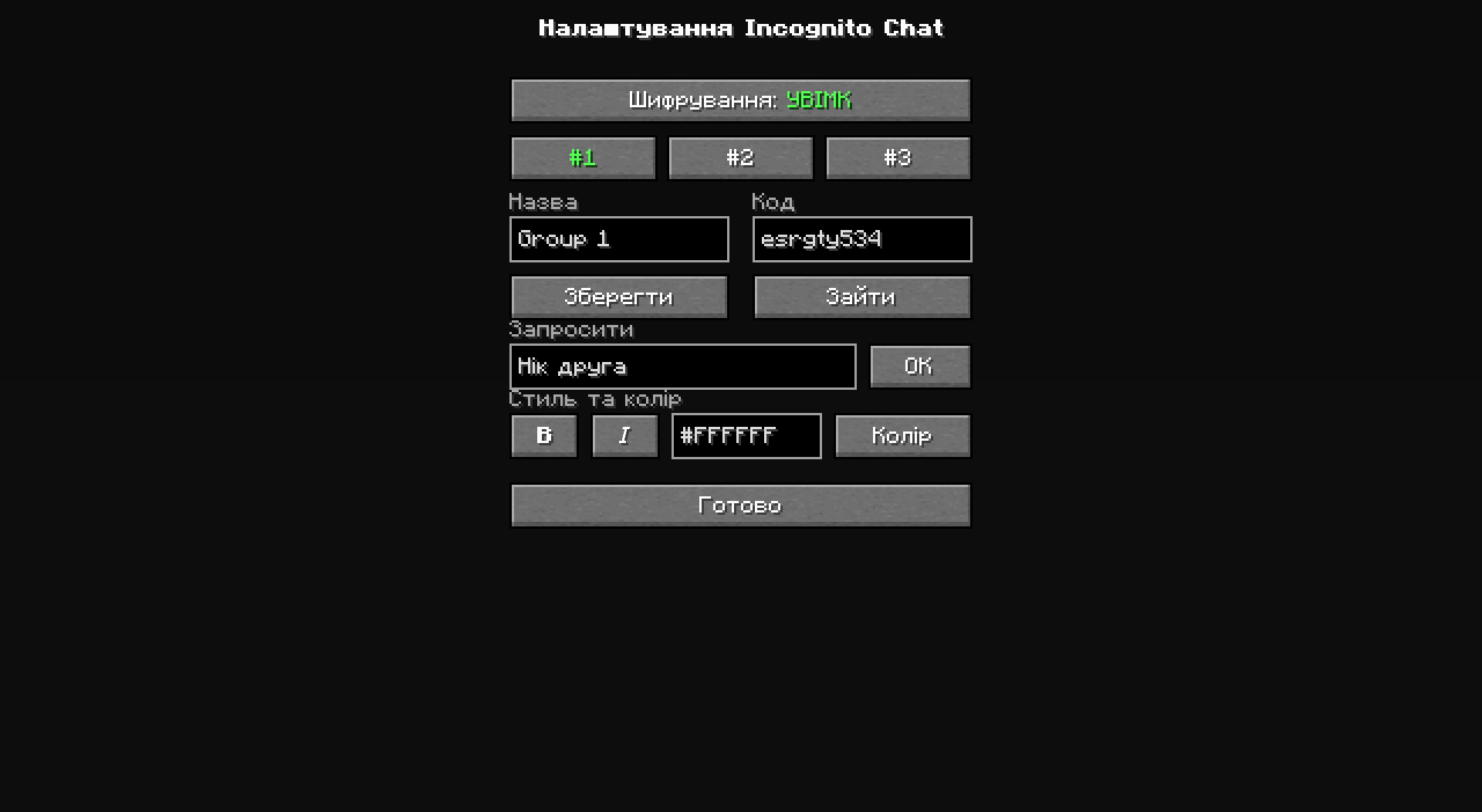
Incognito Settings
Main settings menu of the mod.
Inside the settings menu you can:
- switch between groups;
- change your encryption code;
- invite players;
- change your text color.
Hotkey
By default, Incognito Settings can be opened with the N key.
You can change the keybind here:
Controls → Multiplayer → Open Incognito Settings
常见问题
Incognito Chat 支持哪些 Minecraft 版本?
Incognito Chat 支持 Minecraft Java 版 1.21.1–1.21.11,共 11 个版本,可用的加载器:Fabric / NeoForge。下载时注意选择和你游戏版本一致的文件。
Incognito Chat 怎么安装?
先用 PCL2 或 HMCL 启动器安装对应版本的 Fabric / NeoForge,再把下载的 .jar 文件放进游戏目录的 mods 文件夹,重新启动游戏即可。开启了版本隔离的,mods 文件夹在 versions/版本名 下面。运行环境:仅客户端。
评论
登录后评论和评分