
截图
介绍
中文介绍正在准备中,下面暂时显示原文。
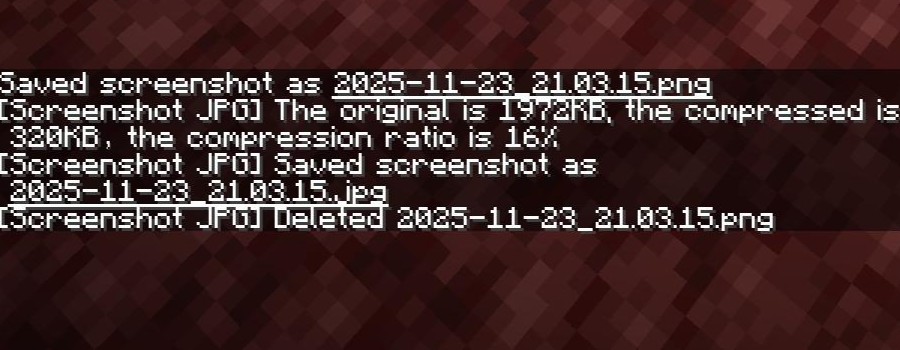
After the player takes a screenshot, re-save the screenshot in JPG format.
- Read the PNG file
- Convert it to JPG format
- Save the JPG file
- Delete the PNG file
If the converted JPG file is larger than the original PNG file, ignore this screenshot.
Support Sinytra Connector!
常见问题
Screenshot JPG 支持哪些 Minecraft 版本?
Screenshot JPG 支持 Minecraft Java 版 1.21–1.21.1,共 2 个版本,可用的加载器:Fabric。下载时注意选择和你游戏版本一致的文件。
Screenshot JPG 怎么安装?
先用 PCL2 或 HMCL 启动器安装对应版本的 Fabric,再把下载的 .jar 文件放进游戏目录的 mods 文件夹,重新启动游戏即可。开启了版本隔离的,mods 文件夹在 versions/版本名 下面。运行环境:仅客户端。
phoupraw 的其他作品
查看全部 →
AoA Iron Furnaces Fix
by phoupraw
让 Iron Furnaces 兼容 AoA3。
4.8万
1 年前
Modrinth · CurseForge

Minimalism Leaf Decay
by phoupraw
让树叶立即消失!
4.6万
1 年前
Modrinth · CurseForge

AE2Fix
by phoupraw
为应用能源2和 Extended AE 带来一些体验优化。
3.4万
1 年前
Modrinth · CurseForge

Infinite Fluid Bucket
by phoupraw
给水桶附魔,让它拥有无限耐久!
2.8万
2 年前
Modrinth · CurseForge
评论
登录后评论和评分