
截图
介绍
Sync System Time
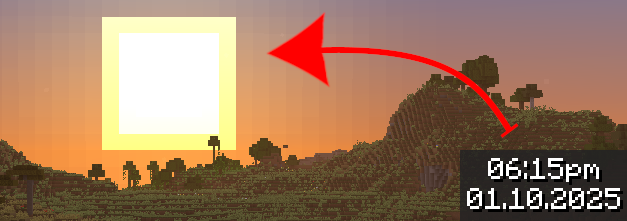
This simple mod adds a new gamerule to make in game time reflect system (real) time. That means, for example, if it’s 8am for you, it will be 8am in your world too.
Usage
Only the server needs this mod installed to work, users do not need to have it installed on their clients. Installing it on the client will only add the new gamerules to the Game Rules menu when creating a new world, they appear in a new category and are fully localized.
Once the mod is installed, all you have to do is change syncSystemTime gamerule to true by using the /gamerule syncSystemTime true command. You can turn off this game rule at any time to return to normal time flow.
Note: The in game day counter does not progress while synchronizing.
Documentation
The mod comes with 3 new gamerules explained in the table below
| Name | Description | Default Value |
|:—:|:—|:—:|
| syncSystemTime | Whether the in game time should follow system time. Synchronization parameters can be modified via other gamerules. Respects doDaylightCycle which will pause synchronization when false. | false |
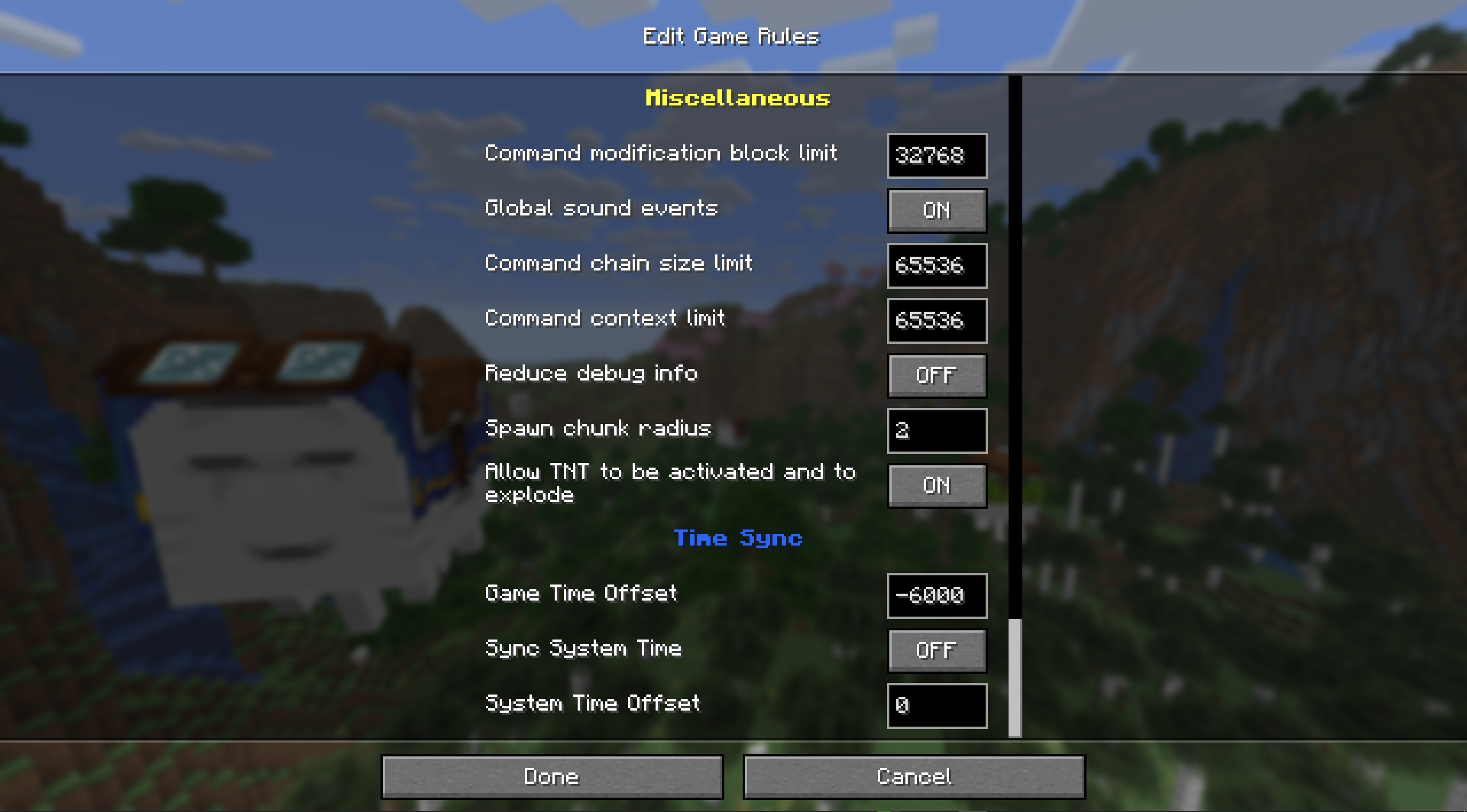
| gameTimeOffset | Offsets synchronization by using ticks. Default value of -6000 will make in game 6am match real 6am. | -6000 |
| systemTimeOffset | Offsets synchronization by using seconds. Useful for simulating different time zone. | 0 |
Screenshot of Game Rules menu:
Translation
The only strings added by this mod appear in Game Rules menu, that is name of the new category as well as name and description for each of the 3 gamerules. If you want to translate them, then feel free to open PRs with new translations on the linked repository!
Credits
Special thanks to people on Fabric Modding Discord server for answering my many questions which helped me make this mod!
常见问题
Sync System Time 支持哪些 Minecraft 版本?
Sync System Time 支持 Minecraft Java 版 1.21.8,可用的加载器:Fabric。下载时注意选择和你游戏版本一致的文件。
Sync System Time 怎么安装?
先用 PCL2 或 HMCL 启动器安装对应版本的 Fabric,再把下载的 .jar 文件放进游戏目录的 mods 文件夹,重新启动游戏即可。开启了版本隔离的,mods 文件夹在 versions/版本名 下面。运行环境:客户端 / 服务端。
Rafii2198 的其他作品
查看全部 →
Wynnic Enchantments
Enchanted Experience for Wynncraft server powered by Wynntils

Wynnic Enchantments Helper
A helper mod for Wynnic Enchantments modpack

Reimagined Tool Breaking
Addon for Reimagined. Changes the appearance of tools the more they are damaged!

OreBlock
Craft all Ores!
评论
登录后评论和评分