截图
介绍
Dye Tweaks Data Pack
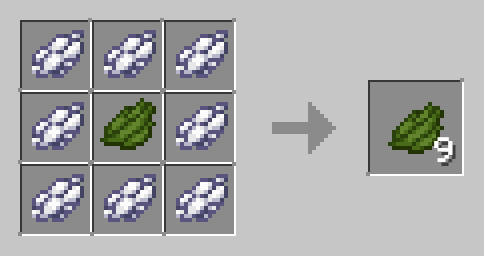
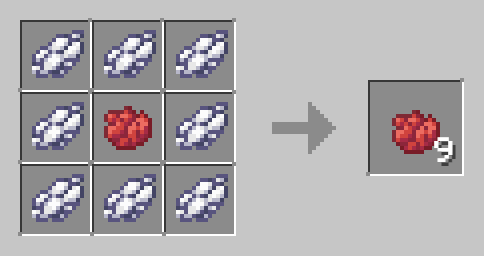
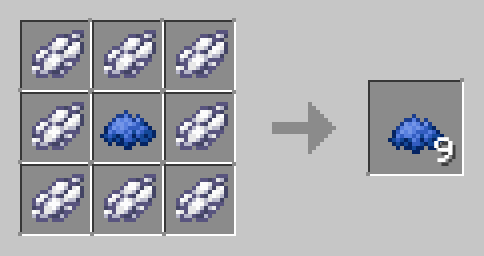
Enhance your Minecraft dye crafting with the Dye Tweaks data pack! This pack allows you to efficiently craft dyes by combining different dye colors using simple recipes.
Features:
- Efficient Dye Crafting: Convert white dye and any other dye into more of that dye efficiently.
- Universal Recipes: Works with all dyes in Minecraft, making dye crafting versatile and straightforward.
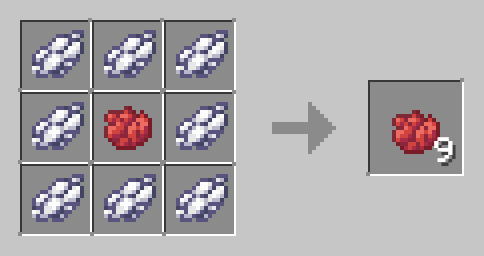
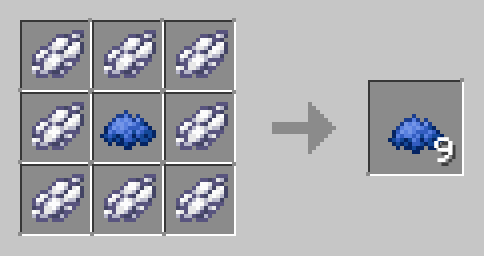
How to Use:
- Download the Dye Tweaks Data Pack.
- Place the file in the "datapacks" folder of your Minecraft world save.
- Launch Minecraft and open your world.
- Use the /reload command to activate the data pack.
- Start crafting and enjoy more efficient dye production for all your building and decoration needs!
Compatibility:
- No additional dependencies required.
Simplify Your Gameplay:
Streamline your dye crafting process with Dye Tweaks. Perfect for builders and decorators, this data pack ensures you have the dyes you need, when you need them.
Download Dye Tweaks now and color your Minecraft world with ease!
常见问题
Dye Tweaks [Data Pack] 支持哪些 Minecraft 版本?
Dye Tweaks [Data Pack] 支持 Minecraft Java 版 1.13–26.3,共 51 个版本。下载时注意选择和你游戏版本一致的文件。
Dye Tweaks [Data Pack] 怎么安装?
新建世界时在「数据包」里把下载的 .zip 拖进去;已有的存档,把文件放进存档目录下的 datapacks 文件夹,进游戏输入 /reload 即可生效。服务器同样放在世界目录的 datapacks 里。
auuruum 的其他作品
查看全部 →
Flower Tweaks
新增花朵和草的合成与杂交功能。

Infinity and Mending
Adds ability to craft bow with mending and infinity at same time

Invis item frame
Adds craft for invisible item frame and glow item frame
Infinity and Mending [Data Pack]
Adds ability to craft bow with mending and infinity at same time
评论
登录后评论和评分