
介绍
Links the chat of a Better Than Adventure server with a Discord channel.
Players talk to Discord from the game and Discord talks back. Show the item in your hand or your whole inventory with [item] and [inv], and they appear on Discord drawn just like in the game. Images sent on Discord can be held in game as a map.
Server only. Players don’t need to install anything.

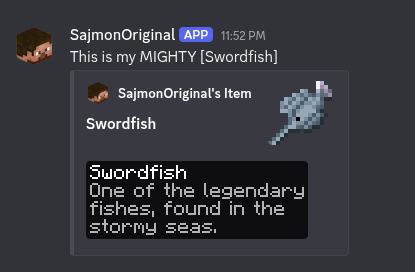
[item] in the game and the picture it sends to Discord.
Chat
- Messages go both ways, with each player’s name and head on Discord
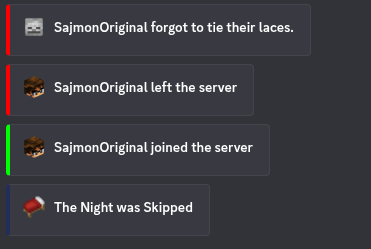
- Joins, leaves, deaths, skipped nights and server start and stop are announced
- Bold, italics, underline, strikethrough and spoilers work in both directions
- Replies, attachments and stickers from Discord show up in the game
@namein the game mentions that person on Discord.@everyoneand@herenever ping
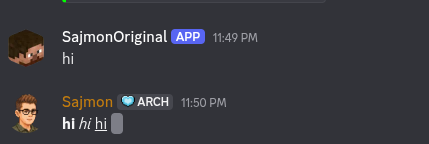

Formatting from Discord in the game. Spoilers stay hidden as scrambled text.
Items and inventories
Write [item] or [i] in chat to show the item in your hand, and [inv] or [inventory] to show your inventory. The pictures use the game’s own textures, font and tooltip style, and also cover items from other mods.
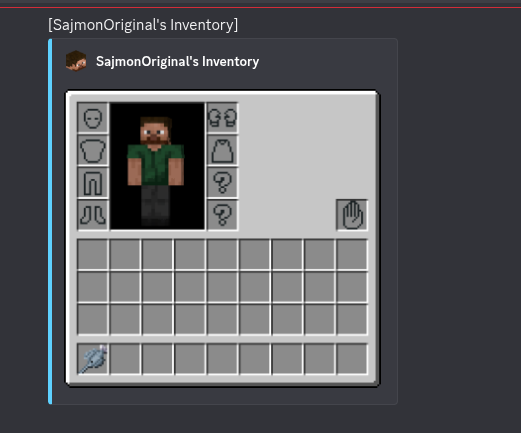
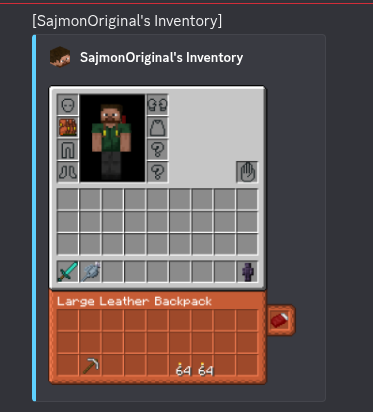
Inventories with Aether accessory slots, the offhand slot and a worn backpack.
- Your skin and armor on the player model
- Backpacks from Better With Bags show their contents, and a worn backpack shows on your back and under the inventory
- Aether accessory slots, gloves, pendants and capes
- The offhand slot from Better With Hands
- Maps are drawn under their tooltip
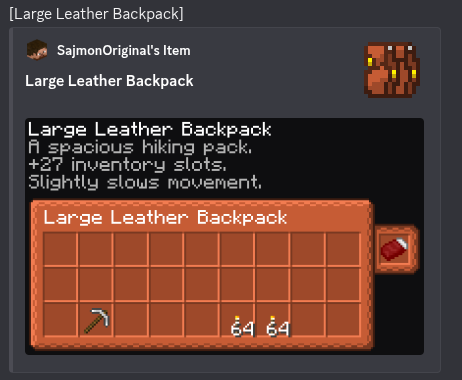
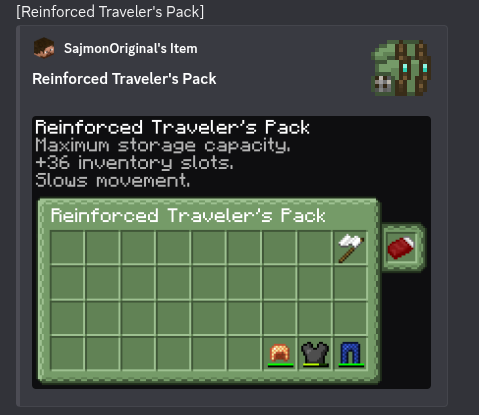
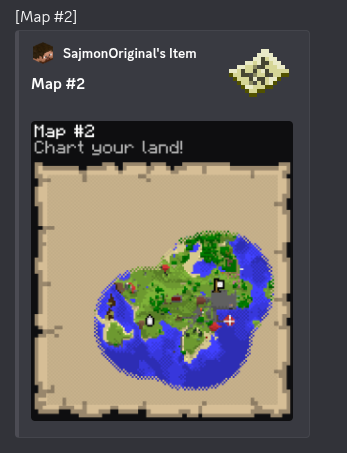
Backpack contents and a map, drawn inside the tooltip.
Images from Discord
When someone posts an image on Discord, the game shows it as [image.png] /preview 3. Type the command to hold the image as a map. GIFs play. Switching slots puts your item back.
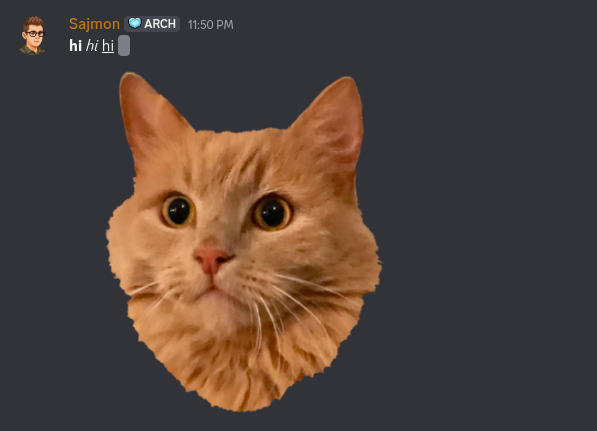
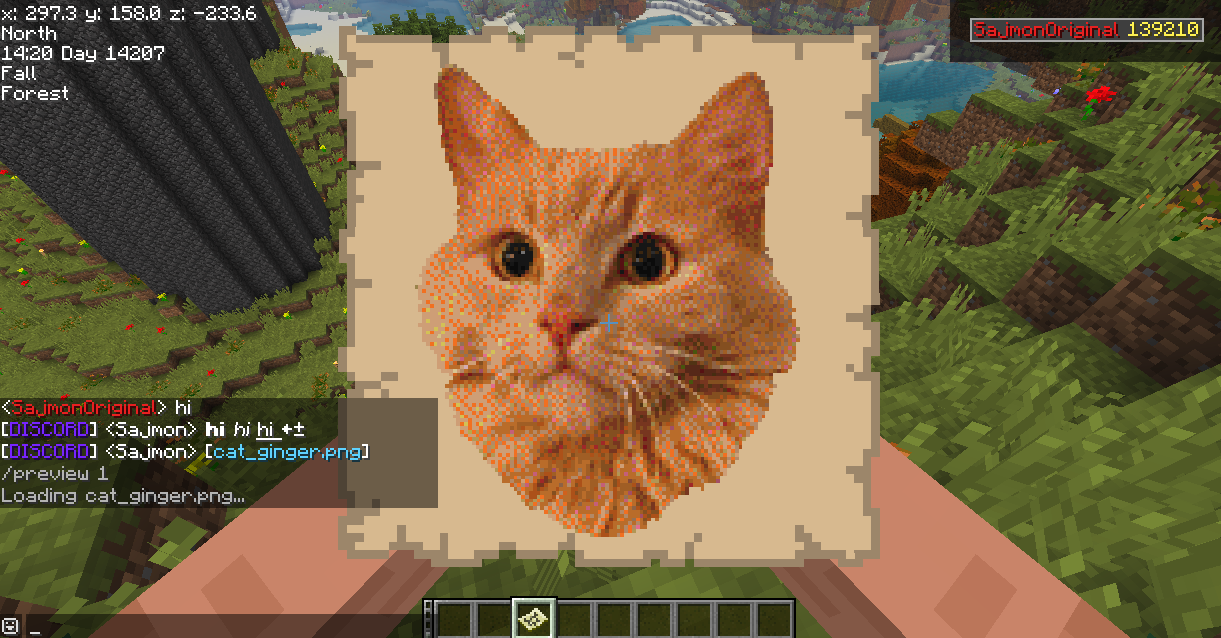
An image from Discord held as a map after /preview.
Commands
| Command | Where | Description |
|———|——-|————-|
| /preview [number] | game | Hold an image from Discord as a map, the last one if no number is given |
| /playerlist | Discord | Picture of who is online, like the tab list |
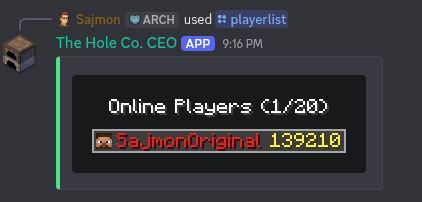
/playerlist on Discord, drawn like the tab list.
Console
The server console can be mirrored to a second Discord channel. Messages sent there run as commands. Commands can be limited with a blacklist or a list of allowed commands, and every command from Discord is written to logs/better_with_discord-commands.log.
Setup
- Create an application in the Discord Developer Portal and add a bot
- Turn on Message Content Intent in the Bot tab
- Invite the bot with the
botandapplications.commandsscopes and these permissions: View Channels, Send Messages, Manage Webhooks, Embed Links, Attach Files - Start the server once, then fill in
config/better_with_discord.cfg - Restart the server
All settings are listed in the README on GitHub.
Requirements
- BTA == 8.0.1
- HalpLibe >= 6.2.0+8.0.1
- Java 17
License
See LICENSE. Short version: free for personal use and free modpacks with attribution, no commercial use without permission.
SajmonOriginal 的其他作品
查看全部 →
FTBChecker
FTB Checker 会检查整合包是否包含所需的 FTB 模组。若有模组缺失,进入主菜单前会显示警告界面,并提供缺失模组的下载链接。

CreateCore Reforged
CreateCore is a lightweight modpack designed to help you get through the basic vanilla game faster and focus your time and creativity solely on the amazing Create mod.

Better With Hands
Better With Hands is a reimagining of the offhand system for BTA (Better Than Adventure). This isn't a lazy port it's what dual-wielding should have been from the start.

Better With Bags
Better With Bags mod that adds wearable, placeable storage to Better Than Adventure
评论
登录后评论和评分