
Superior Player Commands
A spiritual successor to the classic Single Player Commands mod from Minecraft Beta 1.1_02. This Fabric mod brings back those beloved utility commands with modern improvements for Minecraft 1.20.1.
截图

介绍
Superior Player Commands
A spiritual successor to the classic Single Player Commands mod from Minecraft Beta 1.1_02. This Fabric mod brings back those beloved utility commands with modern improvements for Minecraft 1.20.1.
Features
Movement Commands
| Command | Description |
|———|————-|
| /jump | Teleport to the block you’re looking at (up to 256 blocks) |
| /ascend | Teleport to the next open space above you |
| /descend | Teleport to the next open space below you |
| /back | Return to your last death location |
| /return | Return to your last teleport location |
| /unstuck | Teleport to the nearest safe position |
| /useportal | Instant nether/overworld teleport with correct coordinate scaling |
Waypoint System
| Command | Description |
|———|————-|
| /set <name> | Save your current location as a waypoint |
| /goto <name> | Teleport to a saved waypoint (works cross-dimension) |
| /rem <name> | Remove a waypoint (or stand on one and use /rem) |
| /listwaypoints | List all your waypoints (alias: /l) |
Player & Inventory Commands
| Command | Description |
|———|————-|
| /heal | Restore your health to full |
| /hunger [level] | Show or set hunger level (0-20) |
| /saturation | Max out hunger and saturation |
| /repair | Repair the item in your hand |
| /repairall | Repair all items in your inventory |
| /duplicate [all] [store] | Duplicate held item, entire inventory, or store in chest |
| /destroy | Destroy the item in your hand |
| /more [all] | Max out held item stack or all stacks |
| /stack | Merge partial stacks in inventory |
| /ench <enchantment> [level] | Apply any enchantment at any level (bypasses restrictions) |
| /drop | Drop ALL items from inventory instantly (no OP required) |
| /dropstore | Store main inventory (not hotbar) in a chest placed nearby |
Power Tools
| Command | Description |
|———|————-|
| /god | Toggle invincibility |
| /fly [speed] | Toggle creative flight in survival (speed: 0-10) |
| /noclip [speed] | GMod-style noclip through blocks (speed: 0.1-10) |
| /mobsignore | Toggle hostile mob targeting |
| /fullbright | Toggle night vision |
| /instamine | Toggle instant block breaking |
| /autosmelt | Mined ores drop smelted items |
| /waterwalk | Walk on water and lava (sneak to sink) |
| /drops | Toggle whether blocks drop items when broken |
| /knockback [multiplier] | Adjust knockback strength (0-100) |
| /setjump <value\|reset> | Set jump height multiplier (0.1-50) |
| /setspeed <value\|reset> | Set movement speed multiplier (0.1-20) |
| /falldamage | Toggle fall damage |
| /firedamage | Toggle fire/lava damage |
| /drowndamage | Toggle drowning damage |
| /health <min\|max\|infinite\|hearts> | Set health mode or specific heart count (1-500) |
| /ride | Force-mount the entity you’re looking at |
| /hands | Show/disable tool hands mode |
| /woodhands | Mine as if holding wood tools |
| /stonehands | Mine as if holding stone tools |
| /ironhands | Mine as if holding iron tools |
| /goldhands | Mine as if holding gold tools |
| /diamondhands | Mine as if holding diamond tools |
| /netheritehands | Mine as if holding netherite tools |
World Commands
| Command | Description |
|———|————-|
| /explode [size] [x y z] | Create an explosion (default: TNT size at player) |
| /lightning [duration] [x y z] | Strike lightning (duration in ms for continuous strikes) |
| /defuse [radius\|all] | Defuse lit TNT (default: 15 blocks) |
| /extinguish [radius] | Put out fires (default: 128 blocks) |
| /ext [radius] | Alias for extinguish |
| /snow [radius] | Freeze water to ice, add snow (default: 32 blocks) |
| /thaw [radius] | Melt ice to water, remove snow |
| /freeze | Toggle AI freeze for all mobs (GMod-style) |
| /killall [type] [radius] | Kill entities by type/group (default: all, 128 blocks) |
| /butcher [radius] | Kill hostile mobs |
| /grow [radius] [type] | Grow plants/saplings (default: 10 blocks, all types) |
| /spawnstack <mobs...> <count> | Spawn stacked mobs (e.g., /spawnstack creeper skeleton 3) |
Killall groups: all, hostiles, passives, zombies, skeletons, undead, items, xp, projectiles
Grow types: wheat, carrot, potato, beetroot, melon, pumpkin, sapling, seed, crop, all
Utility Commands
| Command | Description |
|———|————-|
| /calc <expression> | In-game calculator |
| /biome | Show current biome |
| /coords | Show current coordinates and facing direction |
| /measure | Distance to looked-at block |
| /tps | Show server TPS and MSPT |
| /music <play\|pause\|skip\|back> [volume] | Control game music |
| /hideresponses | Toggle command feedback messages |
| /help [command] | Show command help (alias: /h) |
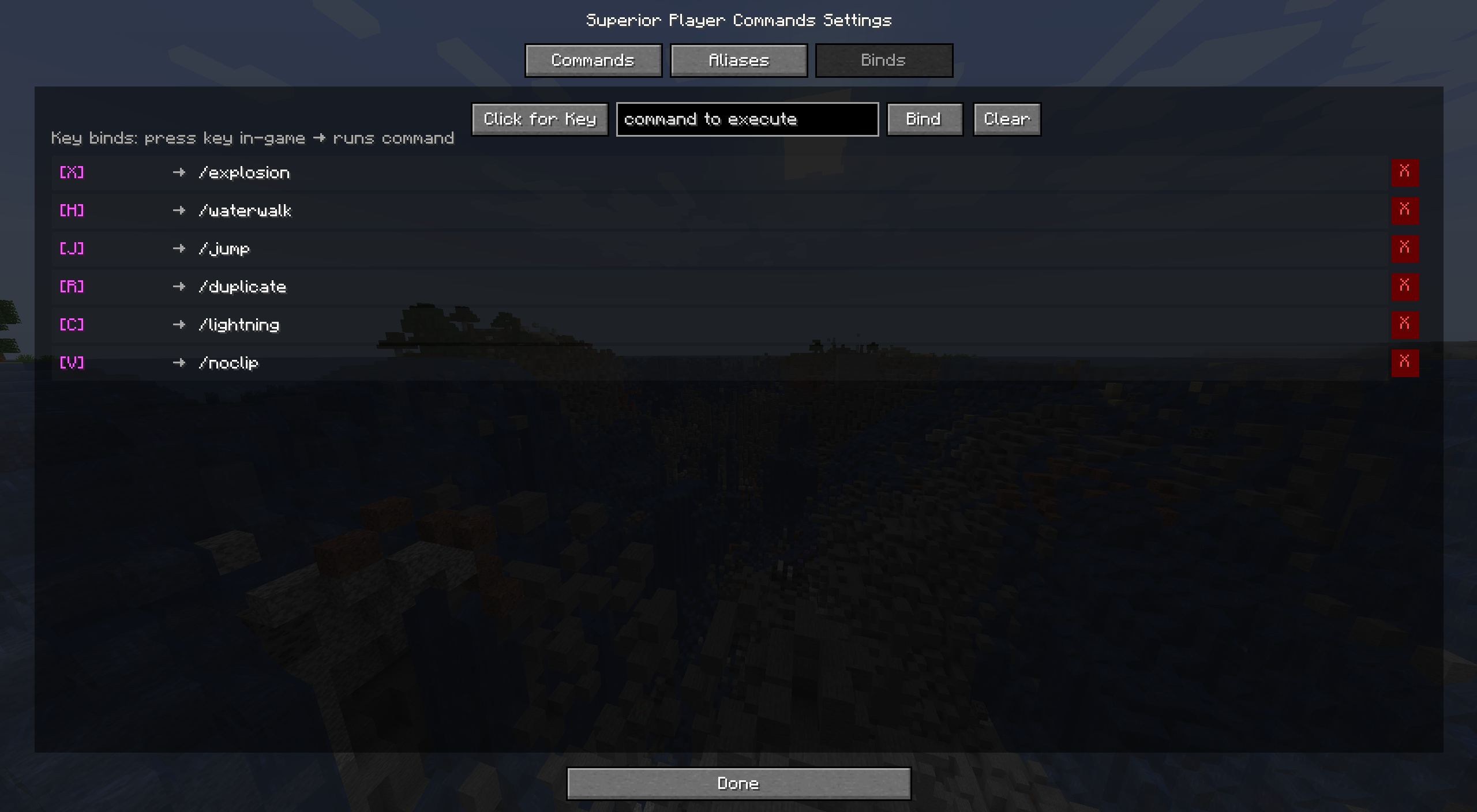
Key Bindings
| Command | Description |
|———|————-|
| /bind | List all key bindings |
| /bind <key> | Show what’s bound to a key |
| /bind <key> <command> | Bind a key to execute a command |
| /unbind <key> | Remove a key binding |
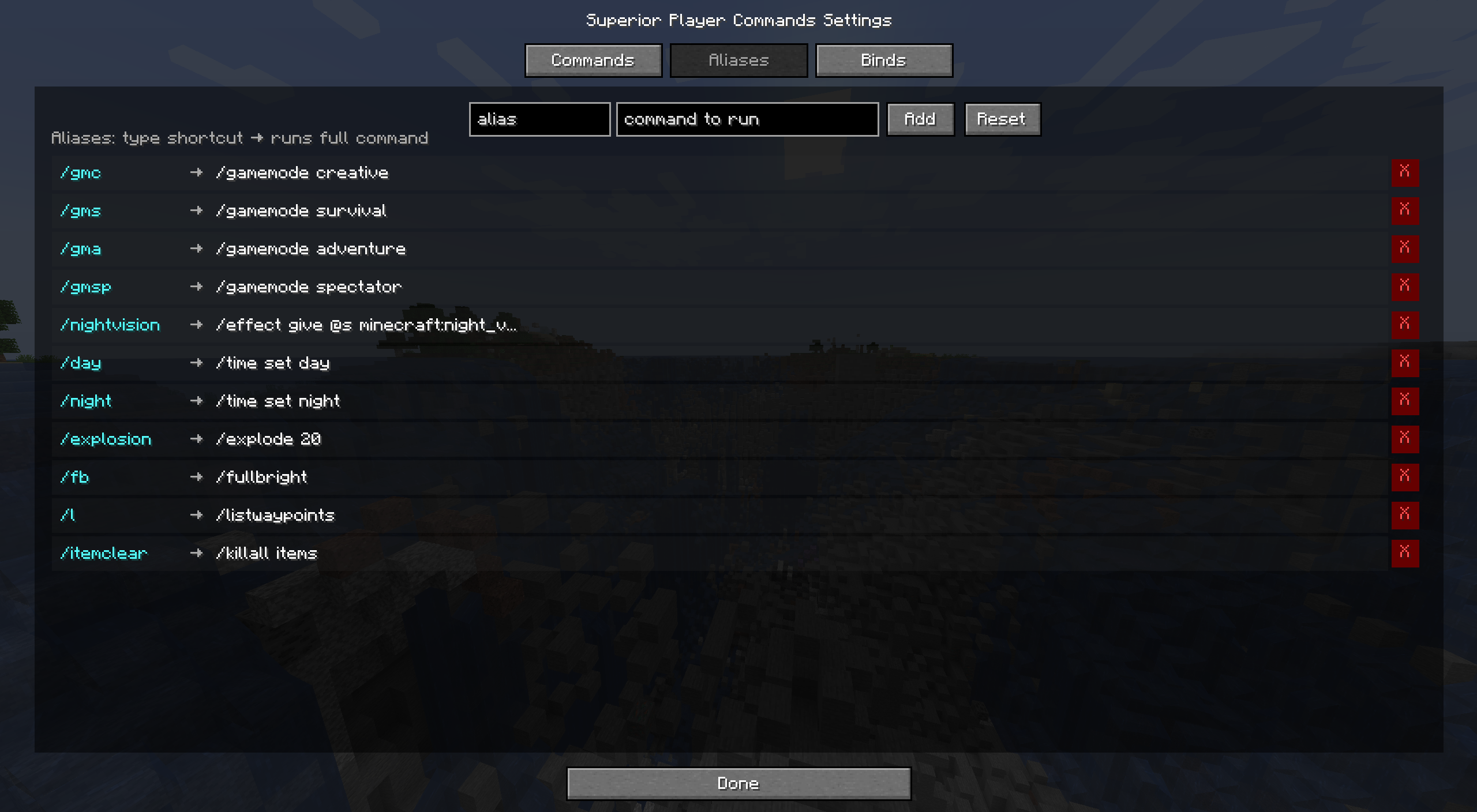
Command Aliases
Create shorthand commands for longer command strings.
| Command | Description |
|———|————-|
| /alias | List all aliases |
| /alias <name> | Show what an alias expands to |
| /alias <name> <command> | Create or update an alias |
| /unalias <name> | Remove an alias |
Default aliases:
| Alias | Expands To |
|——-|————|
| /gmc | /gamemode creative |
| /gms | /gamemode survival |
| /gma | /gamemode adventure |
| /gmsp | /gamemode spectator |
| /l | /listwaypoints |
~ Total Count: 59 unique commands + 6 hands variants = 65 total commands ~
Requirements
- Minecraft 1.20.x
- Fabric Loader 0.15.0+
- Fabric API
Manual Installation
- Install Fabric Loader
- Download Fabric API
- Download Superior Player Commands from the versions page
- Place both
.jarfiles in yourmodsfolder
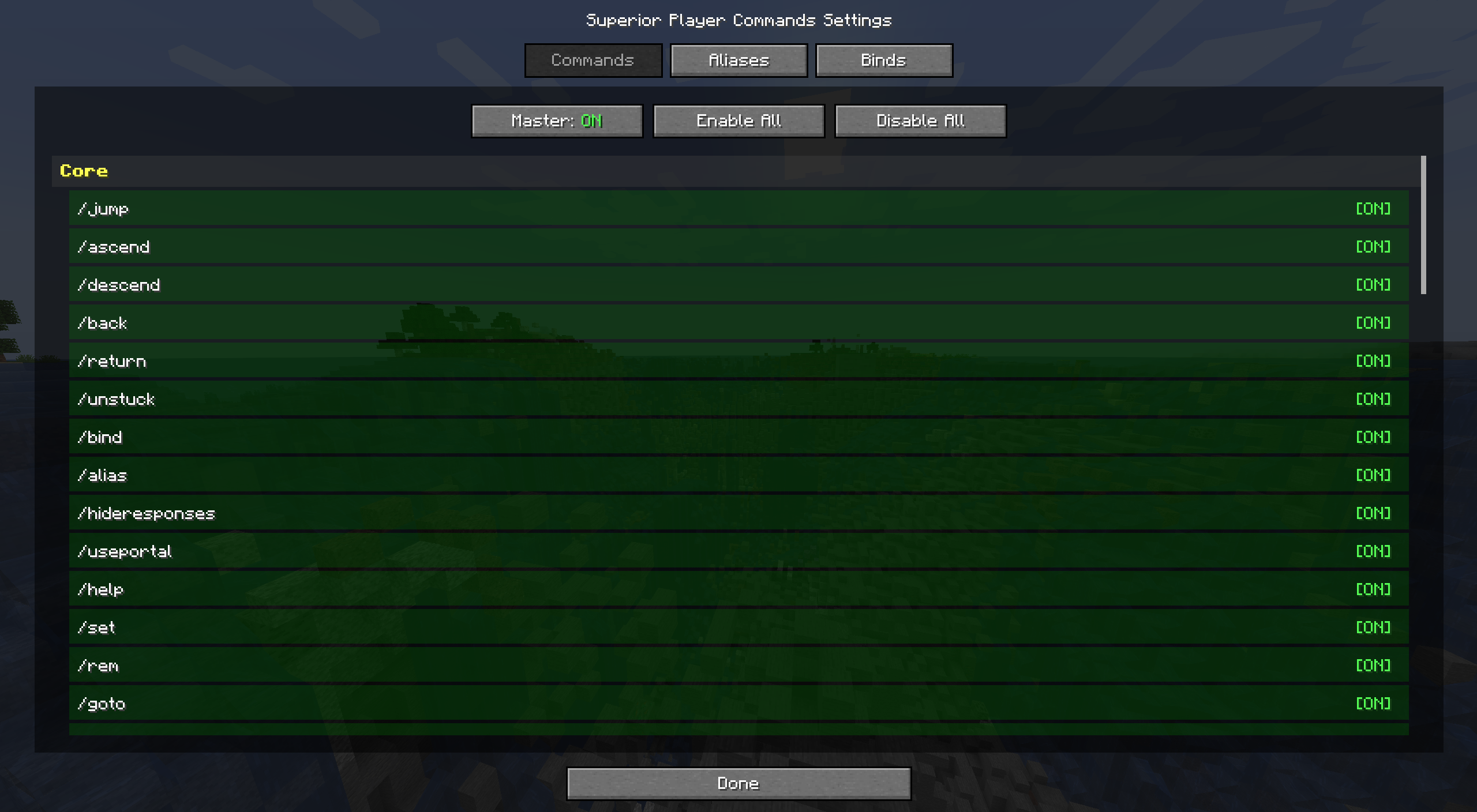
Settings GUI
Access the settings screen in multiple ways:
- Press
,(comma) key (configurable in Controls → Superior Player Commands) - Run
/spcsettingscommand - Click the “SPC” button in the pause menu (top-right corner)
The settings screen has three tabs:
| Tab | Features |
|—–|———-|
| Commands | Master toggle, enable/disable individual commands, click category headers to toggle entire categories |
| Aliases | Create, edit, and delete command aliases with a visual editor |
| Binds | Create, edit, and delete key bindings with press-to-bind key capture |
Configuration
Data is stored in the config/ folder:
superior-player-commands-waypoints.json– Saved waypoints (per-player)superior-player-commands-binds.json– Key bindingssuperior-player-commands-aliases.json– Command aliases
Permissions
Most commands require operator level 2 (/op). Some commands like /set, /bind, /drop, /coords, /music, and /hideresponses work for all players.
License
Apache License 2.0
Special Thanks
OfficialNerdCubed – Daniel Hardcastle, unintentionally introduced me to modding and the original old beta mod!
常见问题
Superior Player Commands 支持哪些 Minecraft 版本?
Superior Player Commands 支持 Minecraft Java 版 1.20.1–1.20.6,共 6 个版本,可用的加载器:Fabric。下载时注意选择和你游戏版本一致的文件。
Superior Player Commands 怎么安装?
先用 PCL2 或 HMCL 启动器安装对应版本的 Fabric,再把下载的 .jar 文件放进游戏目录的 mods 文件夹,重新启动游戏即可。开启了版本隔离的,mods 文件夹在 versions/版本名 下面。运行环境:客户端和服务端都要装。
评论
登录后评论和评分