
AggStack
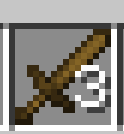
AggStack allows you to store multiple items with the same ID but different NBT data (durability, enchantments, etc.) in a single inventory slot, with an expandable panel to view and manage all sub-items.
截图

介绍
AggStack
What is AggStack?
AggStack allows you to store multiple items with the same ID but different NBT data (different durability, enchantments, or custom names) in a single inventory slot.
💡 Example: Store a 5% durability diamond pickaxe and a 100% durability diamond pickaxe in the same slot!
🎮 How to Use
Creating an Aggregated Stack
| Method | How to do it |
|——–|————–|
| Drag to Merge | Pick up an item with your mouse, then drag and drop it onto another item of the same type (e.g., two iron pickaxes with different durability). They will merge into an aggregated stack. |
| Auto Pickup | If you already have an aggregated stack in your inventory, picking up the same type of item will automatically add it to the stack. (Can be disabled in config) |
Viewing Sub-items
- Hover your mouse over an aggregated stack slot
- Hold
Left Alt(default) – a panel will appear below your inventory - The panel displays all sub-items in a 7-column grid, each showing its own durability bar and enchantment glint
- Release
Left Alt– the panel closes
🔧 You can change the expand behavior in config:
HOLD/TOGGLE/CLICK_OUTSIDE
Interacting with Aggregated Stacks
| Action | Result |
|——–|——–|
| Left Click (on the stack) | Pick up the entire aggregated stack (all sub-items) |
| Right Click (on the stack) | Take half of the top item (if stackable), or the whole top item (if unstackable) |
| Shift + Left Click | Split the stack – all sub-items scatter into your inventory (or drop on the ground if inventory is full) |
| Q (Drop) | Drop the entire aggregated stack as a single item |
Interacting with Sub-items (in the expanded panel)
| Action | Result |
|——–|——–|
| Left Click on a sub-item | Take that single sub-item out – it will appear on your mouse cursor |
| Right Click on a sub-item | Set that sub-item as the new top item (changes the appearance, durability bar, and enchantment glint) |
Adding Items to an Existing Stack
- Pick up an item with your mouse (must be the same type as the aggregated stack)
- Right-click on the aggregated stack
- The item is added as a new sub-item
⚙️ Configuration
Press G in-game to open the configuration GUI.
| Option | Description | Default |
|——–|————-|———|
| Enabled | Enable/disable the entire mod | true |
| Max Sub-Items | Maximum items per aggregated stack (1-64) | 64 |
| Auto Pickup | Automatically merge picked-up items | true |
| Expand Key | Key to open the sub-item panel | Left Alt |
| Expand Behavior | HOLD = hold to open, release to close / TOGGLE = press to toggle / CLICK_OUTSIDE = click outside to close | HOLD |
| Death Drop | SPLIT = drop all sub-items separately / KEEP_ALL = drop as a single stack | SPLIT |
| Creative Auto Stack | Auto pickup in creative mode (disabled by default) | false |
| Split Key | Modifier key for splitting aggregated stacks | Left Ctrl |
🚫 Restrictions
Aggregated stacks cannot be placed into the following container slots (to prevent bugs/exploits):
- Crafting Table • Furnace/Smoker/Blast Furnace • Brewing Stand
- Villager Trading • Grindstone • Anvil • Smithing Table
- Stonecutter • Loom • Cartography Table
✅ You can still take out aggregated stacks from these containers.
常见问题
AggStack 支持哪些 Minecraft 版本?
AggStack 支持 Minecraft Java 版 1.21.1,可用的加载器:Fabric。下载时注意选择和你游戏版本一致的文件。
AggStack 怎么安装?
先用 PCL2 或 HMCL 启动器安装对应版本的 Fabric,再把下载的 .jar 文件放进游戏目录的 mods 文件夹,重新启动游戏即可。开启了版本隔离的,mods 文件夹在 versions/版本名 下面。运行环境:客户端和服务端都要装。
_375_ 的其他作品
查看全部 →
pearlchunkloader
Added backported strong Ender Pearl chunk loading for versions below 1.21.2.

World’s Whisper
Conquer shape-shifting bosses and craft elemental gear in a realm ruled by four mystical seasons.

MC BDS
A MOD that can automatically plan routes and move players!

Better Paint
Enhances Minecraft's painting system with selection GUI, locking, and transformations.
评论
登录后评论和评分