
Stan’s deathshot
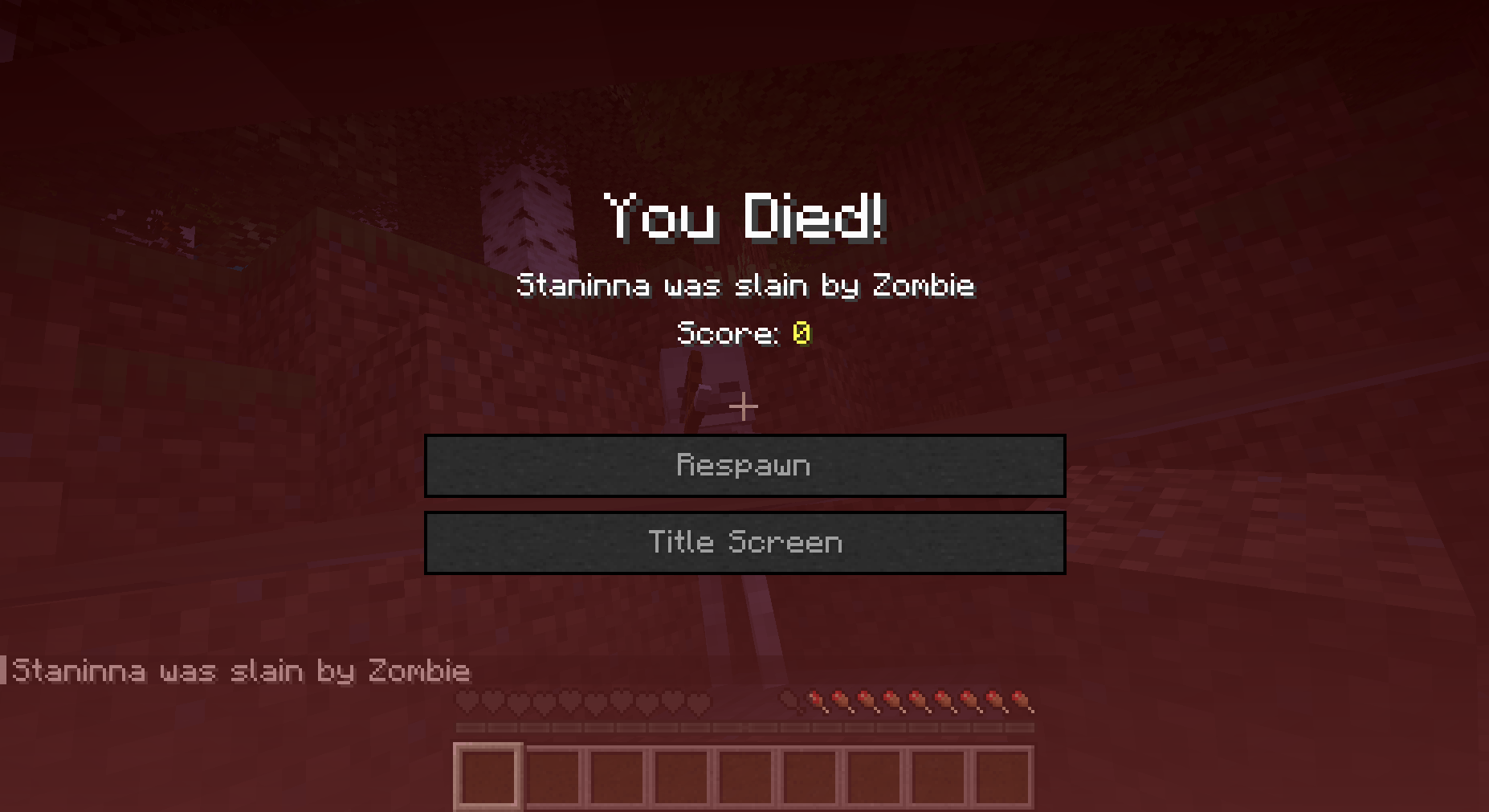
A Minecraft mod that automatically takes a screenshot whenever you die, saving it along with your coordinates in a neat little folder.
截图
介绍
📸 Deathshot
A tiny Minecraft mod that automatically captures your final moments! Every time you die, Deathshot takes a screenshot and saves it along with your coordinates.
✨ Features
- 🎯 Automatically takes screenshots when you die
- 📍 Records the exact coordinates of your death
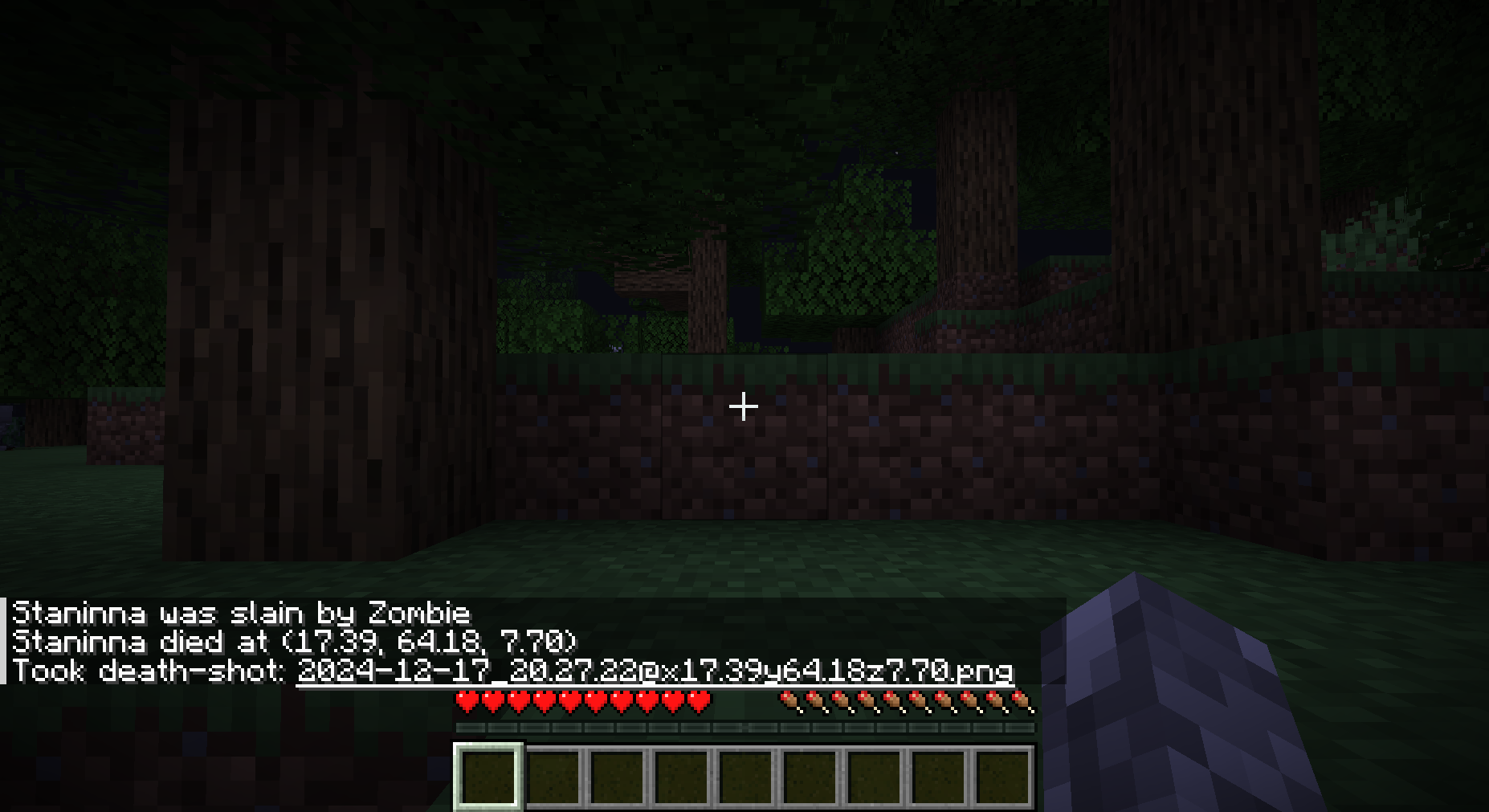
- 💬 Sends you a clickable message to open the screenshot
- 📁 Organizes screenshots in a dedicated “death-shots” folder
- 🎮 Client-side only – works on any server!
🔧 Installation
- Download the Deathshot mod
- Launch Minecraft and start dying! (in-game, of course 😉)
📸 How it Works
When you die, Deathshot will:
- Take a screenshot of your final moment
- Save it in
{MODRINTH_PROFILE}/death-shots/ - Show you a chat message with:
- A link to open the screenshot
- The coordinates where you died
The screenshots are named with the date, time, and coordinates for easy reference!
📝 Note
The mod is currently built for Minecraft 1.21.4, but feel free to try backporting it to earlier versions!
💝 Credits
Built with Fabric for Minecraft 1.21.4. Idea inspired by this Reddit post and this GitHub repository.
📝 License
All Rights Reserved.
常见问题
Stan’s deathshot 支持哪些 Minecraft 版本?
Stan’s deathshot 支持 Minecraft Java 版 1.21.4,可用的加载器:Fabric。下载时注意选择和你游戏版本一致的文件。
Stan’s deathshot 怎么安装?
先用 PCL2 或 HMCL 启动器安装对应版本的 Fabric,再把下载的 .jar 文件放进游戏目录的 mods 文件夹,重新启动游戏即可。开启了版本隔离的,mods 文件夹在 versions/版本名 下面。运行环境:仅客户端。
评论
登录后评论和评分