
RamGuard
A small client-side mod that helps make sure Minecraft ModPack has enough RAM memory available to run properly. (fully configurable)
截图
介绍
RamGuard
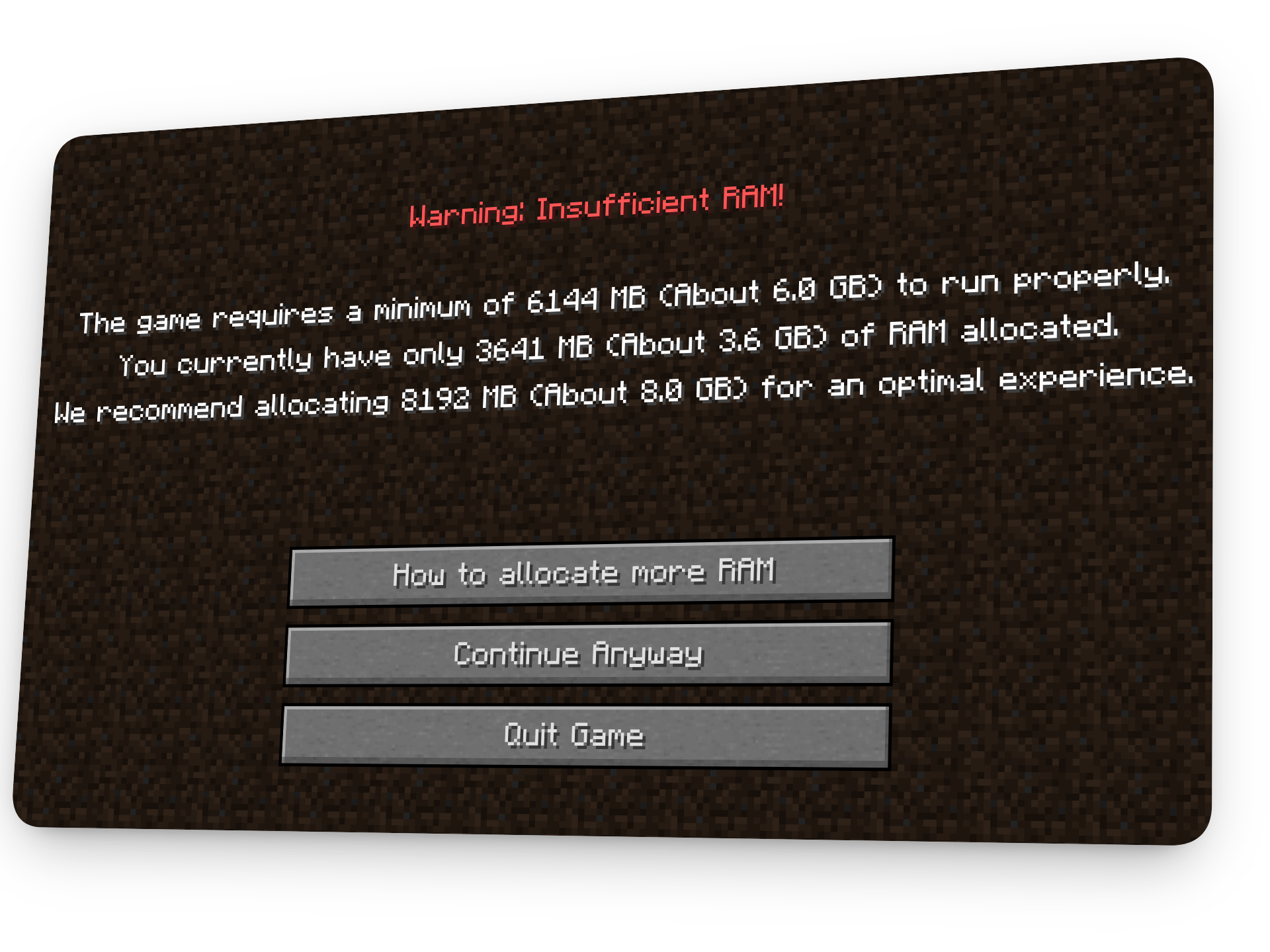
Have you ever had players complain about crashes or low frame rates only to discover that they were using your 250+ ModPack with 2 GB of RAM? RamGuard detects this immediately upon launch. It saves you from repeatedly responding to troubleshooting questions by reading the memory allotted before the main menu loads and alerting the player if additional memory is needed.
Highlights
See Image

- Set suggested and minimum RAM constraints (in megabytes).
- complete control on button actions, colors and UI Text.
- Placeholders and Autoformats
- There’s an option to strictly require enough RAM before players are allowed to access the menu.
- has a button for an external link that will take users directly to your setup instructions.
KEY FEATURES
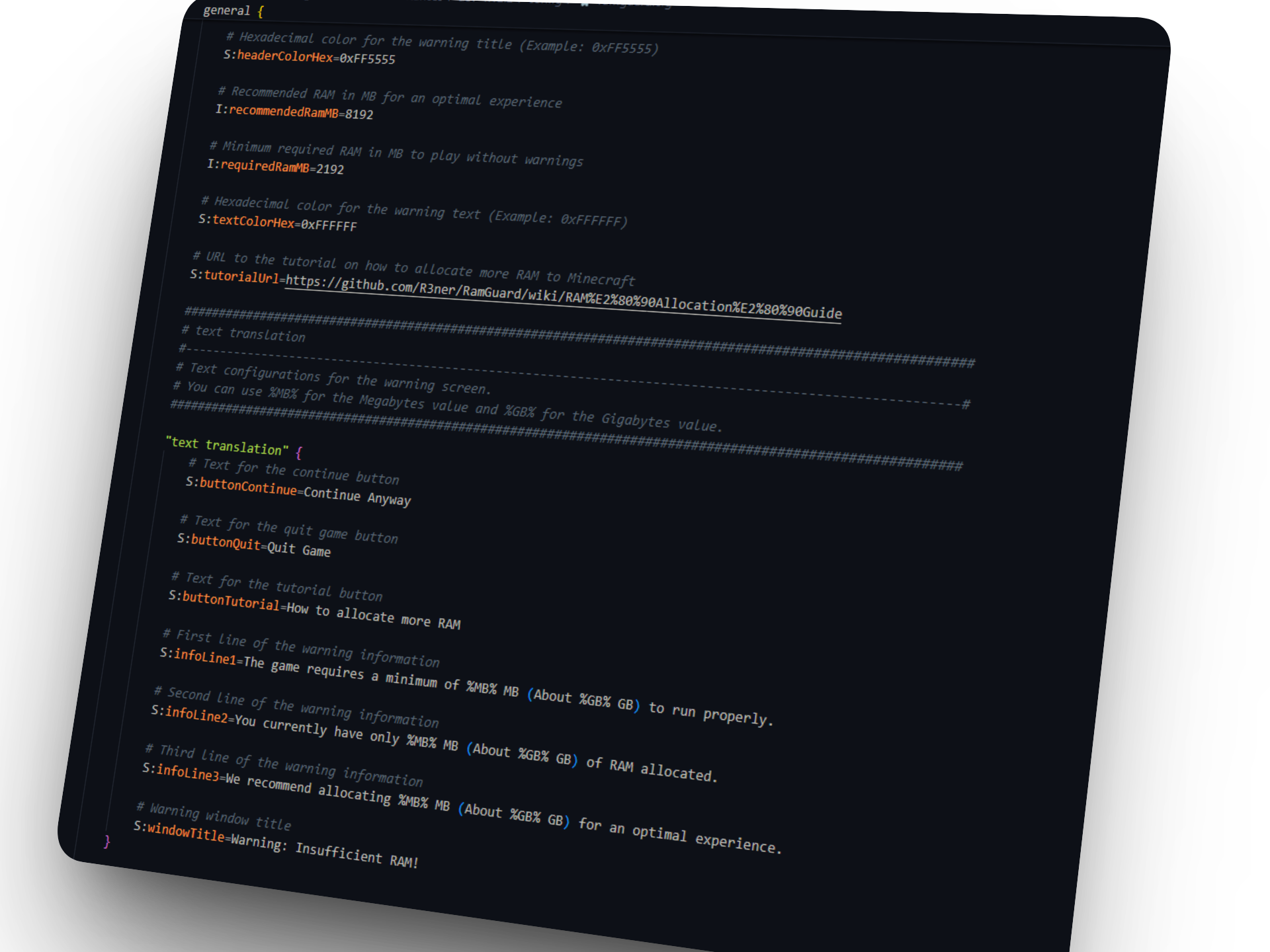
See Image

- Configurable Limits: Set the minimum required and recommended thresholds for RAM in megabytes.
- Full UI Control: Setup every header, text line, color and button action straight from configuration.
- memory placeholders: automatically format memory values with
%MB%and%GB%. - Forced crash: Optionally require sufficient RAM for players to access the main menu (
forceCrashOnLowRam = true). - Direct Setup Guide: An interactive button that takes the players directly to your launcher setup tutorial.
Setup
When you first start it a ramguard.cfg file will be created in your config/ directory.
Feel free to use the %MB% and %GB% placeholders in the text fields to dynamically inject memory values into your custom warnings.
Credits:
RAM pixelart made by KillerRabbitMedia
常见问题
RamGuard 支持哪些 Minecraft 版本?
RamGuard 支持 Minecraft Java 版 1.12.2,可用的加载器:Forge。下载时注意选择和你游戏版本一致的文件。
RamGuard 怎么安装?
先用 PCL2 或 HMCL 启动器安装对应版本的 Forge,再把下载的 .jar 文件放进游戏目录的 mods 文件夹,重新启动游戏即可。开启了版本隔离的,mods 文件夹在 versions/版本名 下面。运行环境:仅客户端。
Rener 的其他作品
查看全部 →
Spiritual Come Back (SCB)
Spiritual Come Back is a mod that allows you to return for your loot or your grave without taking too much risk along the way with the Spirit form!

Vanilla Horizons
The ultimate Minecraft Vanilla experience.
Vanilla Horizons
The ultimate Minecraft Vanilla experience.
评论
登录后评论和评分