
截图



介绍

Inventory Manager is a lightweight and powerful utility mod for Fabric that allows you to save your current inventory state and restore it whenever you need. Whether you are a creative builder testing different sets or a player who needs quick equipment swaps, this mod provides a clean and intuitive interface for all your needs. 🛠️
―――――――――――――――――――――――――――――――――――――――――――――――――
✨Main Features:
• 💾 Create Custom Loadouts
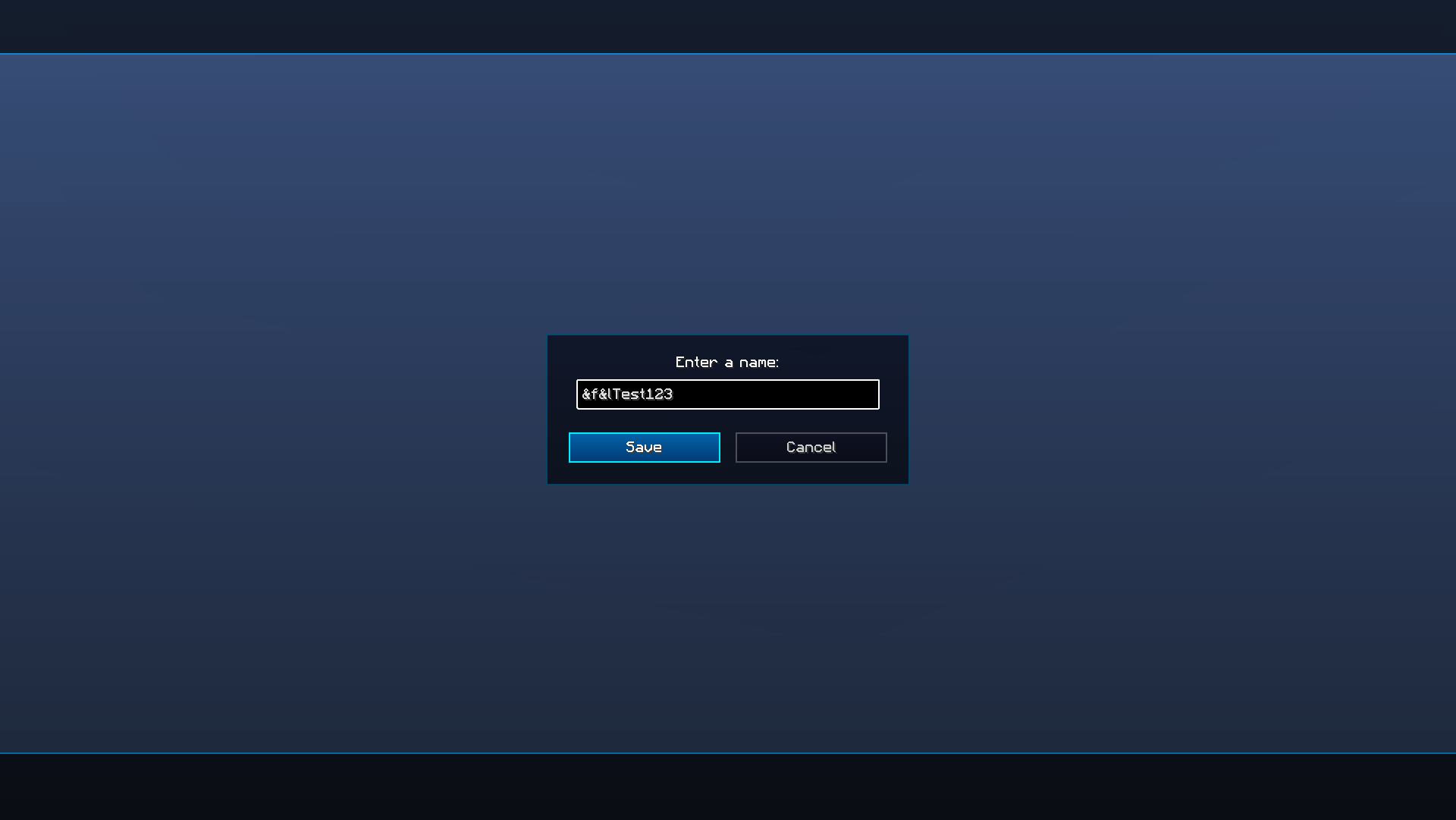
Save your entire inventory including armor slots and off-hand item with a single click. Just press the plus button, enter a name, and your kit is ready.
• 🔍 Visual Preview
Not sure what is inside a saved kit? Use the preview icon to see the full layout of items without actually loading them. This includes a clear view of the main inventory, hotbar, and armor slots.
• ⚙️ Smart Management
You can easily rename your kits to keep things organized or delete old ones you no longer need. There is also a quick option to clear the entire list if you want to start fresh.
• 🌍Seamless Integration
The mod automatically detects your game language. It features full support for both English and Russian, ensuring a native experience for all players.
_To change the language, go to the game settings_
―――――――――――――――――――――――――――――――――――――――――――――――――
⌨️ Interactive Tooltips and Shortcuts:
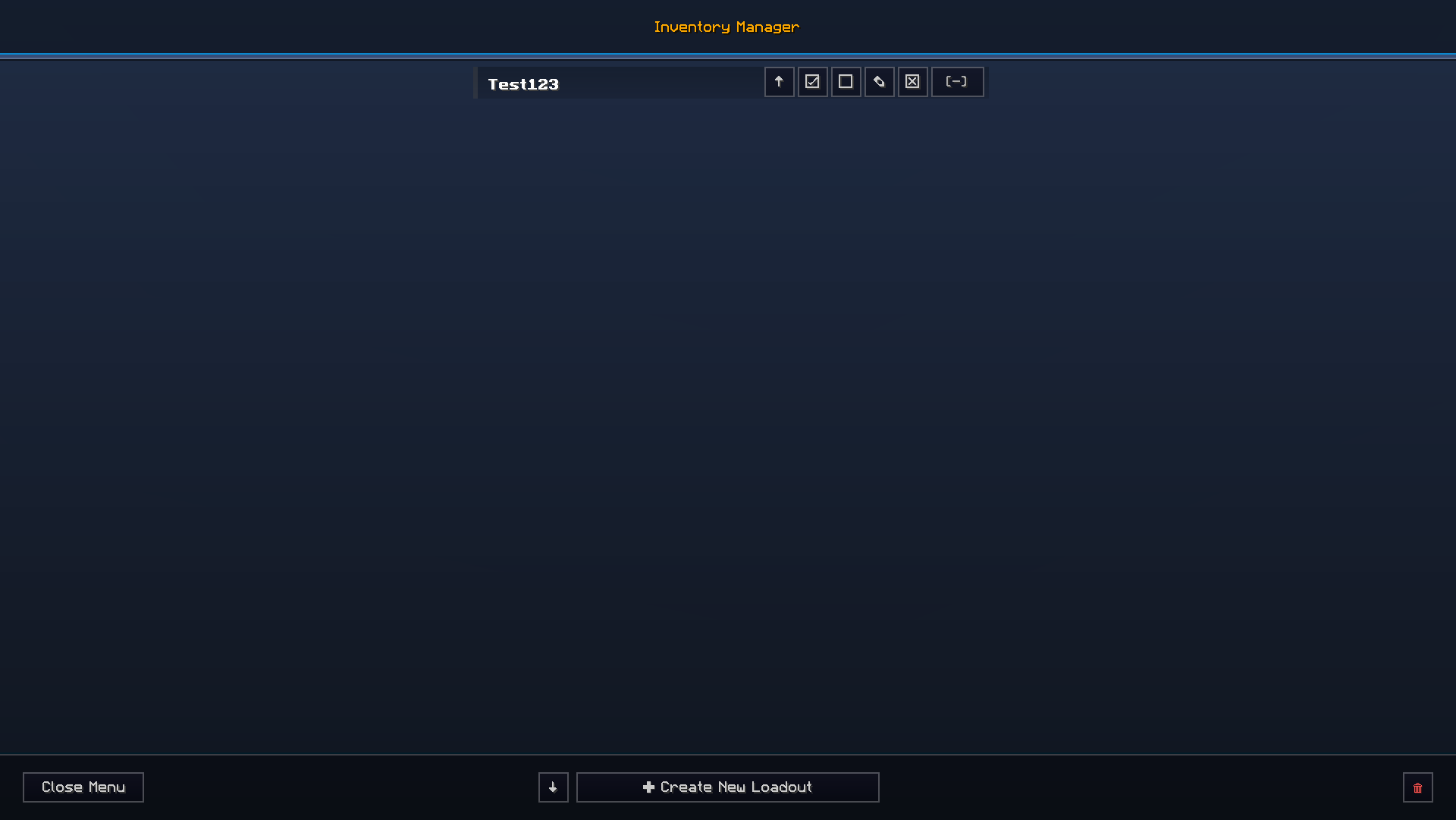
✅ Load Inventory: Click the check mark to instantly apply a saved set to your character. The menu will close automatically.
⏹️ Preview: Use the stop button icon (square) to peek inside a kit. View all items, armor, and Shulker Box contents without loading them.
✏️ Rename: Click the pencil to change the name of an existing loadout.
⬆️ Export: Use the up arrow to copy a kit’s encrypted data to your clipboard. Share it with friends!
⌨️ Key Bindings: Click the brackets [-], then press any key to bind that kit. Load it instantly in-game by pressing that key! (Use ESC or Backspace to clear).
❎ Delete: Use the square X icon to permanently remove a specific kit from your list.
⬇️ Import: Use the down arrow at the bottom to paste and save a kit code received from another player.
🗑️ Clear All: The trash can in the corner wipes your entire collection. _Warning: This cannot be undone!_
―――――――――――――――――――――――――――――――――――――――――――――――――
💻 Technical Details:
The mod saves your data in a dedicated folder within your game config, meaning your kits are safe even if you update the mod.
Works perfectly in Creative Mode for instant item restoration.
Includes a stylish gradient background for the menu, allowing you to fully immerse yourself in the game world. ✨
👑 Created by PrestigeX
常见问题
Inventory Manager 支持哪些 Minecraft 版本?
Inventory Manager 支持 Minecraft Java 版 1.20.1–1.21.4,共 3 个版本,可用的加载器:Fabric。下载时注意选择和你游戏版本一致的文件。
Inventory Manager 怎么安装?
先用 PCL2 或 HMCL 启动器安装对应版本的 Fabric,再把下载的 .jar 文件放进游戏目录的 mods 文件夹,重新启动游戏即可。开启了版本隔离的,mods 文件夹在 versions/版本名 下面。运行环境:客户端 / 服务端。
评论
登录后评论和评分