
CubeUI
A lightweight, modular UI library for Forge featuring a robust theming engine, 9-slice rendering, and essential widgets for building scalable interfaces.
截图
介绍
CubeUI (Library)
Last Update:
- Version: 0.1.0 – beta
- Date: 2025-12-29
- Highlights: Added Theme Engine; implemented 9-slice rendering system; added essential widgets; implemented debug overlay.
- Status: first beta
CubeUI is a lightweight, modular UI Library for Minecraft Forge. It provides a robust framework for creating complex, scalable user interfaces with built-in theming support and high-performance rendering helpers. Designed to make modding UIs easier and more consistent.


Features
- Advanced Theming System: A centralized
ThemeManagerallows hot-swapping textures and styles for all registered widgets. - Smart Rendering: Built-in 9-slice (panels) and 3-slice (buttons/fields) rendering support. No more stretched textures.
- Essential Widgets: Includes a collection of standard, themable widgets ready for immediate implementation.
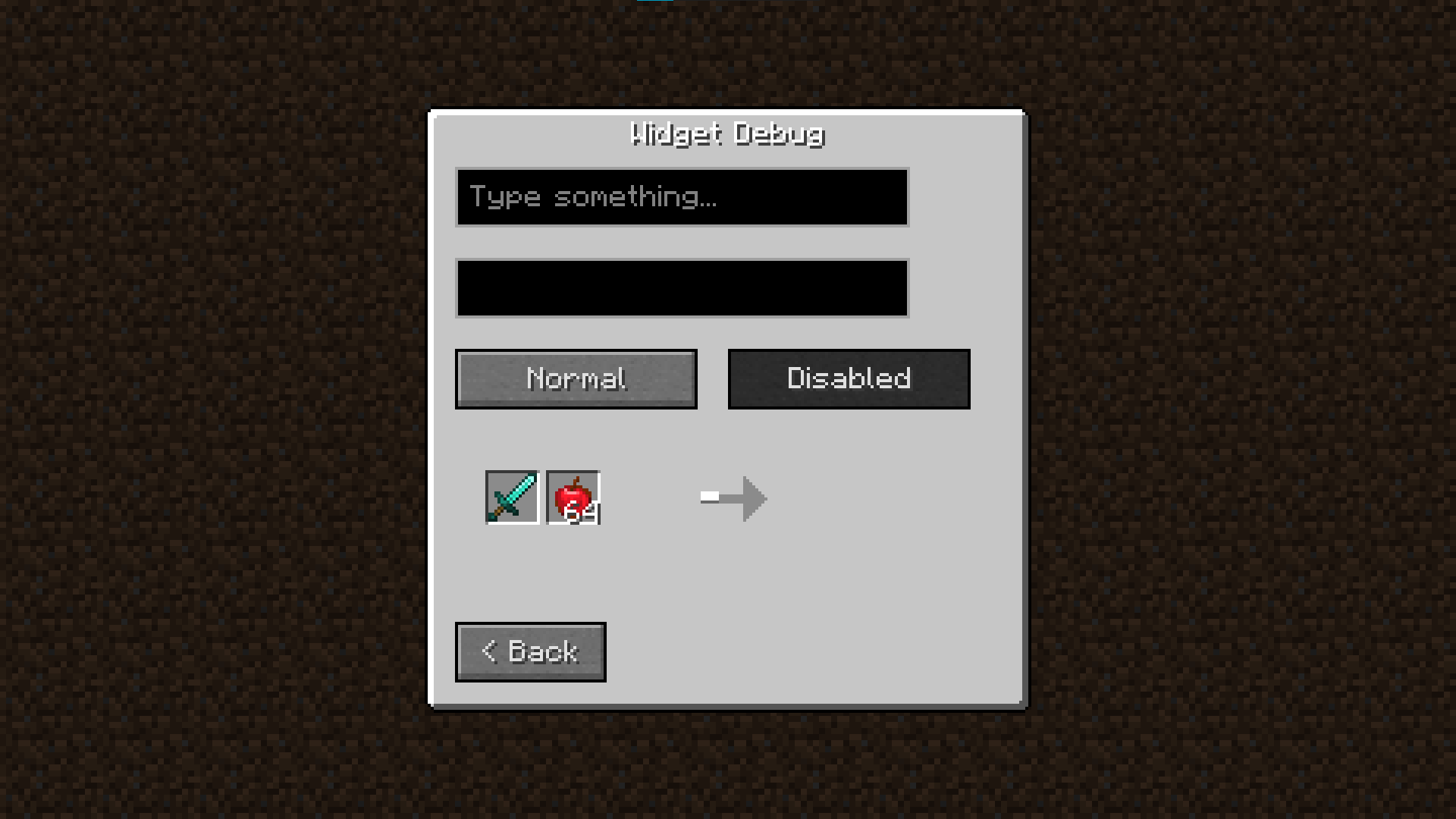
- Debug Tools: Includes a built-in debug overlay for developers (Press
Ctrl + Shift + U). - Vanilla Friendly: The default theme mimics the vanilla aesthetic perfectly but can be fully customized.
Usage
Full documentation and implementation examples are available on the wiki (click the Documentation badge above).
To access the developer debug menu in-game, use: CTRL + SHIFT + U
Requirements
- Minecraft: Forge 1.20.1+ (Check file versions)
- Loader: Forge Only
- Dependencies: None (Standalone Library)
License
MIT – free to use in your own projects, modpacks, and addons.
常见问题
CubeUI 支持哪些 Minecraft 版本?
CubeUI 支持 Minecraft Java 版 1.20.1,可用的加载器:Forge。下载时注意选择和你游戏版本一致的文件。
CubeUI 怎么安装?
先用 PCL2 或 HMCL 启动器安装对应版本的 Forge,再把下载的 .jar 文件放进游戏目录的 mods 文件夹,重新启动游戏即可。开启了版本隔离的,mods 文件夹在 versions/版本名 下面。运行环境:客户端和服务端都要装。
Denmoth 的其他作品
查看全部 →
Create: structures overhaul
通过向世界添加沉浸式、机械动力主题的结构,全面革新探索体验。

Ad Astra: Structures Overhaul
Ad Astra: Structures Overhaul adds new atmospheric structures to Ad Astra worlds, enhancing exploration and environmental variety. Lightweight, optimized, and fully compatible with modpacks.

Create: structures overhaul
Create: structures overhaul - a structure expansion mod focused on enchasing world generation with create mod installed.

Create: Structures Overhaul – BOP integration
Adds Biomes O' Plenty support to the Create: Structures Overhaul mod by introducing new structures that fit custom BOP biomes.
评论
登录后评论和评分