
Loot Protection
A simple crystal pvp mod which stops player mouse inputs for a set time after killing another player.
截图
介绍
Loot Protection
Loot Protection is a lightweight, client-side Fabric mod designed for crystal PvP. After a player dies nearby, it temporarily blocks inputs to prevent blowing up and loosing loot.
Features
- Detects when another player dies within a set range
- Temporarily blocks inputs after a nearby player death
- Prevents attacking end crystals
- Prevents using these items during input lock:
- End crystals
- Respawn anchors
- Glowstone
- Blocks interactions with respawn anchors
- Optional actionbar showing the remaining lock time
- Optional safety bypass when another player is close to the death location
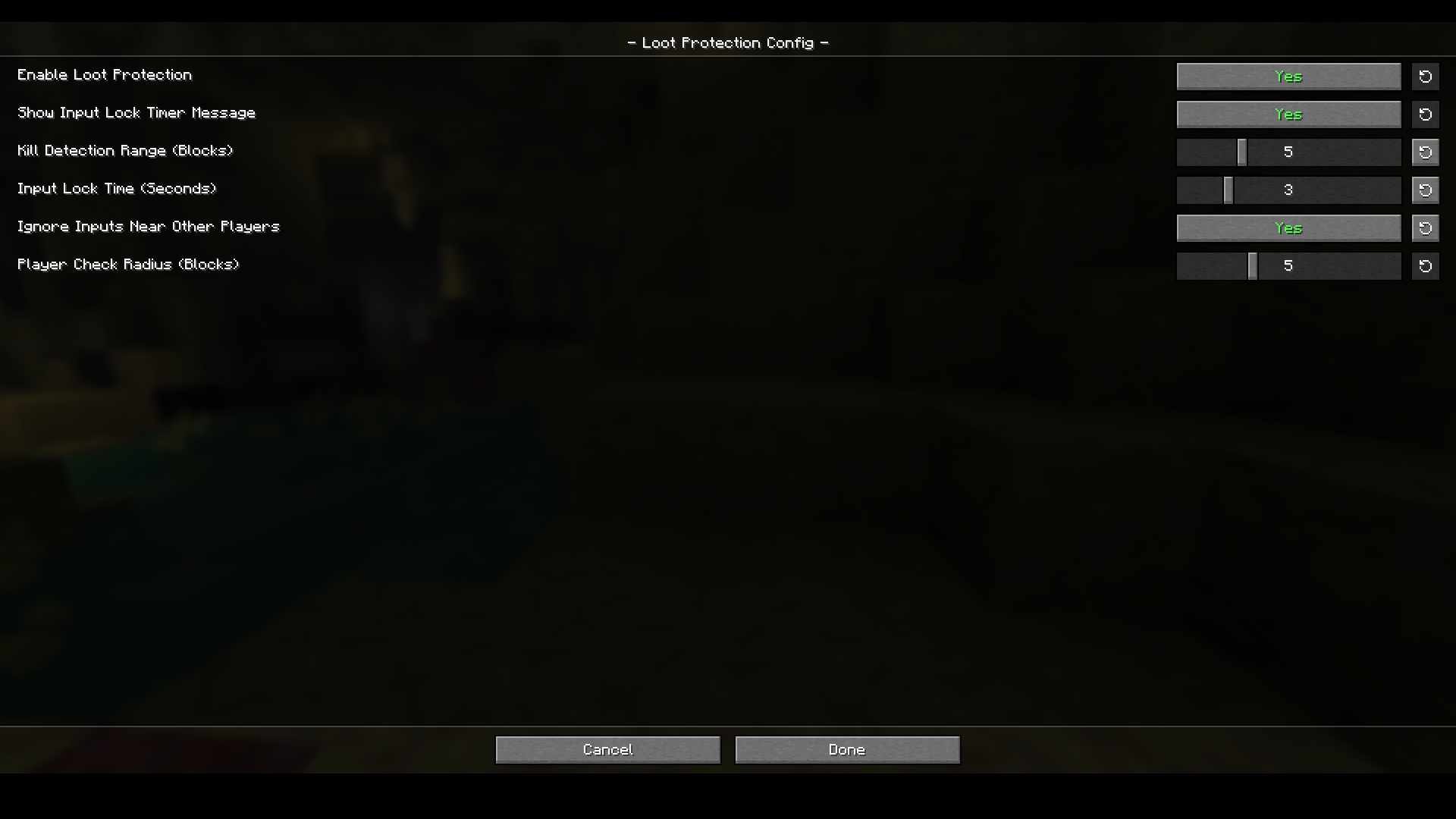
- Fully configurable through Mod Menu and MidnightLib
Configuration
You can configure:
- Kill detection range
- Input lock duration
- Countdown visibility
- Nearby-player safety bypass
- Nearby-player check radius
- Whether the mod is enabled
Keybind
Press O by default to toggle Loot Protection on or off. An overlay message confirms the current state.
The keybind can be changed under the Loot Protection category in Minecraft’s control settings.
Requirements
- Fabric Loader
- Fabric API
- MidnightLib
- Mod Menu is recommended for easy configuration
This mod runs entirely on the client and does not need to be installed on the server.
License
Loot Protection is licensed under the MIT License.
常见问题
Loot Protection 支持哪些 Minecraft 版本?
Loot Protection 支持 Minecraft Java 版 26.1–26.2,共 4 个版本,可用的加载器:Fabric。下载时注意选择和你游戏版本一致的文件。
Loot Protection 怎么安装?
先用 PCL2 或 HMCL 启动器安装对应版本的 Fabric,再把下载的 .jar 文件放进游戏目录的 mods 文件夹,重新启动游戏即可。开启了版本隔离的,mods 文件夹在 versions/版本名 下面。运行环境:仅客户端。
JatLacksUnderstanding 的其他作品
查看全部 →
Jat’s Inventory Auto Totem
Automatically equips totems while your inventory is open. Tested with GrimAC, TotemGuard, Vulcan, and Matrix.
Jat’s Inventory Auto Totem
Automatically equips totems while your inventory is open. Tested with GrimAC, TotemGuard, Vulcan, and Matrix.

Auto Jump Stay Off!
Combats the 26.x bug of Auto Jump turning its self on randomly when minecraft boots up.
评论
登录后评论和评分