
截图
介绍
Tearcraft
Warning
**DO NOT AND I REPEAT DO NOT SET THE RANGE TOO HIGH! IT WILL RESULT IN LARGE AMOUNTS OF FILES AND THERE IS NO WAY TO CANCEL EXPORTS OTHER THAN CLOSING YOUR GAME!
Other than that!**
Usage
First things first is define a range:
Define a range – Method 1
Run /vox pos1 at location 1 and /vox pos2 at location 2
Both of those also support directly inputing coordinates!
Define a range – Method 2
Run /vox pos x1 y1 z1 x2 y2 z2 to define a full range!
Next is to run /vox export FILENAME it will then tell you if it’s going to split into files if its to big for the spec 256^3 in each direction and will start the export with some metrics.
Lastly it will tell you where the files were dumped.
Putting it together in Teardown is a very puzzling goal but my advice is to just align all the bottom heights and just move parts around, see where water lines up. That stuff because putting worlds together is legitimatley a puzzle!
About
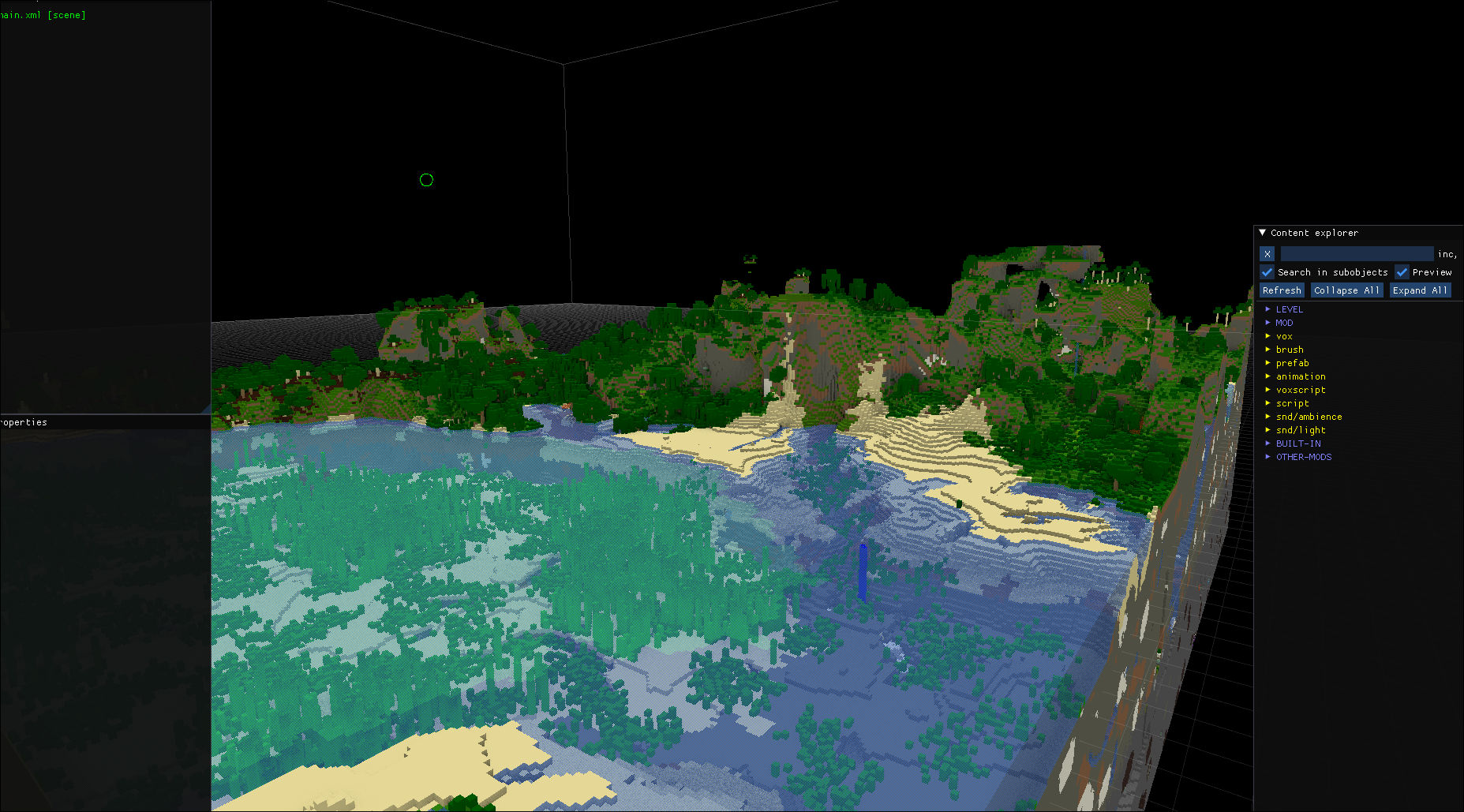
Example of what it could look like in the editor for Teardown

(If you cant see that image it’s most likley because my server is broken!)
Currently my logic for materials could be so much better and I am working on making it the best I can!
This mod aims to replicate the .vox spec because I didn’t find native Java re-implementations of it.
It supports:
- RGBA Colour Palette: Perfectly aligned with Teardown material properties.
- Material Rendering: Support for materials like glass to generate accurate alpha channels – this took some serious effort!
常见问题
Tearcraft 支持哪些 Minecraft 版本?
Tearcraft 支持 Minecraft Java 版 1.21.11,可用的加载器:Fabric。下载时注意选择和你游戏版本一致的文件。
Tearcraft 怎么安装?
先用 PCL2 或 HMCL 启动器安装对应版本的 Fabric,再把下载的 .jar 文件放进游戏目录的 mods 文件夹,重新启动游戏即可。开启了版本隔离的,mods 文件夹在 versions/版本名 下面。运行环境:客户端 / 服务端。
Maximilian1121 的其他作品
查看全部 →
Create rockets
Super powerful rockets that are both aesthetically pleasing and based of real rockets! Really good for gaining speed in Create aeronautics!

Lightingless
Removes shading engine (NOT FULLBRIGHT!)

Saero (Sable + Xaero)
Let's you mark nammed sublevels and it will track it even if it's un-loaded! Journymap is NOT supported!

Mod Updater
Automatically update your mods with a zip file on Dropbox, Google Drive or even your own http webserver!
评论
登录后评论和评分