
Group Chat
A simple group chat mod/plugin for Minecraft servers, with the most easy-to-use commands.
截图
介绍
Group Chat
Whisper to your whole crew at once — without everyone else on the server reading along.
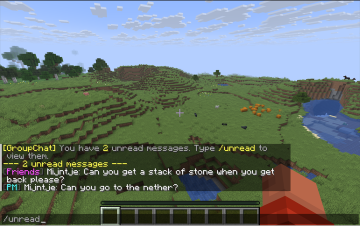
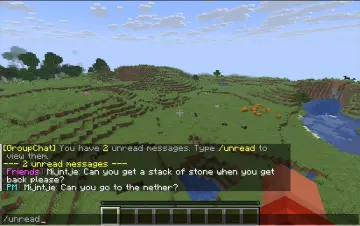
Group Chat adds persistent chat groups to your server. Create a group, invite your friends, and message everyone in it with a single command — no more /msg-ing the same three people one at a time, and no more accidentally leaking a private conversation into public chat. Message someone (or a whole group) while they’re offline, and they’ll get it the moment they log back in.
Available for both Paper and Fabric — same features, same commands, same data format, whichever loader your server runs.
Features
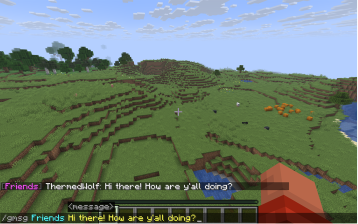
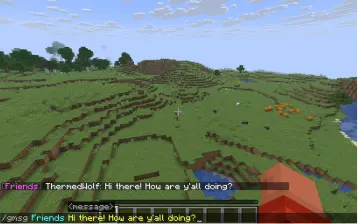
- Group chat — message every member of a group at once with
/gmsg(or the shorter/gm) - Offline mailbox — messages to offline players or offline group members are held and delivered on next join, with an unread count so nothing gets missed
- Guaranteed delivery option —
/gmofflinedrops a copy into _every_ member’s mailbox, online or not, for anything you want to be sure isn’t lost in chat scrollback - Direct messages —
/dmfor one-on-one, queued automatically if the recipient’s offline - Full group management — create, invite, accept/decline, leave, and owner-only kick
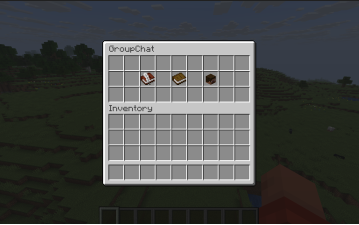
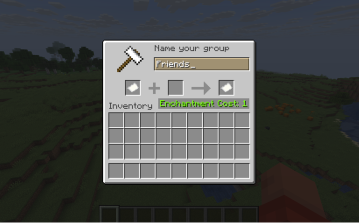
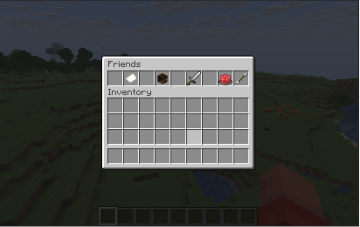
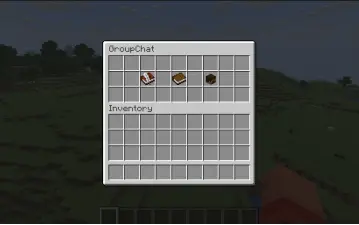
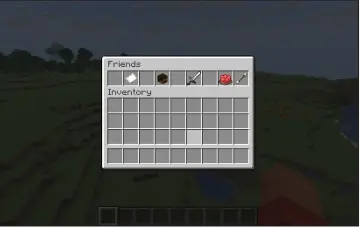
- Graphical menu —
/groupguiopens a point-and-click interface for creating groups, browsing your groups, inviting or kicking members, and picking who to message, if you’d rather not remember command syntax - Tab-completion everywhere — group names, player names, and pending invites all autocomplete
- Zero external dependencies — just the plugin/mod, no other downloads required beyond Fabric API on the Fabric side
Commands
| Command | Description |
| ————————————————– | ————————————————————————————- |
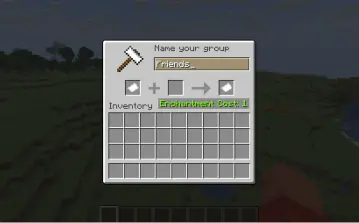
| /group create <name> | Create a group — you become the owner |
| /group invite <group> <player> | Invite a player to a group you’re in |
| /group accept <group> / /group decline <group> | Respond to an invite |
| /group kick <group> <player> | Remove a member (owner only) |
| /group leave <group> | Leave a group |
| /group delete <group> | Delete a group you own |
| /group list | List the groups you’re in |
| /group members <group> | List a group’s members |
| /gmsg <group> <message> (alias /gm) | Message a group — online members see it live, offline members get it queued |
| /gmoffline <group> <message> | Same, but _everyone_ gets a durable copy in their mailbox regardless of online status |
| /dm <player> <message> | Private message; queued if they’re offline |
| /unread | Read and clear your queued messages |
| /groupgui | Open the graphical menu |
Requirements
- Minecraft 26.1.2+
- Paper: no additional dependencies
- Fabric: requires Fabric API
Data & privacy
All group and message data is stored locally on your server (plugins/Group Chat/ on Paper, <world>/Group Chat/ on Fabric) as plain JSON — nothing is sent anywhere else.
Notes
- Group names: 2–24 characters, letters/numbers/underscores, case-insensitive
- No permission-node gating yet — any player can use any command
- Unread messages don’t keep history once read via
/unread
常见问题
Group Chat 支持哪些 Minecraft 版本?
Group Chat 支持 Minecraft Java 版 26.1–26.3,共 5 个版本,可用的加载器:Fabric / Paper。下载时注意选择和你游戏版本一致的文件。
Group Chat 怎么安装?
先用 PCL2 或 HMCL 启动器安装对应版本的 Fabric / Paper,再把下载的 .jar 文件放进游戏目录的 mods 文件夹,重新启动游戏即可。开启了版本隔离的,mods 文件夹在 versions/版本名 下面。运行环境:仅服务端。
评论
登录后评论和评分