
Aran’s Discord Presence
A lightweight, customizable Discord Rich Presence mod for Fabric. Features a built-in settings menu to toggle Server IP, biomes, dimensions, and player heads on your Discord status.
介绍
VERY IMPORTANT! ⚠️
**IF YOU HAVE MODRINTH OPEN, IT WILL OVERRIDE THE DISCORD ACTIVITY!
REMEMBER TO CLOSE MODRINTH AFTER MINECRAFT LAUNCHED!**
Intro!
This mod gives you multiple options to have your minecraft activity on your discord account!
Configs 🔨
- 3D Player Heads: Shows your actual skin as a 3D head icon.
- Server Icons: Automatically shows the icon of the server you’re playing on.
- Singleplayer Info: Shows your biome and gamemode when playing alone.
- Settings Menu: Change everything in-game via the Options > Discord RPC button.
Activity 📷
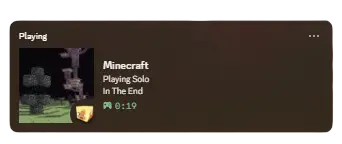
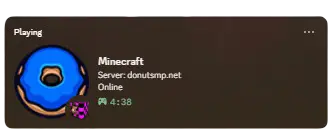
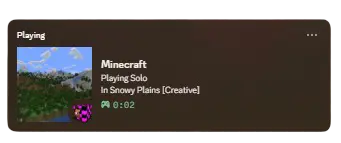
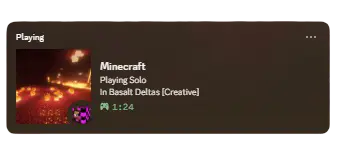
Utlites!
MUST HAVE
⚠️ _You need to have installed fabric and the discord app._
Most RPC mods are “all or nothing.” They either show everything (including private server IPs) or they look very basic. Aran’s Discord Presence is designed to be lightweight so it doesn’t drop your FPS, while giving you the best-looking profile status possible.
常见问题
Aran’s Discord Presence 支持哪些 Minecraft 版本?
Aran’s Discord Presence 支持 Minecraft Java 版 1.21.11,可用的加载器:Fabric。下载时注意选择和你游戏版本一致的文件。
Aran’s Discord Presence 怎么安装?
先用 PCL2 或 HMCL 启动器安装对应版本的 Fabric,再把下载的 .jar 文件放进游戏目录的 mods 文件夹,重新启动游戏即可。开启了版本隔离的,mods 文件夹在 versions/版本名 下面。运行环境:仅客户端。


评论
登录后评论和评分