
Inspector 🔎
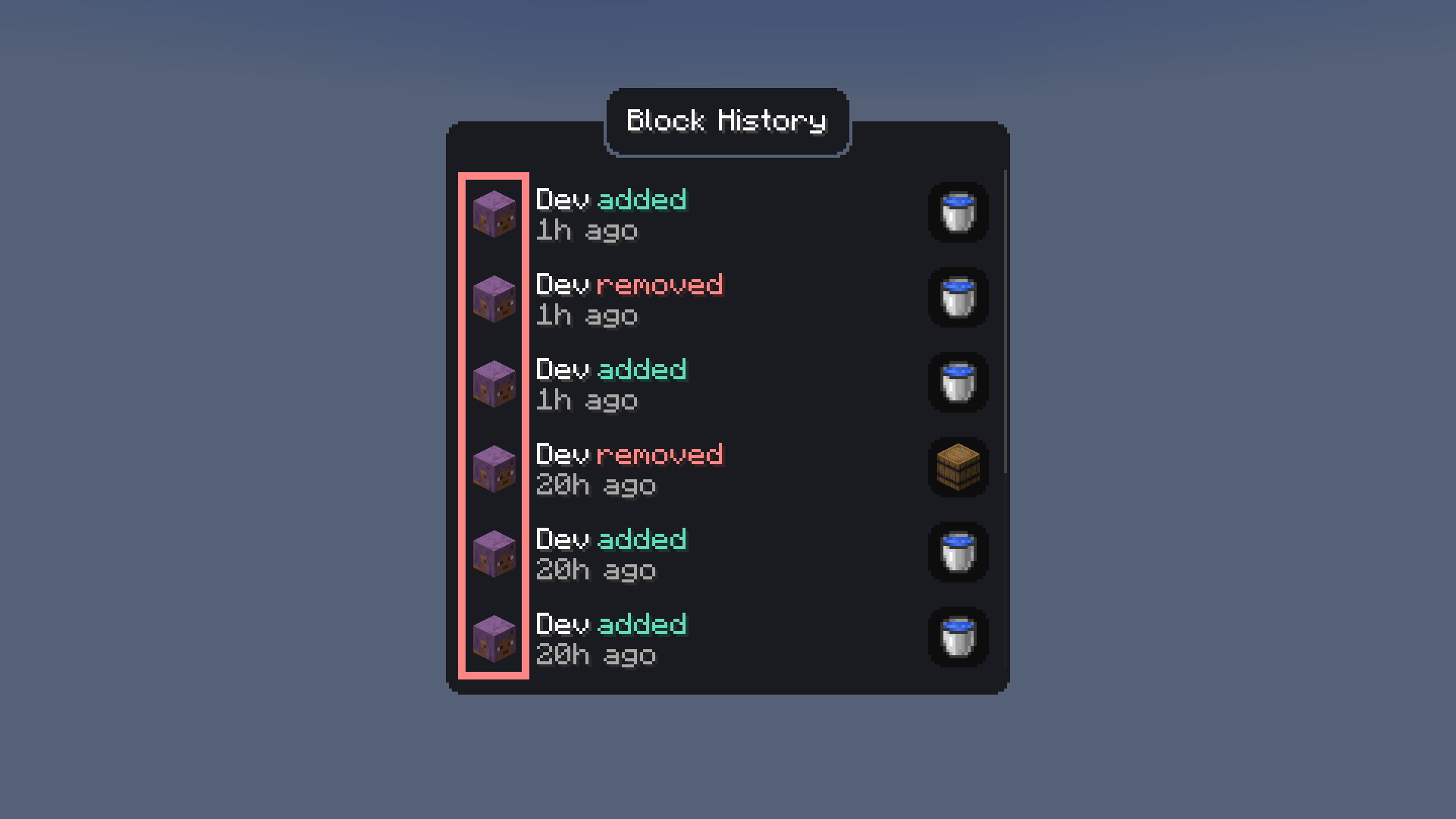
A survival-friendly implementation of the ability to view block history via a new item — the magnifying glass.
截图


介绍

A survival-friendly implementation of the ability to view block history via a new item — the magnifying glass.
Every block break, place, container transaction, entity kill, redstone interaction, and explosion is logged to a SQLite database with full player attribution. Right-click any block with the magnifier to open a GUI showing its complete history, including player heads, item icons, and relative timestamps.

Features
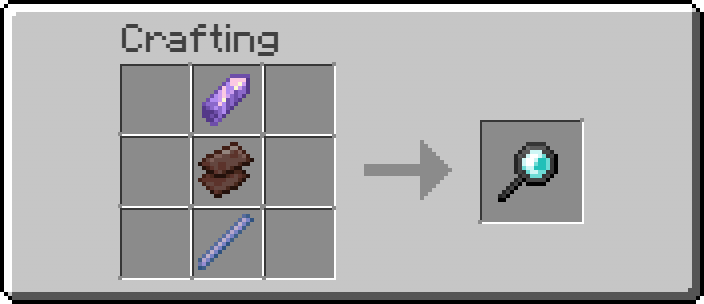
- Magnifier Item – craftable tool (256 durability) for inspecting block history at a glance
- Block Event Logging – breaks, places, fluid changes with player, position, and timestamp
- Container Diffing – snapshots container contents on open/close, logs individual item additions and removals with full NBT data (enchantments, lore, etc.)
- Entity Kill Logging – tracks entity kills by players
- Redstone Interaction Logging – button, lever, door, trapdoor, pressure plate, note block, fence gate, repeater, comparator usage
- Anvil Tracking – logs anvil use and breakage
- Explosion Logging – logs every block destroyed by player-caused explosions
- History GUI – custom screen with player heads, item icons, color-coded actions, relative timestamps, and full tooltips on hover
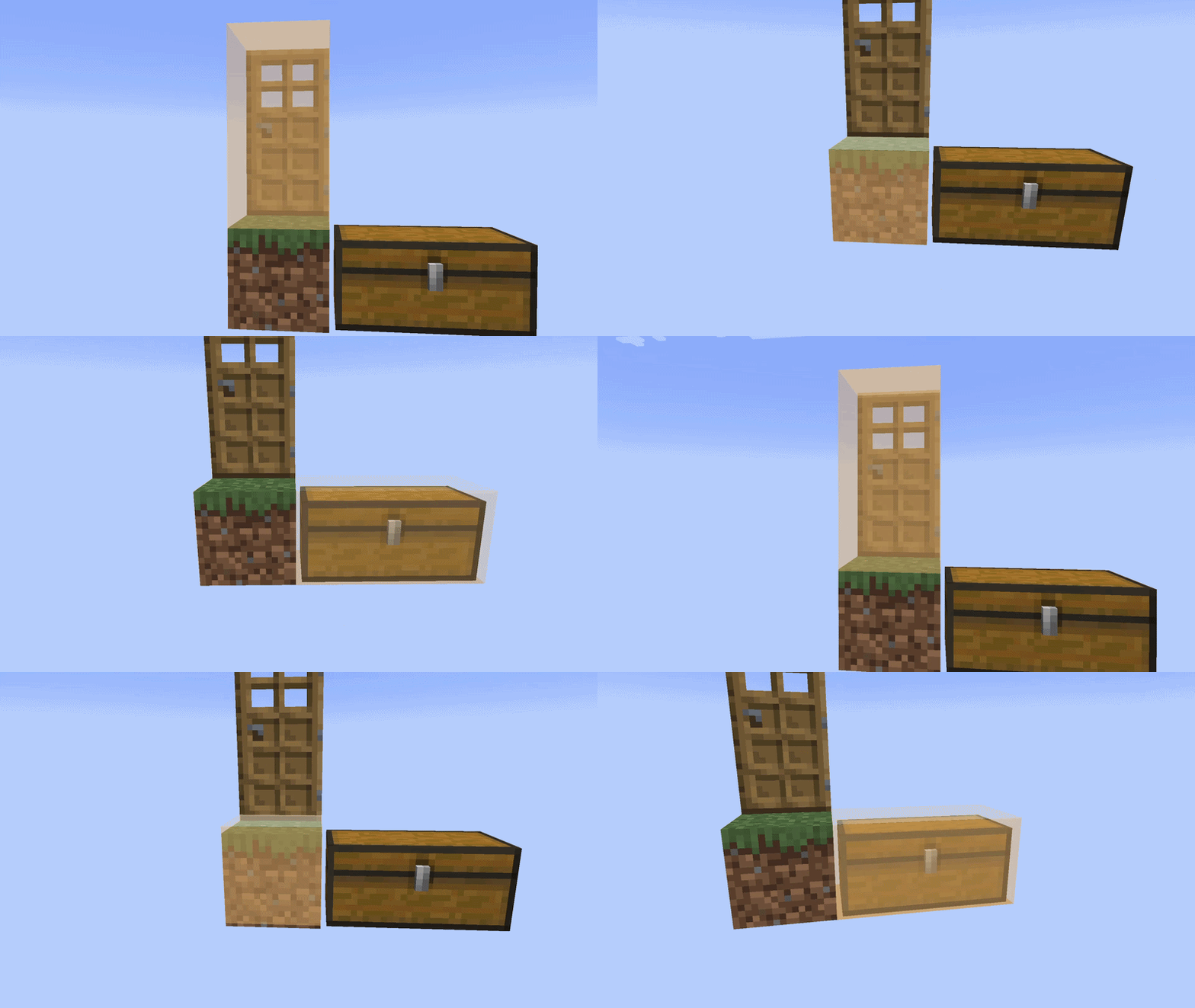
- Block Glow Overlay – semi-transparent highlight on the targeted block with smooth animation
/inspectCommand – query player or block history from chat with autocomplete- SQLite Database – persistent storage with WAL mode, async batched writes, in-memory caching
- Configurable – database path, batch settings, glow animation toggle, player head rendering toggle
Crafting Recipe
Usage
- Craft the magnifier and hold it in your main hand
- Sneak + scroll to adjust inspection depth offset
- Right-click on a block to view its history
- The targeted block is highlighted with a colored glow overlay
Dependencies
- NeoForge (required)
- YetAnotherConfigLib (required, client-side)
常见问题
Inspector 🔎 支持哪些 Minecraft 版本?
Inspector 🔎 支持 Minecraft Java 版 1.21.1–26.3,共 6 个版本,可用的加载器:Fabric / NeoForge。下载时注意选择和你游戏版本一致的文件。
Inspector 🔎 怎么安装?
先用 PCL2 或 HMCL 启动器安装对应版本的 Fabric / NeoForge,再把下载的 .jar 文件放进游戏目录的 mods 文件夹,重新启动游戏即可。开启了版本隔离的,mods 文件夹在 versions/版本名 下面。运行环境:客户端和服务端都要装。
fnn 的其他作品
查看全部 →
Stupid Block Animations
Minecraft Block Placement & Breaking Animations
Stupid Block Animations
Minecraft Block Placement & Breaking Animations
Stupid Block Animations
Minecraft Block Placement & Breaking Animations

DO NOT SAY THE NAME OF THIS BLOCK!
Removes ALL blocks in a chunk if you say its name!
评论
登录后评论和评分