
Inventory Enhancements
Middle-click sorting, five-slot storage overlays, and organized Vanilla-inspired crafting and brewing recipe guides.
截图




介绍
Join the Vanilla Enhancements official Minecraft Server!
mc.FireCrafting.net
Also, join the Discord to report issues, become part of the community, and receive updates about new and existing mods!
Explore the Vanilla Enhancements website for the full collection and guides, or join r/VanillaEnhancements to share your builds, ask questions, and follow updates.
Welcome to Inventory Enhancements!
Inventory Enhancements improves inventory management, compact storage, crafting, and brewing through several Vanilla-inspired quality-of-life features.
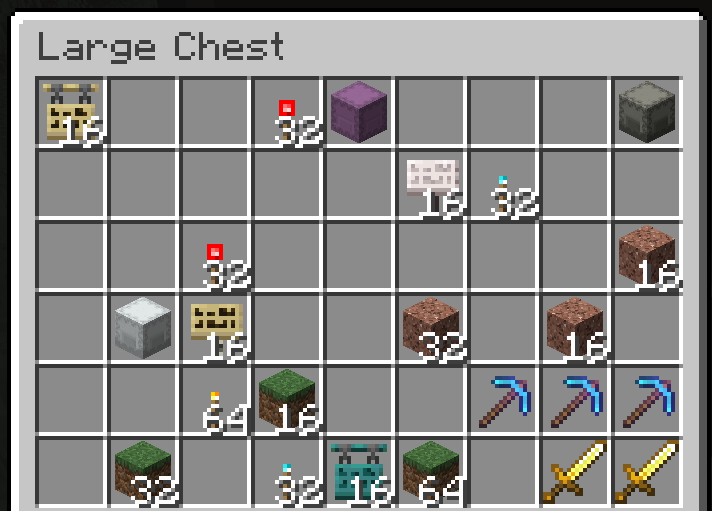
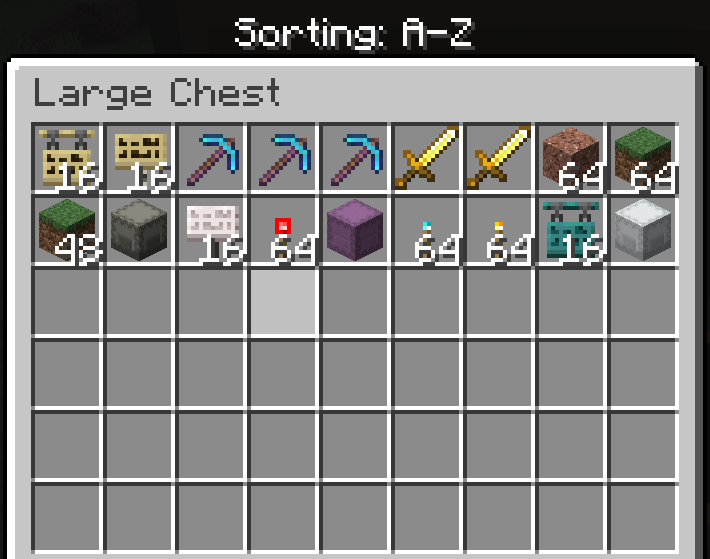
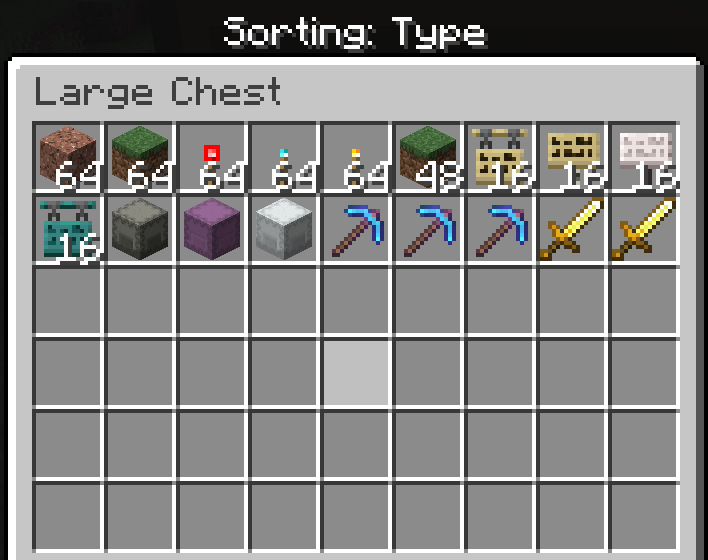
Inventory Sorting
Hover over a slot and press the Middle Mouse Button to sort that section of the inventory.
Your main inventory, hotbar, and open container are sorted independently. Middle-clicking a Chest slot, for example, sorts the Chest without rearranging your inventory.
Each press cycles through three modes:
| Mode |Behavior |
| ——– |————————————————————- |
| A–Z |Sorts items alphabetically. |
| Type |Groups similar items and materials together. |
| Baseline |Restores the arrangement from before the sorting cycle began. |
Compatible stacks are consolidated automatically. If you manually rearrange the inventory, that new arrangement becomes its next Baseline.
Five-Slot Overlay Storage
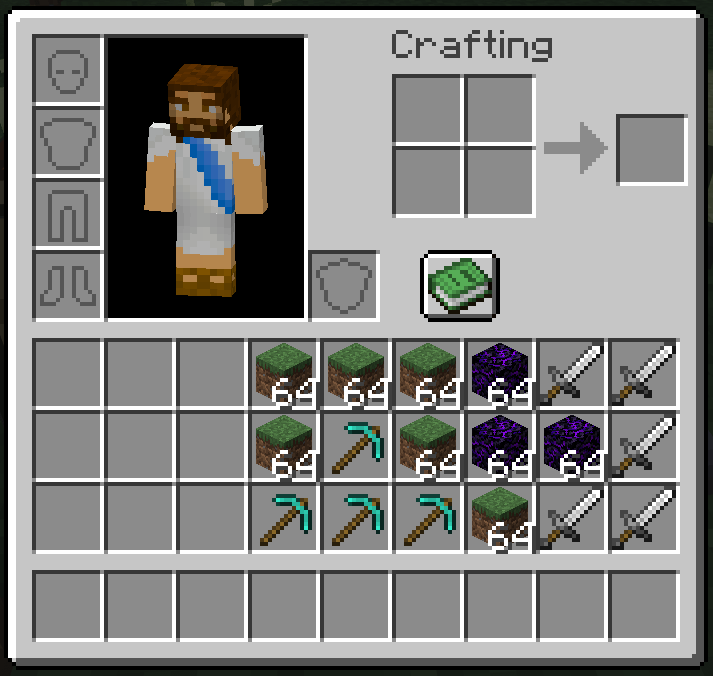
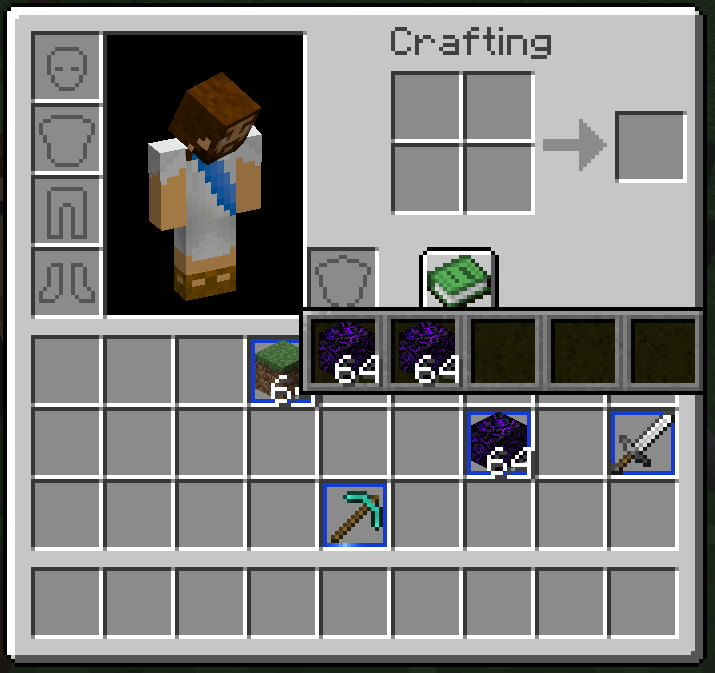
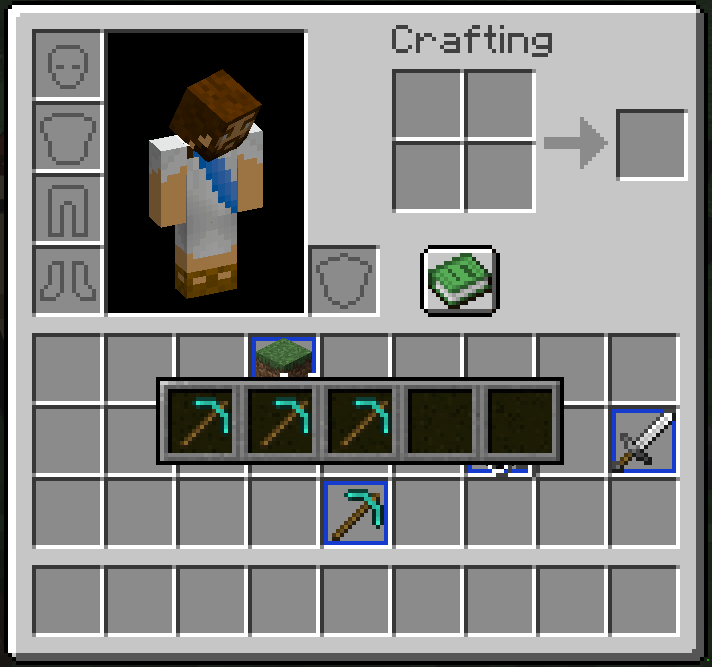
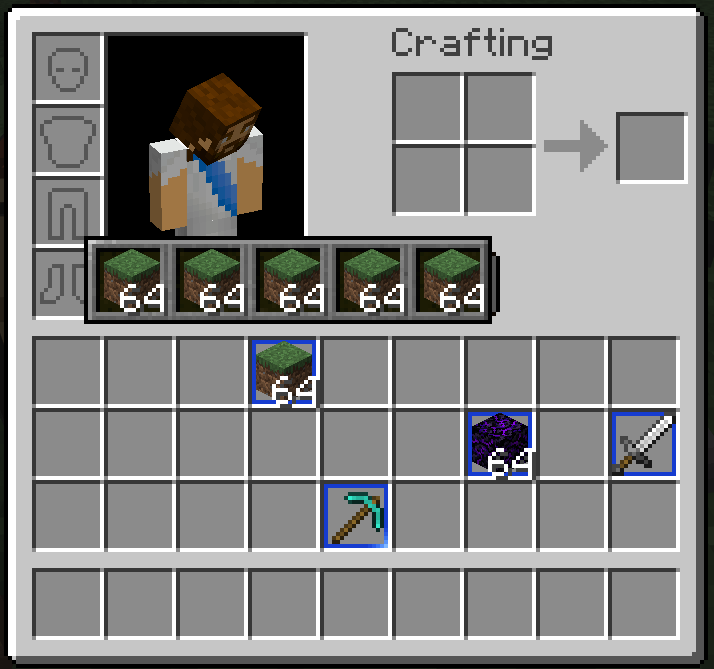
A full stack in your main inventory can hold five additional stacks of the same item type.
This is especially useful for keeping differently enchanted, named, or damaged tools and armour together without occupying several inventory slots.
To open an overlay:
- Use an item in the main 27-slot inventory grid.
- Make sure its base stack is full according to its normal limit.
- Hold Shift and right-click the item.
Examples of a full stack include:
- Dirt: 64
- Ender Pearls: 16
- Tools and armour: 1
Slots containing stored items receive an animated blue border. Hovering over one previews its storage pane, while Shift-right-clicking pins the pane open.
A base item containing stored stacks cannot be dropped or moved into the hotbar or another container. It can still be moved within the main inventory, and its storage moves with it.
Enhanced Crafting Guide
Inventory Enhancements replaces the standard Crafting Table Recipe Book with an organized, Vanilla-inspired guide.
Recipes are divided into five categories:
- Building Blocks
- Tools and Armour
- Crafting Stations
- Storage
- Redstone
Similar recipes are grouped into expandable families, reducing the number of nearly identical entries shown at once. Compatible modded recipes are included where supported.
The guide also provides:
- Recipe searching
- Mouse-wheel and button-based paging
- A Craftable First option
- An ingredient filter showing everything you can craft with a selected item
- Recipe previews for items you cannot currently craft
Selecting an available recipe places its ingredients into the Crafting Grid. Unavailable recipes display a ghost preview of the required layout.
Brewing Stand Guide
Brewing Stands receive their own Vanilla-inspired recipe guide.
Brewing routes are organized into:
- Ability Potions
- Harming Potions
- Healing Potions
Potion families include their available short-duration, long-duration, Level I, Level II, regular, Splash, and Lingering variants.
The Brewing Guide includes recipe searching, ingredient filtering, craftability sorting, and ghost previews. Selecting an available route automatically places its bottles, ingredient, and any required Blaze Powder into the Brewing Stand.
Installation
Inventory Enhancements must be installed on both the client and server.
常见问题
Inventory Enhancements 支持哪些 Minecraft 版本?
Inventory Enhancements 支持 Minecraft Java 版 26.2–26.3,共 2 个版本,可用的加载器:Fabric。下载时注意选择和你游戏版本一致的文件。
Inventory Enhancements 怎么安装?
先用 PCL2 或 HMCL 启动器安装对应版本的 Fabric,再把下载的 .jar 文件放进游戏目录的 mods 文件夹,重新启动游戏即可。开启了版本隔离的,mods 文件夹在 versions/版本名 下面。运行环境:客户端和服务端都要装。
FireDragon1 的其他作品
查看全部 →
Emerald Enhancements
Emerald tools and armour with built-in Fortune, extra XP, visible-ore highlighting, Zombie Villager curing, and Trading Gems.

Lapis Enhancements
Craft enchanted Lapis gear, then use it or sacrifice it to influence Enchanting Table results for matching equipment.
Redstone Enhancements
Rechargeable Redstone gear: 3×3 mining, chain attacks, armour pulses, charging shelves, and batteries that extend through Nether portals.
Mineral Enhancements
A Vanilla+ Fabric modpack combining material-themed equipment, rechargeable Redstone, inventory tools, garden protection, and server utilities.
评论
登录后评论和评分