
截图
介绍
Ever wondered what entities are actually loaded in your game or modpack?
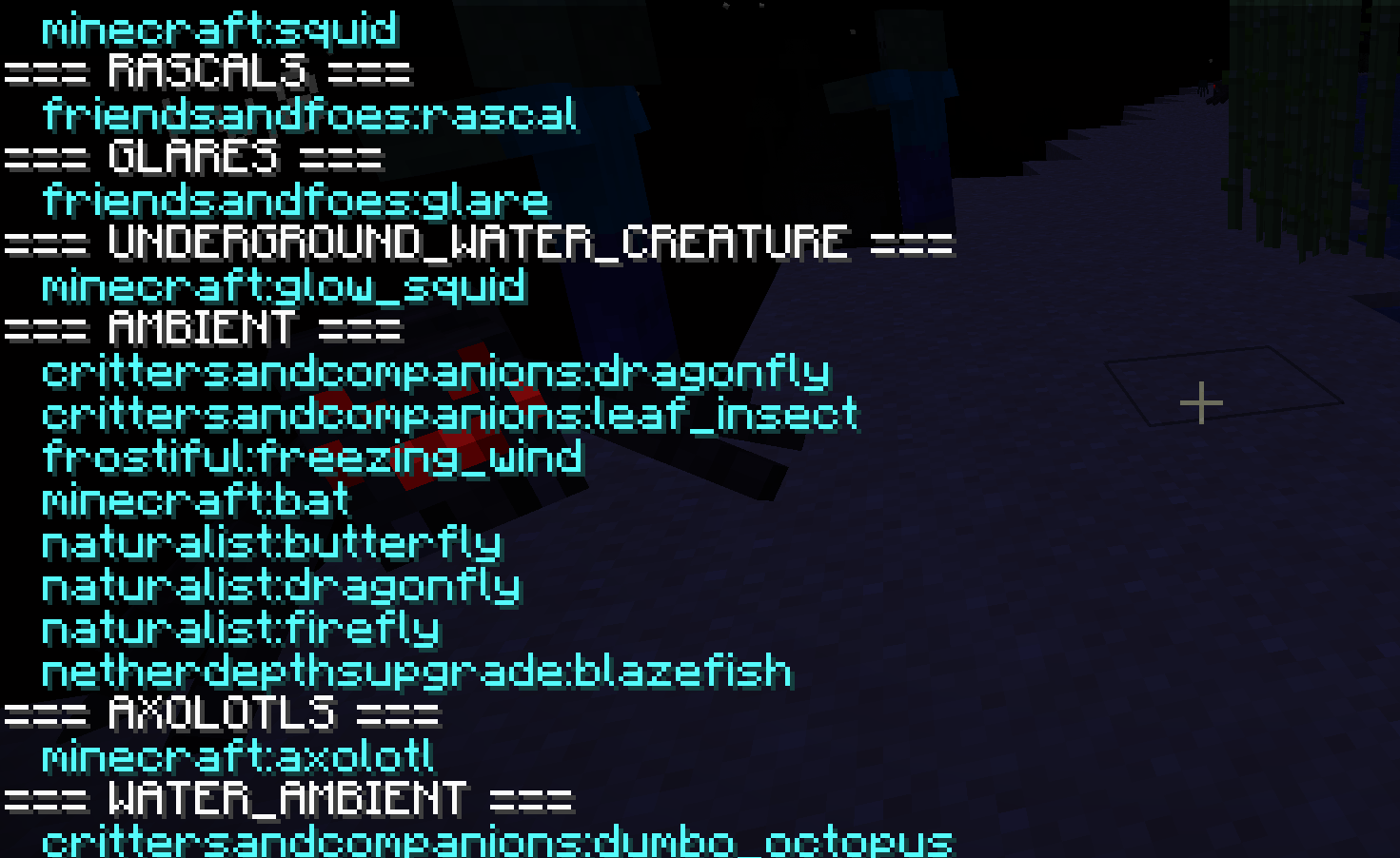
Entity Exporter utility is a lightweight tool that gives you instant access to entities registered by Minecraft – vanilla and modded alike.
With a single command, you can:
- ✅ Print entities directly in chat
- ✅ Export them into clean, structured .json files
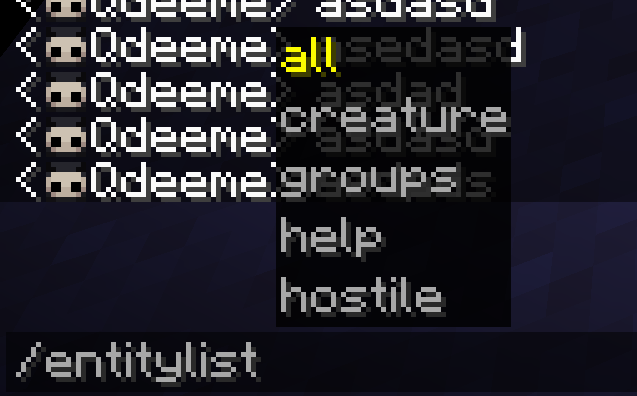
- ✅ View them by category:
– all (separated by groups)
– hostile
– creature
– groups
Perfect for modpack creators, developers and testers who need a quick way to check what’s in the registry without digging through configs or code.
Mod adds 8 commands into the game:
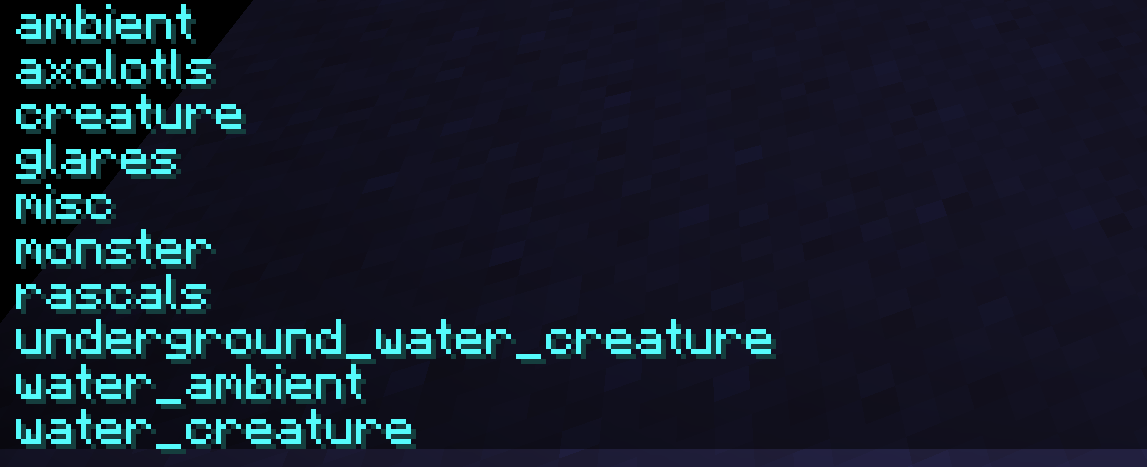
/entitylist groups - Prints in chat all the entity groups registered.
/entitylist all export - Export entities to JSON file
/entitylist all print - Print all entities in chat
/entitylist hostile export  - Export hostiles to JSON file
/entitylist hostile print - Print all hostile entities in chat
/entitylist creature export - Export all creatures to JSON file
/entitylist creature print - Print all creature entities in chat
/entitylist help - Prints all these commands.
📂 Export Location
C:\Users\[user]\AppData\Roaming\Minecraft\[instance]\Entity_listFollowing the pattern in alfabetical order:
And each export command creates new .JSON file unless it already exists.
⚡ SIMPLE. FAST. HASSLE-FREE.
_Entity Exporter doesn’t change entities – it just makes them visible, so you can always know what’s registered in your game._
Requires:
- Fabric API
Check out my other projects:
|  |
|–|
常见问题
Entity Exporter 支持哪些 Minecraft 版本?
Entity Exporter 支持 Minecraft Java 版 1.20–1.21.8,共 16 个版本,可用的加载器:Fabric。下载时注意选择和你游戏版本一致的文件。
Entity Exporter 怎么安装?
先用 PCL2 或 HMCL 启动器安装对应版本的 Fabric,再把下载的 .jar 文件放进游戏目录的 mods 文件夹,重新启动游戏即可。开启了版本隔离的,mods 文件夹在 versions/版本名 下面。运行环境:仅服务端。
Qdeeme 的其他作品
查看全部 →
Nether’s Trial
Mod adds Nether Dungeon to The Nether (DungeonZ addon). 3 shrines spawn naturally and each one leads to a different dungeon difficulty.

XP Simplifier
A mod focused on providing full control over XP, customizing XP values for every source independently with seamless support for both vanilla and modded content.
评论
登录后评论和评分