
Favorite Language
Adds a favorites system to Minecraft’s language screen, making it faster and easier to switch between your preferred languages.
截图


介绍
Favorite Language
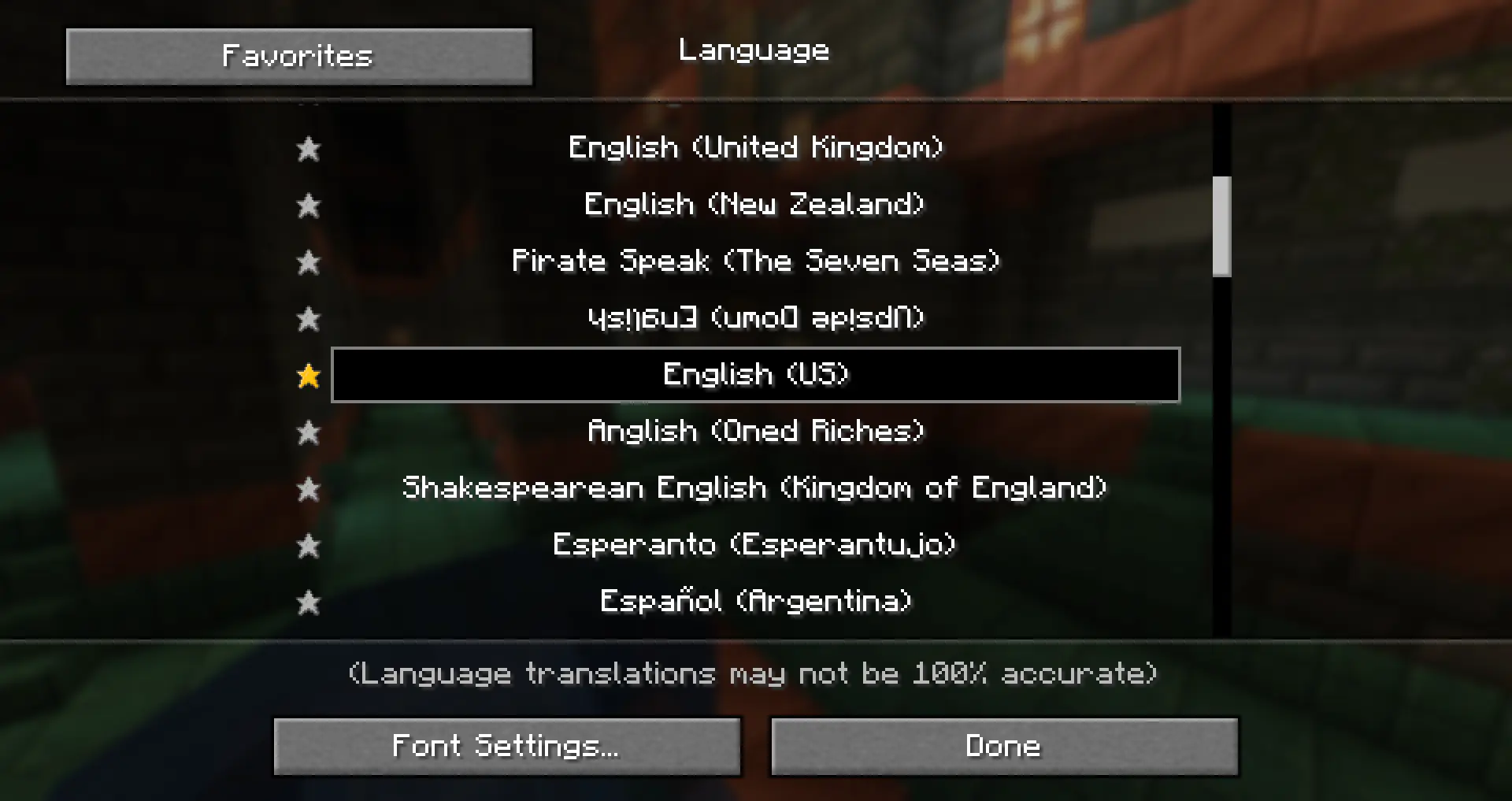
Favorite Language is a client-side Minecraft Fabric mod that adds favorites to the language screen.
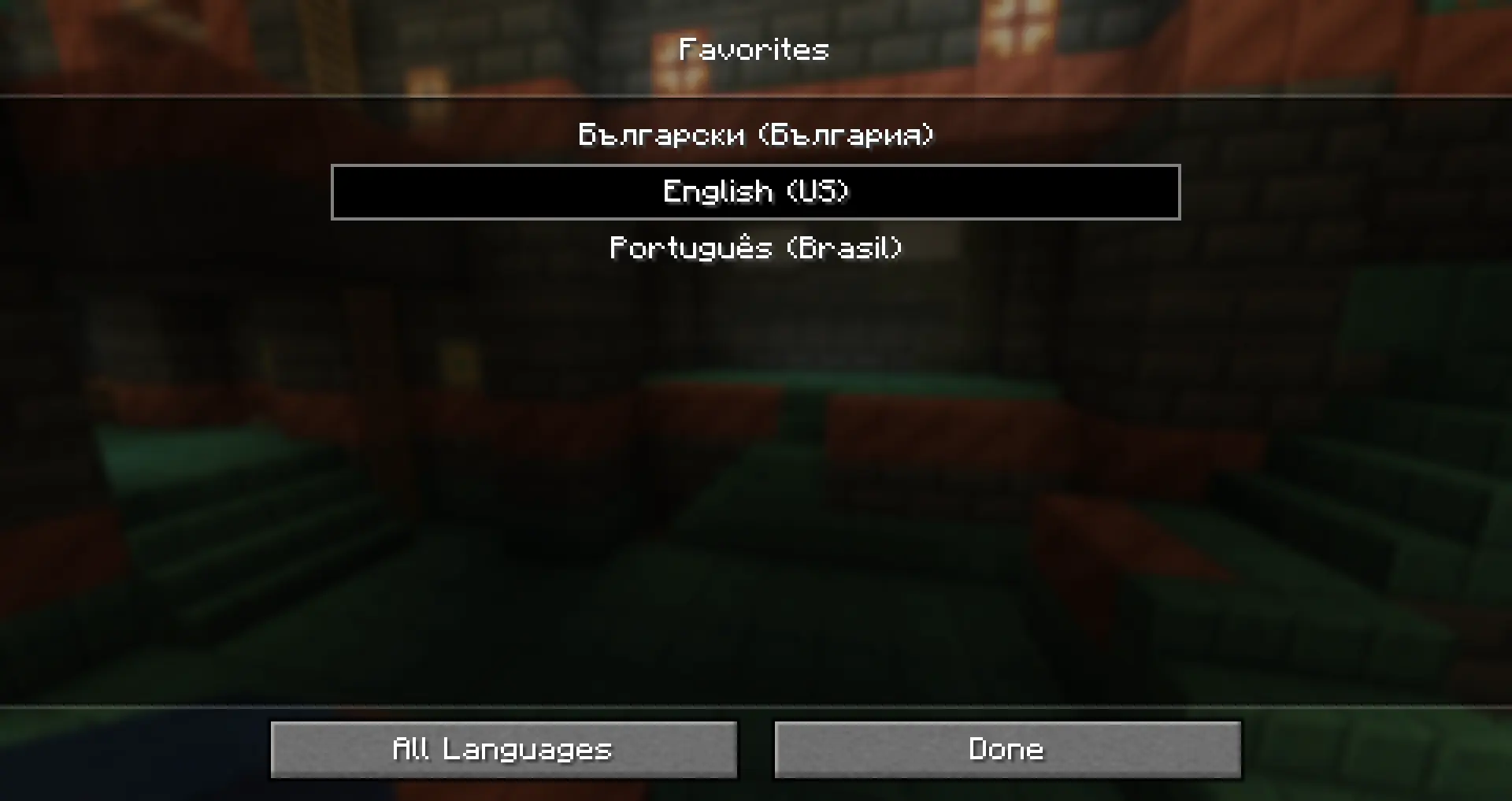
It lets you mark your preferred languages with a star and quickly access them using the Favorites button, making it easier to switch between languages without scrolling through the full list every time.
Preview
Features
| Feature | Description |
|—|—|
| ⭐ Favorite Languages | Adds a star button next to languages in the language screen. |
| Quick Access | Use the Favorites button to quickly open your favorite languages. |
| Simple Integration | Keeps the vanilla language screen familiar and easy to use. |
| Client-Side Only | No server installation required. |
| Lightweight | Focused only on improving the language selection screen. |
How It Works
Open Options > Language.
Click the star next to a language to add it to your favorites.
After that, use the Favorites button to quickly select your preferred languages.
Compatibility
- Mod loader: Fabric
- Environment: Client-side
Support
Need help, found a bug, or want to suggest something?
Join the Discord support forum:
https://discord.gg/pcKQSDgTzh
License
This project is licensed under the MIT License.
常见问题
Favorite Language 支持哪些 Minecraft 版本?
Favorite Language 支持 Minecraft Java 版 1.21.1–26.1.2,共 14 个版本,可用的加载器:Fabric。下载时注意选择和你游戏版本一致的文件。
Favorite Language 怎么安装?
先用 PCL2 或 HMCL 启动器安装对应版本的 Fabric,再把下载的 .jar 文件放进游戏目录的 mods 文件夹,重新启动游戏即可。开启了版本隔离的,mods 文件夹在 versions/版本名 下面。运行环境:仅客户端。
ThBTT 的其他作品
查看全部 →
Whistlebound Horse
Simple mod that allows you to whistle your horse and it teleports directly in front of you.

Helpful Armorers
Helpful Armorers is a Fabric mod for Minecraft that lets armorer villagers repair damaged iron golems when the area is safe.
Helpful Armorers
Helpful Armorers is a Fabric mod for Minecraft that lets armorer villagers repair damaged iron golems when the area is safe.

Forsaken Corpses: 1.21.1 Port
Unofficial Minecraft 1.21.1 port of Forsaken Corpses
评论
登录后评论和评分