
Craft Config Lib
A client-side configuration library that supports presets and built-in keybinds.
截图


介绍
Craft Config Lib
A client-sided configuration library with preset support, made for my mods. Feel free to use it in your mod if it fits your needs.
NOTE: you should only use this for client sided mods.
Features
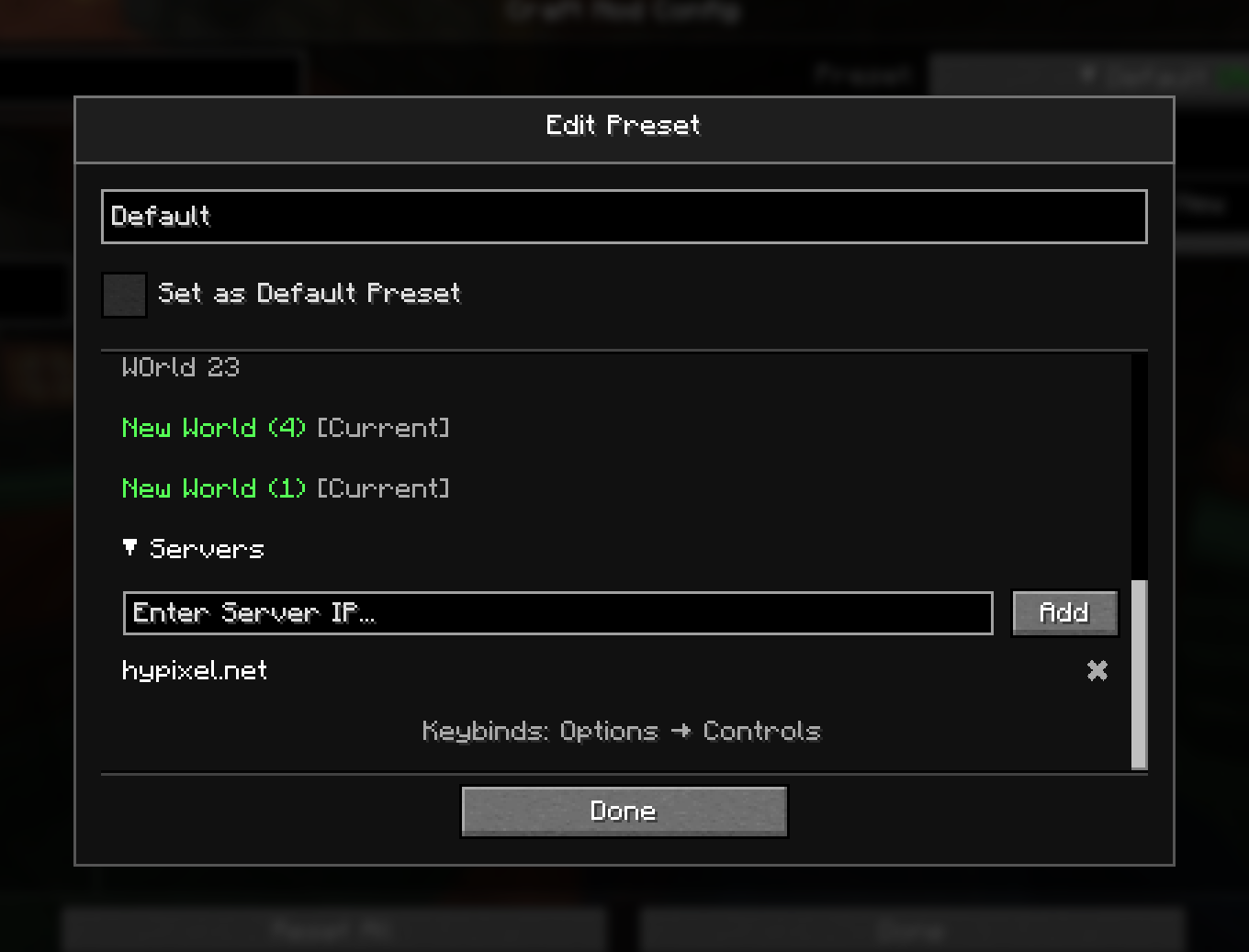
- Config Presets
- Allow switching between multiple different configs quickly
- Auto apply presets on specific world/servers
- Built-in keybind support
- Automatically create options (boolean only) that can be binded to a key
- Auto config registering
- Registers the config screens automatically, without the need of manually registering the configs.
Showcase
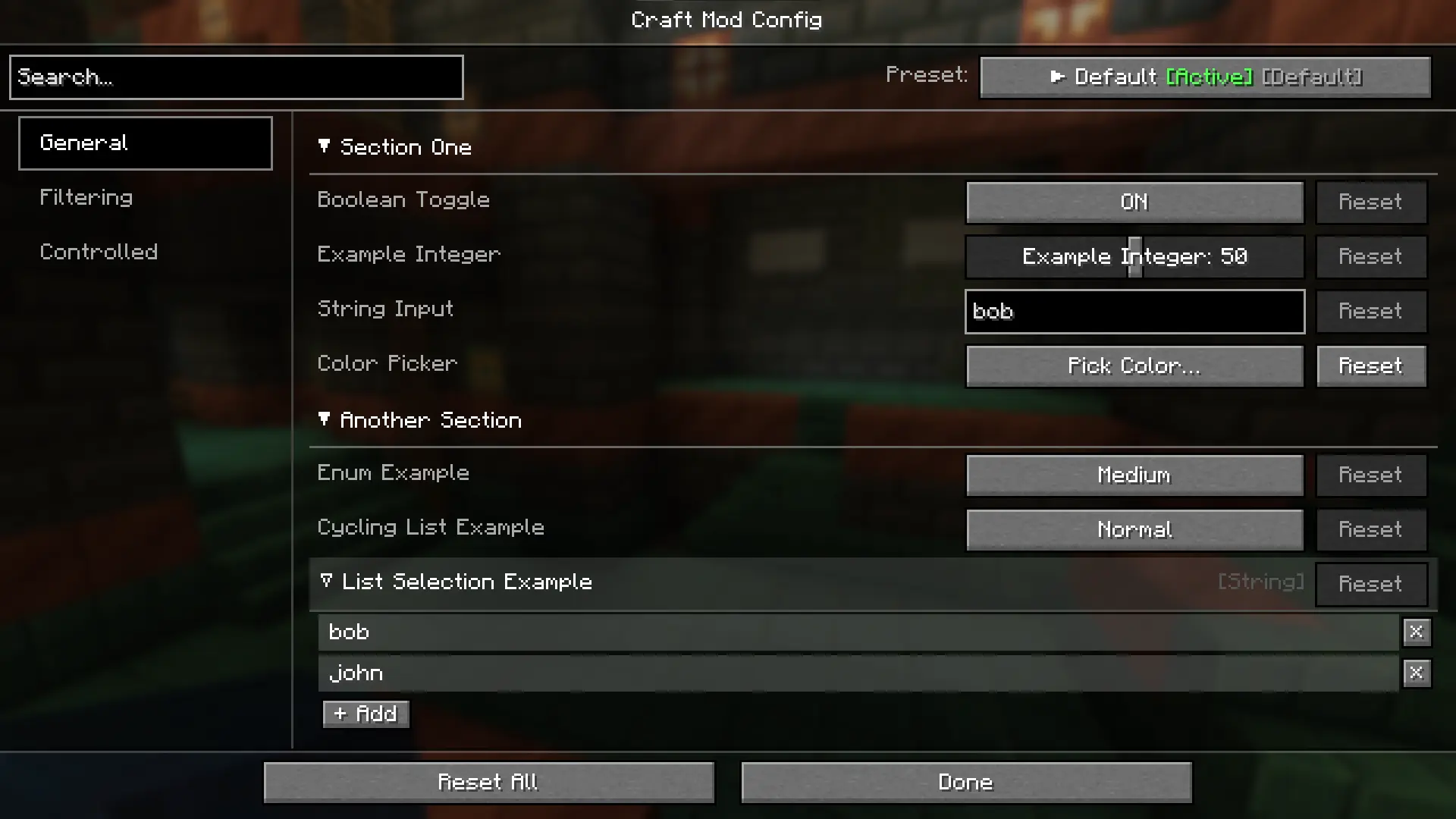
Main config screen
Presets editing
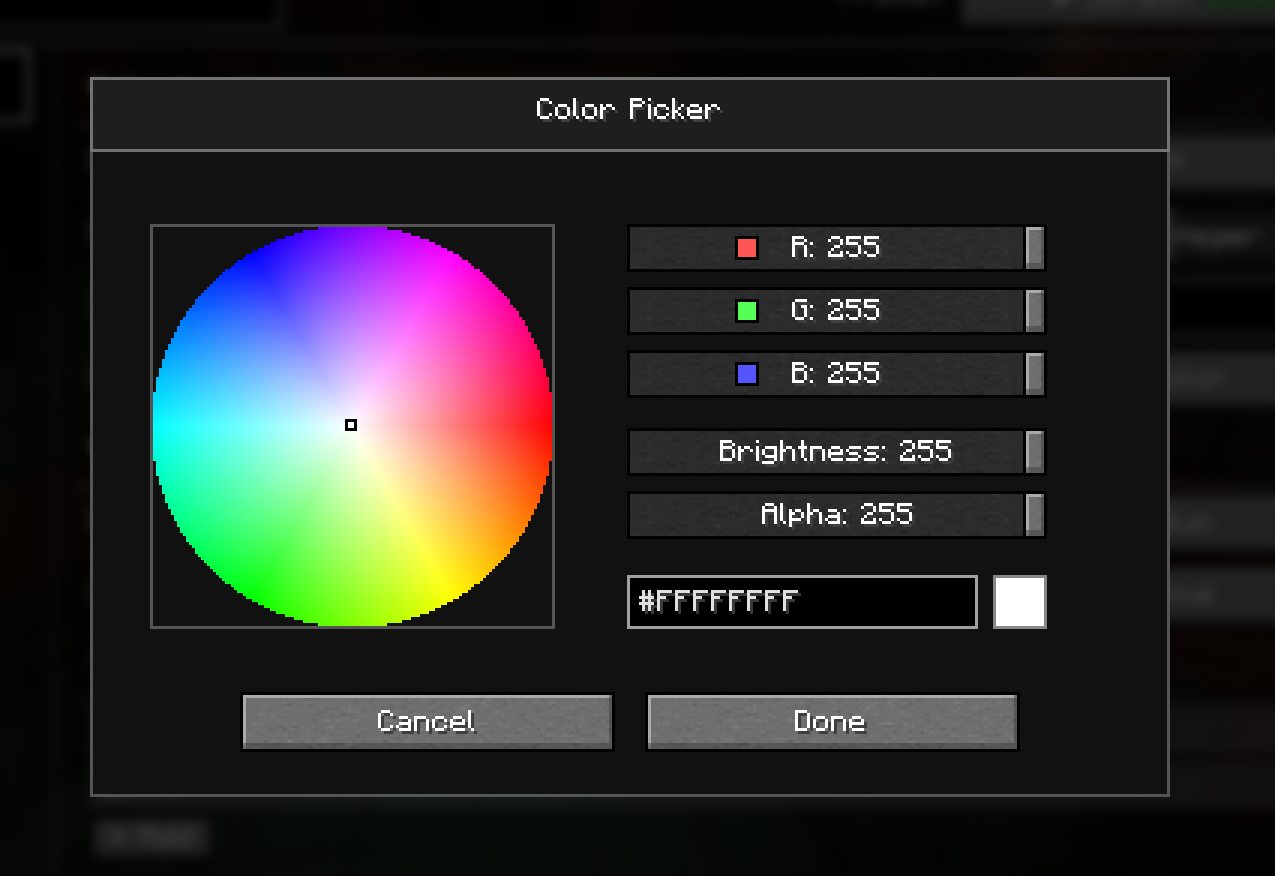
Color Picker
For developers
Setup
Add to repositories
repositories {
    maven {
        url = "https://api.modrinth.com/maven"
    }
}
Then in your dependencies include this
dependencies {
    implementation("maven.modrinth:craft-config:<version_name>")
}
Replace with the one that is suitable.
You can find the version names at https://modrinth.com/mod/craft-config/versions
常见问题
Craft Config Lib 支持哪些 Minecraft 版本?
Craft Config Lib 支持 Minecraft Java 版 1.20.1–26.3,共 17 个版本,可用的加载器:Fabric / Forge / NeoForge。下载时注意选择和你游戏版本一致的文件。
Craft Config Lib 怎么安装?
先用 PCL2 或 HMCL 启动器安装对应版本的 Fabric / Forge / NeoForge,再把下载的 .jar 文件放进游戏目录的 mods 文件夹,重新启动游戏即可。开启了版本隔离的,mods 文件夹在 versions/版本名 下面。运行环境:仅客户端。
tricube 的其他作品
查看全部 →
Better Tab Info
Improves tab list with extra info (TPS & numerical ping), customizable rows and columns, as well as scrolling.

Craft Config Lib
A client-side configuration library that supports presets and built-in keybinds.

Optimized Fullbright
Fullbright mod that disables the lighting system to improve performance. Now toggleable with a keybind!

Better Multiplayer Sleep
Allows one person to sleep through the night, which can be cancelled by others in the server.
评论
登录后评论和评分