
Piggy Inventory
A simple yet powerful mod designed to enhance your inventory management experience in Minecraft. Piggy Inventory aims to streamline your interactions with items, tools, and containers.
截图
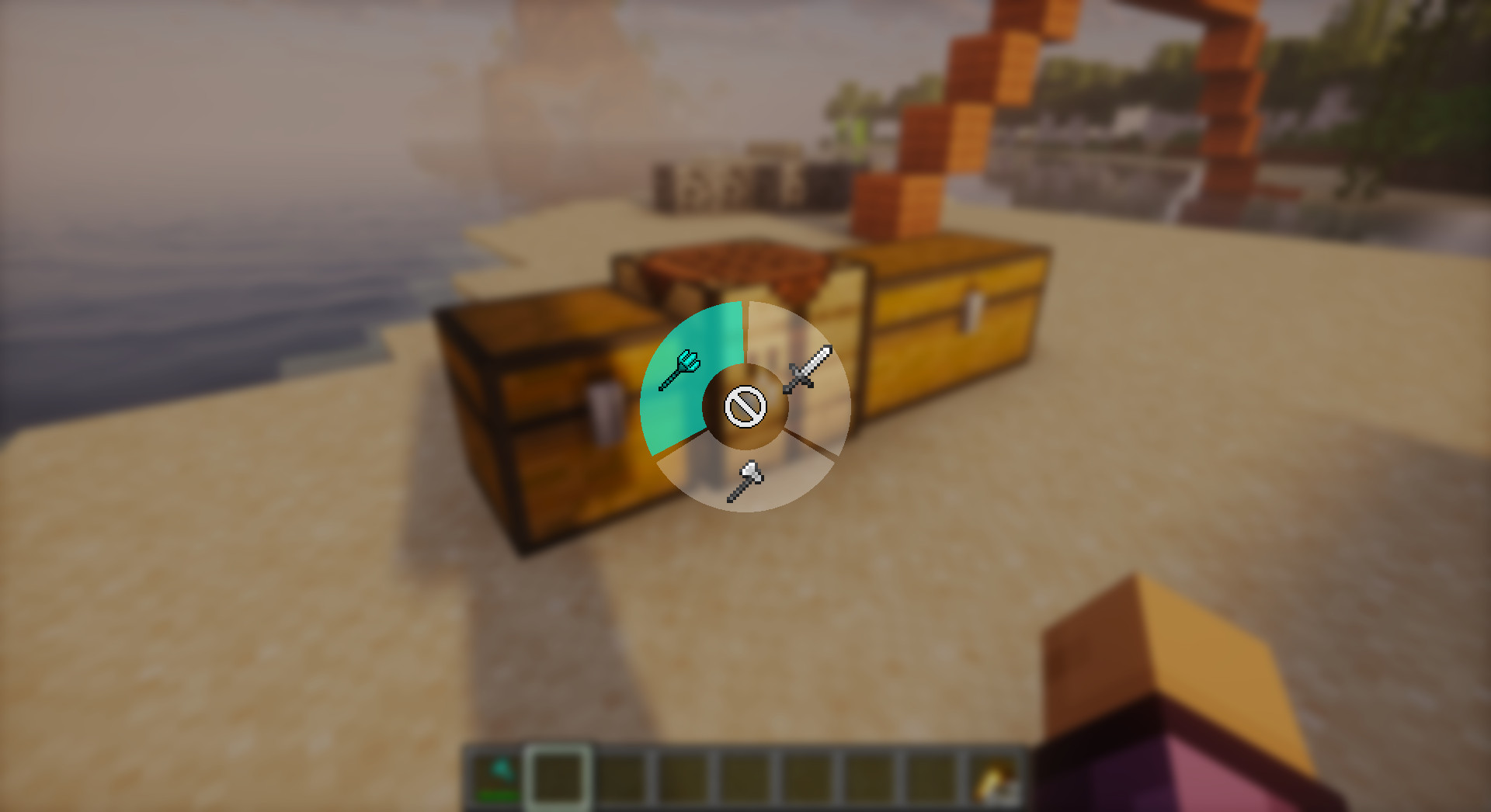
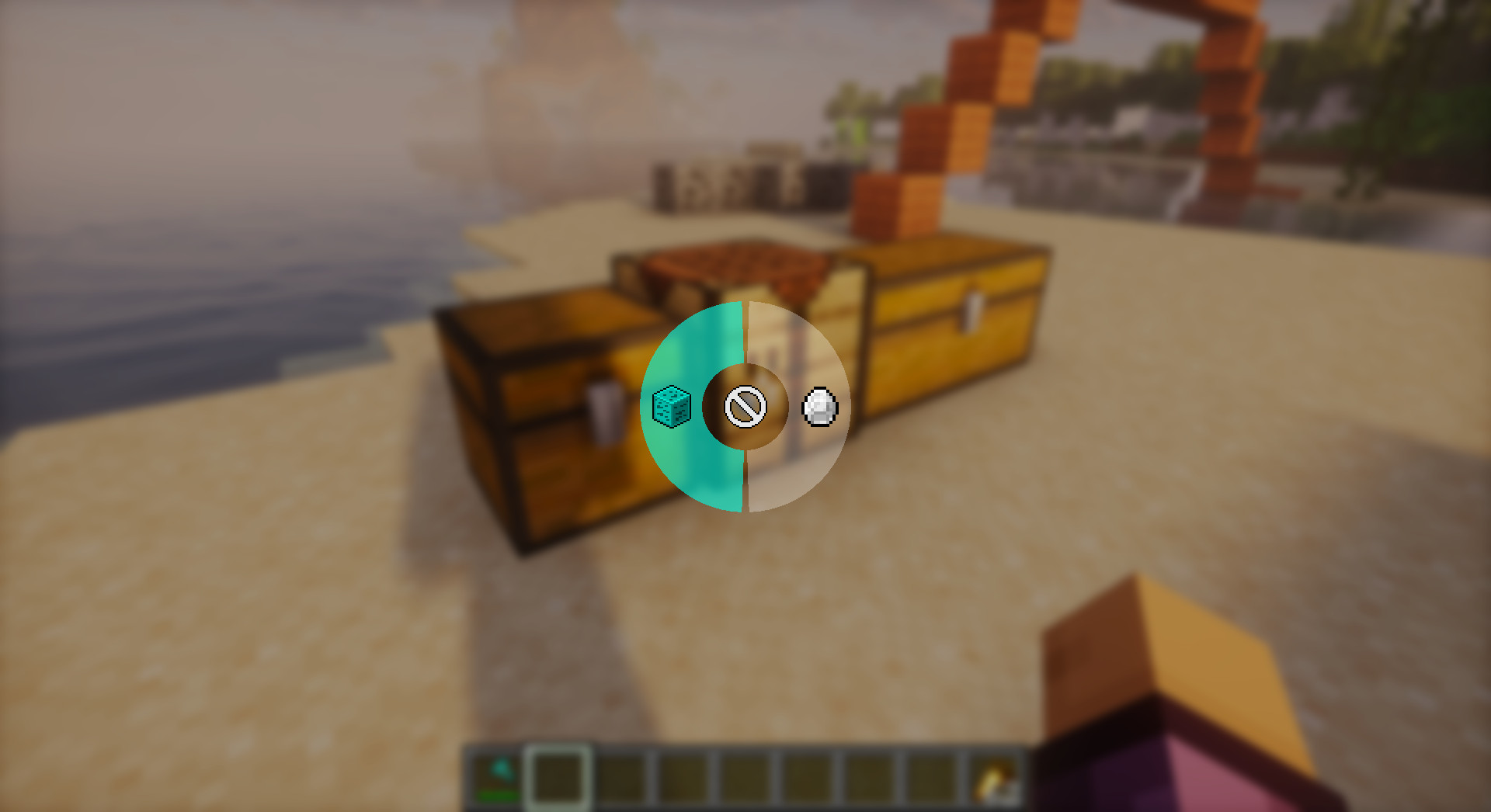
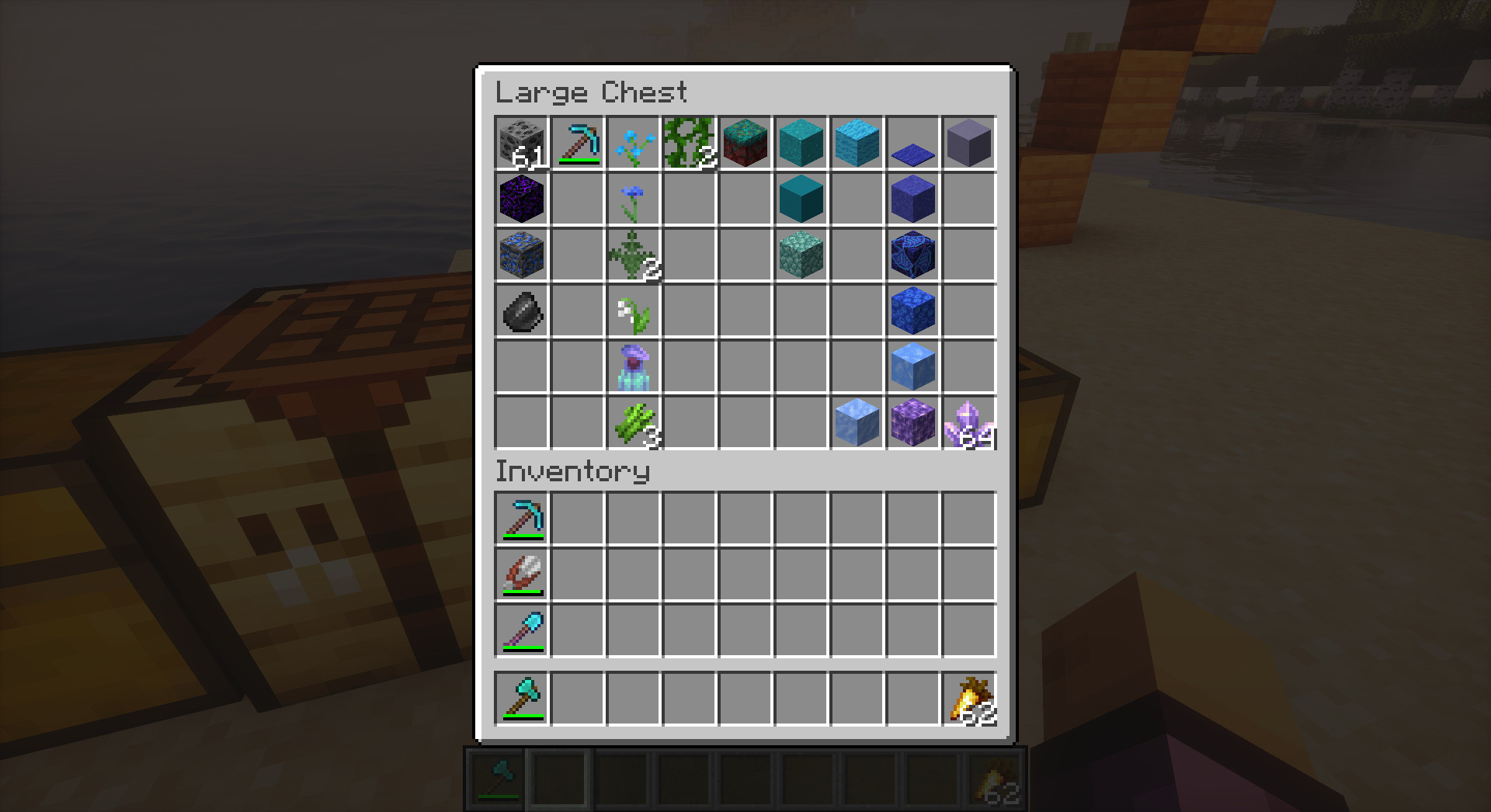
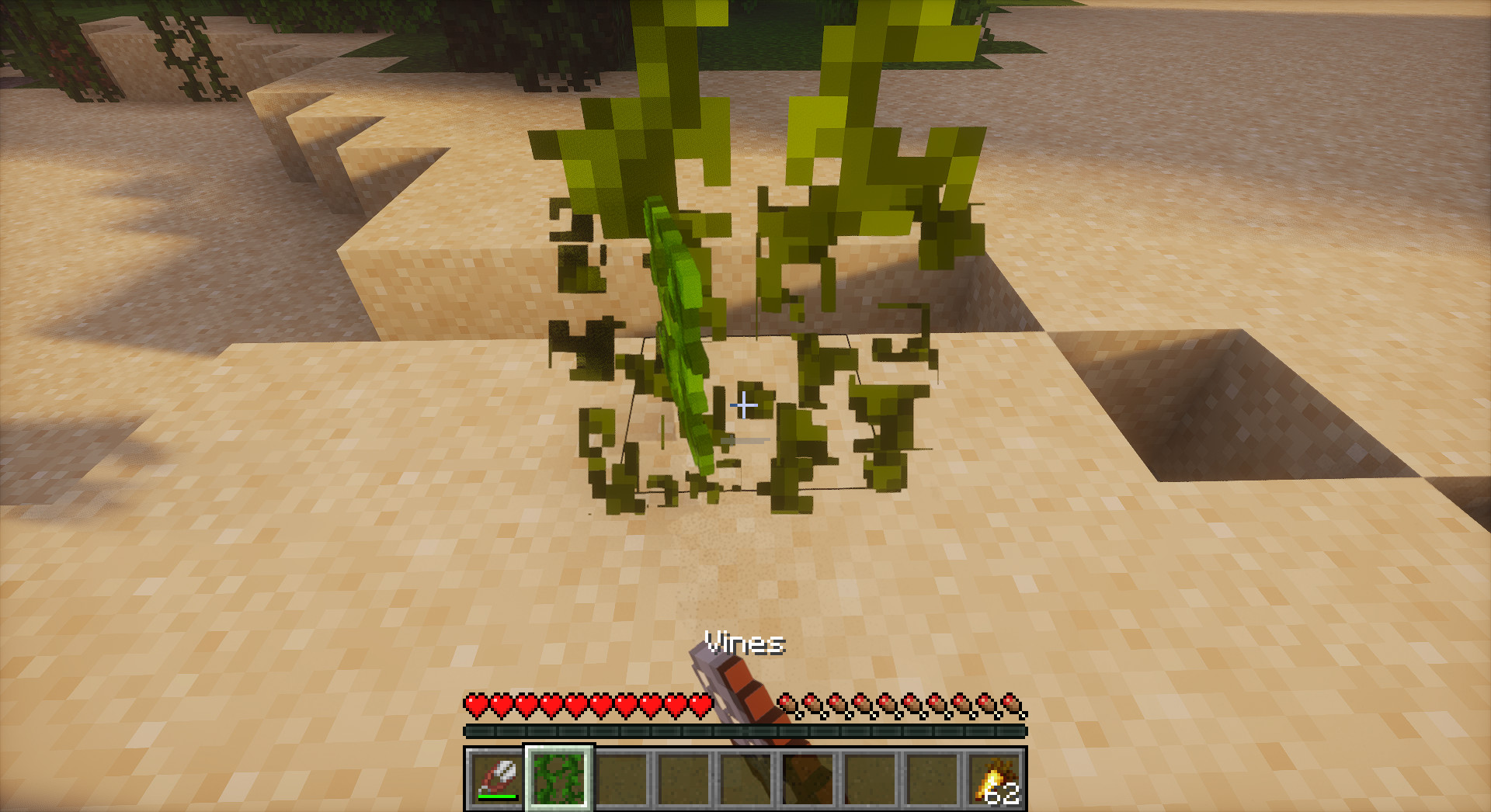
介绍


Piggy Inventory
A simple yet powerful mod designed to enhance your inventory management experience in Minecraft. Piggy Inventory aims to streamline your interactions with items, tools, and containers.
Screenshots


⚠️ Disclaimer
This is a personal project. It comes AS IS and might have issues.
- No Support: Do not expect regular support or bug fixes.
- No Forge Port: There are NO plans to port this mod to Forge/NeoForge.
- Use at your own risk.
Feel free to fork the project or submit a Pull Request if you want to contribute fixes or features!
Features
⚡ Automatic Swapping
- Auto Tool Swap: Automatically selects the best tool for the block you are mining.
- Supports Silk Touch/Fortune preferences (configurable per-ore).
- Respects enchantments (Efficiency, Unbreaking, etc.).
- Auto Weapon Swap: Automatically switches to your best weapon when attacking.
- Considers damage, enchantments (Sharpness, Smite, Bane of Arthropods, etc.).
- Configurable preferences for different target types.
🔄 Auto Refill
- Tool/Weapon Refill: Never stop fighting or mining – broken tools are automatically replaced.
- Food Refill: Eat continuously without opening inventory.
- Smart Matching: Finds the next best item in your inventory automatically.
🎒 Inventory Management
- Inventory Sorting: Sort your inventory or containers instantly with R or Middle Click.
- Advanced Sorting Engine: A robust, prioritized algorithm that clears mega-stacks and avoids infinite loops.
- Smart Categorization: Groups items logically (Tools, Weapons, Resources, Food) before applying secondary sorting (Material, Alphabetical).
- Anti-Glitch Logic: Gracefully handles unswappable items and network latency to prevent the “sorting dance” (ping-ponging items).
- Multiple algorithms: Smart Category, Alphabetical, Creative Order, Rarity, Type, Material, Color, Tag.
- Customizable via JSON lists.
- Fast Loot / Deposit:
- Refined QuickLoot: Improved stability when interacting with large containers or during rapid scrolling.
- Shift + Scroll: Move matching items between inventories.
- Ctrl + Scroll: Move ALL items between inventories.
- Note: This only works when looking at a Container (Chest, Barrel, etc.) to preserve vanilla crouching!
- Slot Locking: Lock inventory slots to prevent accidental sorting or quick-looting.
- Continuous Crafting: Hold your click to craft, trade, or move items repeatedly. No more clicking spam!
Controls
You can rebind these keys in the standard Minecraft Controls menu under “Piggy Inventory”.
| Action | Default Key | Description |
| :— | :— | :— |
| Tool Preference Menu | H | Opens radial menu to set Silk Touch/Fortune preference. |
| Weapon Preference Menu | G | Opens radial menu to configure weapon swap behavior. |
| Sort Inventory | R (in inventory) | Sorts your player inventory. |
| Sort Container | Middle Click | Sorts the container you’re looking at. |
| Fast Loot Matching | Shift + Scroll (unbound by default) | Moves matching items while looking at container. |
| Fast Loot All | Ctrl + Scroll (unbound by default) | Moves all items while looking at container. |
🎮 Hybrid Key System
To avoid conflicts with vanilla controls:
- Loot Matching: Defaults to Unbound. When unbound, uses Shift.
- Loot All: Defaults to Unbound. When unbound, uses Control.
- Customization: Bind to specific keys in Controls menu if you prefer not using Shift/Ctrl.
Configuration
Access the configuration menu via Mod Menu.
- Sorting: Choose default algorithm and layout (Compact, Rows, Columns, Grid).
- Tool/Weapon Swap: Toggle auto-swapping, configure preferences.
- Slot Locking: Set which slots to lock.
- Quick Loot: Adjust delays and behavior.
- Custom Lists: Configure Silk Touch blocks, tool priorities, etc.
Dependencies & Installation
Requirements
- Minecraft: ~1.21.1
- Fabric Loader: >=0.18.1
- Java: >=21
Required Mods
- Fabric API: Any version
- YACL (Yet Another Config Lib): ~=3.6.1+1.21-fabric
- Piggy Lib: >=1.0.1
- (Optional) Mod Menu: >=11.0.3 – Highly recommended for accessing configuration.
Installation
- Download the
.jarfile from Releases. - Install Fabric Loader for Minecraft 1.21.1.
- Place the
piggy-inventoryjar (along with Fabric API, YACL, and Piggy Lib) into your.minecraft/modsfolder. - Launch the game!
Inspiration
This mod was inspired by:
- Tweakeroo – For advanced inventory management features and auto-refill mechanics.
- Inventory Profiles Next – For sorting algorithms and inventory organization.
- Mouse Tweaks – For scroll-based item movement and quick loot features.
- Inventory Tabs – For UI/UX inspiration in inventory management.
License: CC0-1.0
常见问题
Piggy Inventory 支持哪些 Minecraft 版本?
Piggy Inventory 支持 Minecraft Java 版 1.21.1,可用的加载器:Fabric。下载时注意选择和你游戏版本一致的文件。
Piggy Inventory 怎么安装?
先用 PCL2 或 HMCL 启动器安装对应版本的 Fabric,再把下载的 .jar 文件放进游戏目录的 mods 文件夹,重新启动游戏即可。开启了版本隔离的,mods 文件夹在 versions/版本名 下面。运行环境:仅客户端。
porkyoot 的其他作品
查看全部 →
Piggy Build
A simple yet powerful building mod for flexible block placement and shape selector.

Piggy Admin
A server-side administration mod designed to help manage anti-cheat settings and moderate servers

Piggy Lib
Just a library for Piggy's Mods, nothing fancy.
评论
登录后评论和评分