
Tab Atelier
Design, organize, and hide Creative Mode tabs with a visual section editor.
截图
介绍
Tab Atelier
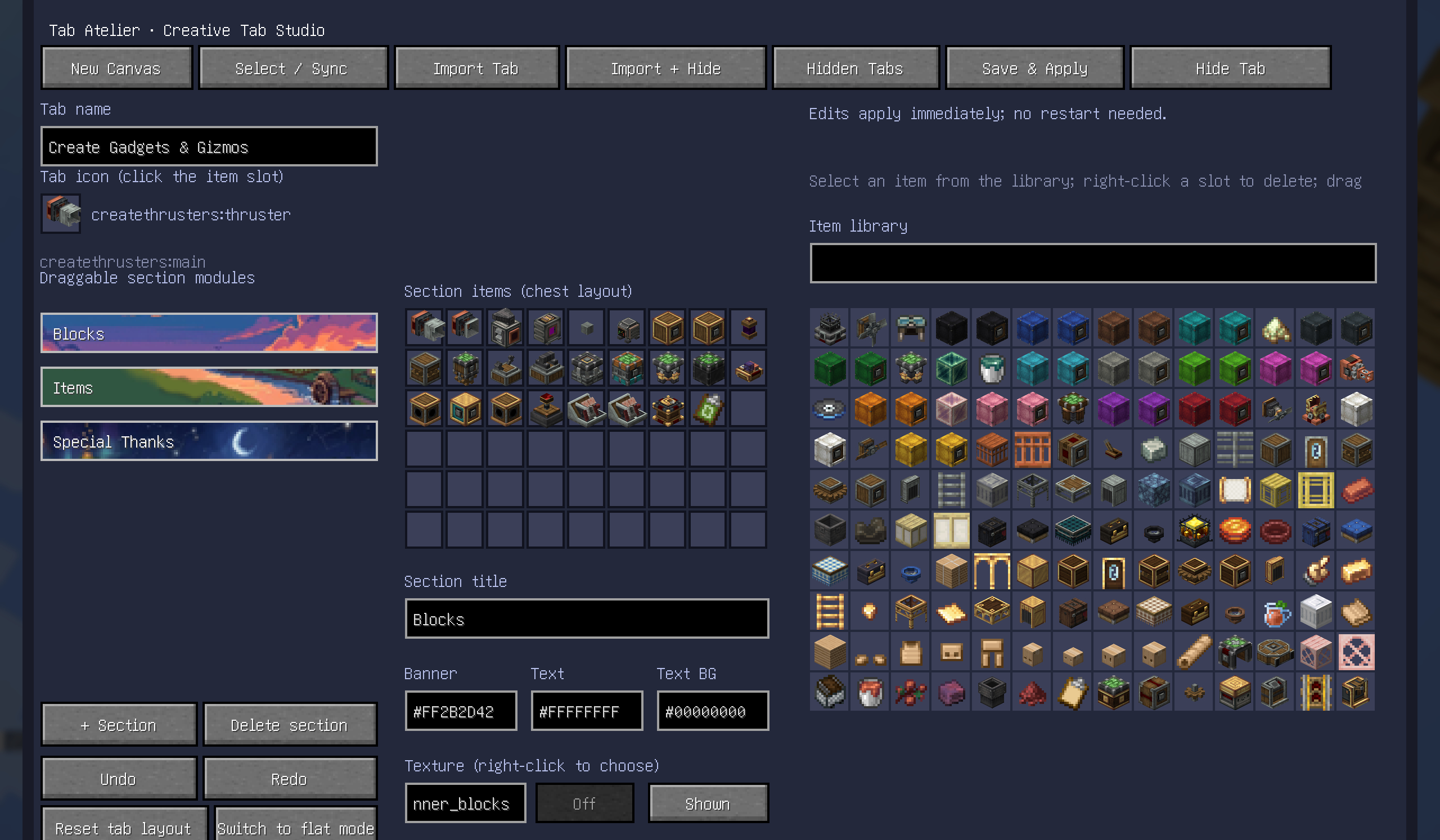
Tab Atelier is a visual editor for Minecraft Creative Mode tabs, built around Fancy Tab Sections.
Create your own tabs, organize items into draggable sections, customize titles, colors, icons, and section backgrounds, then apply the layout directly in-game.
Features
- Create and edit custom Creative Mode tabs
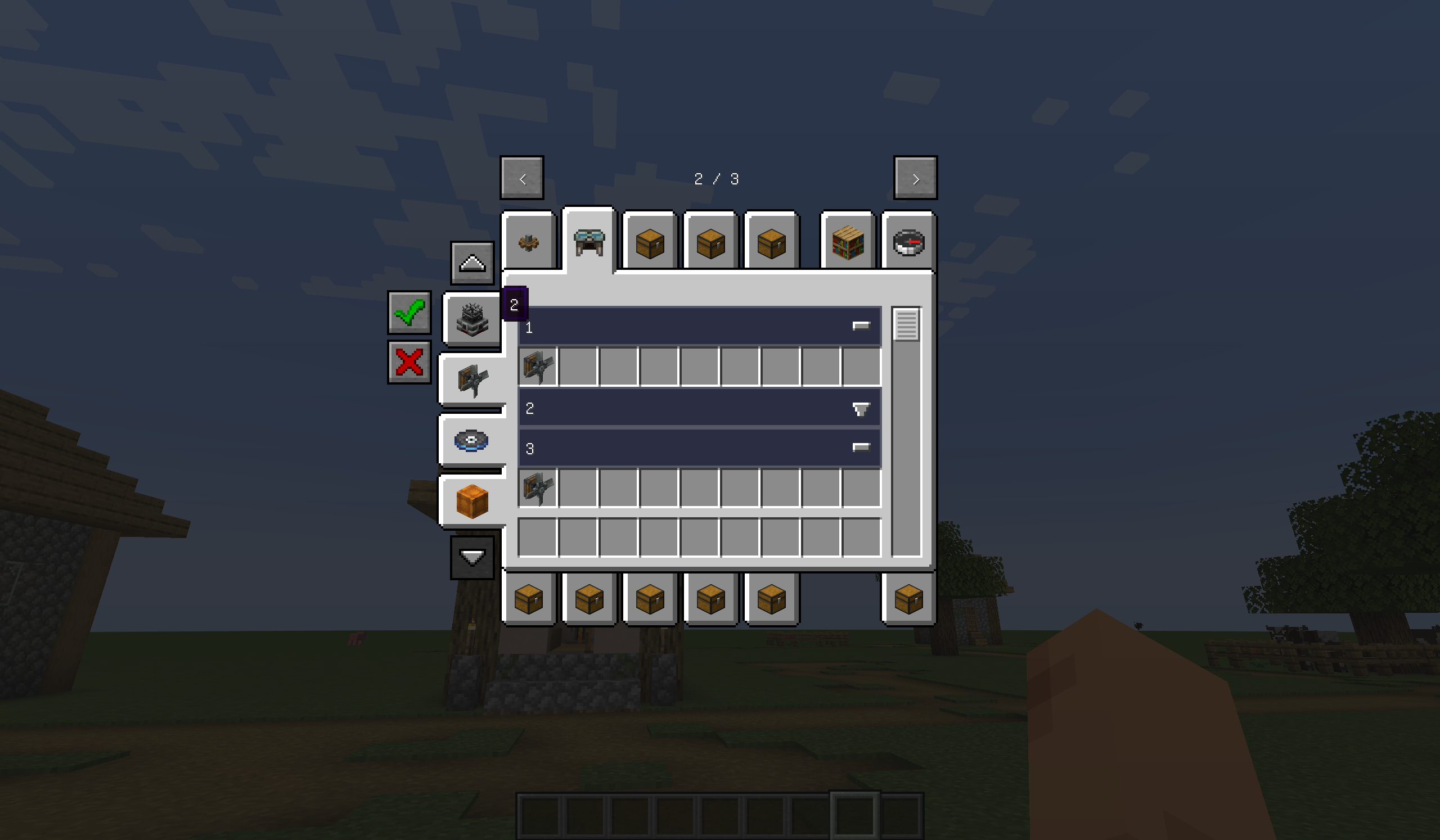
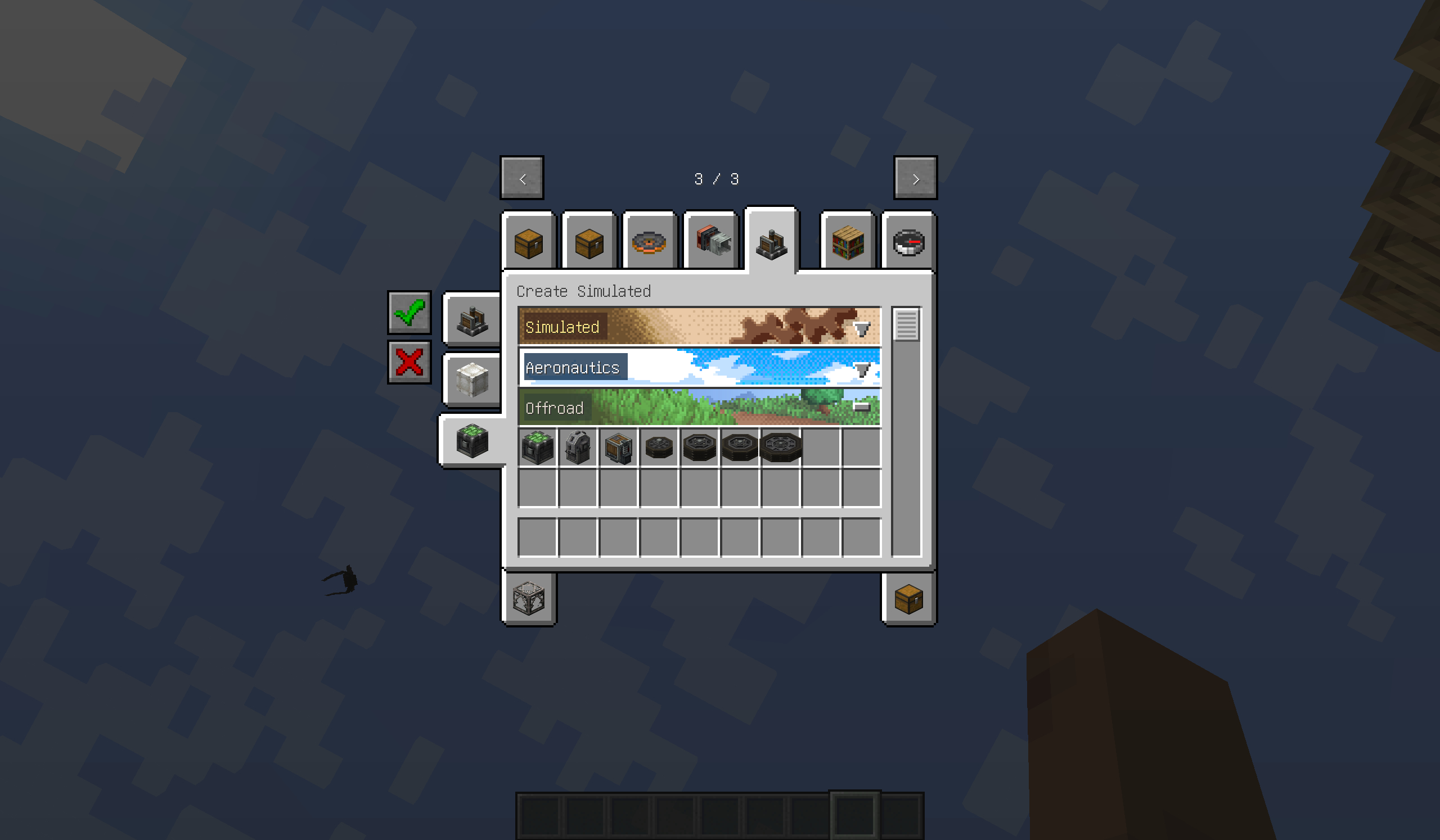
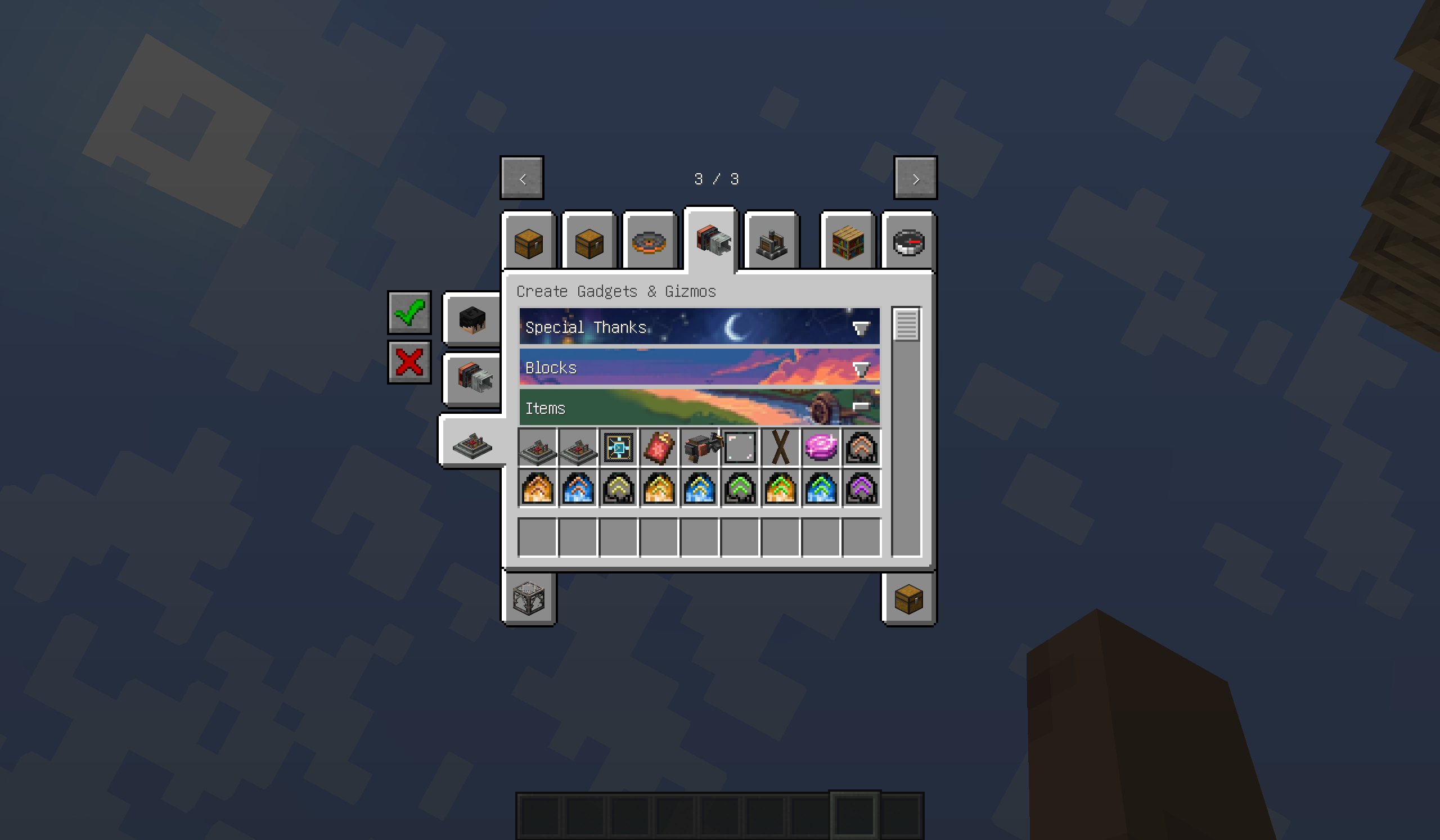
- Add, remove, reorder, and populate sections with a chest-like GUI
- Edit existing mod tabs or restore their original layout
- Switch between grouped sections and a normal flat item list
- Customize tab names, tab icons, section titles, text colors, and backgrounds
- Use static or animated section background textures
- Hide unwanted Creative Mode tabs and restore them later
- Undo and redo item-layout changes
- Import another tab’s items and sections into your own layout
Compatibility
- Required: Fancy Tab Sections
- Optional: Filters API
- Optional: Create Aeronautics
- Optional: Create Aeronautics: Gadgets & Gizmos
When Filters API is installed, its section buttons can control Tab Atelier sections without replacing the section-based item layout.
Usage
Press O in-game to open Tab Atelier.
Some Creative Mode tab changes may require a game restart to appear everywhere.
常见问题
Tab Atelier 支持哪些 Minecraft 版本?
Tab Atelier 支持 Minecraft Java 版 1.21.1–26.2,共 3 个版本,可用的加载器:NeoForge。下载时注意选择和你游戏版本一致的文件。
Tab Atelier 怎么安装?
先用 PCL2 或 HMCL 启动器安装对应版本的 NeoForge,再把下载的 .jar 文件放进游戏目录的 mods 文件夹,重新启动游戏即可。开启了版本隔离的,mods 文件夹在 versions/版本名 下面。运行环境:仅客户端。
brazenpine 的其他作品
查看全部 →
Northstar Sable Iris Horizons Bridge
A NeoForge compatibility bridge for Northstar: fixes Iris and Complementary skies, fades Distant Horizons into space, and transfers Sable structures between planets and orbit.

Aeronautics: Skyward
Build, fly, dive, and explore — airships, submarines, and rockets, all with realistic physics.

Drippy macOS Early Loading Patch
Fixes macOS startup crashes caused by Drippy’s early loading screen.
Aeronautics: Lightweight
Lightweight, take off! – Pure flight on NeoForge 1.21.1.
评论
登录后评论和评分